Jerry Wang
Introduction
HeyGears UltraCraft Reflex 2 is a professional-grade resin 3D printer featuring a 385+ nm light source. It is likely to be the best desktop resin 3D printer of 2025, thanks to several innovative technologies that will undoubtedly set it apart from the competition. First, the HeyGears Reflex 2’s light source system is truly astonishing! Unlike traditional matrix light sources (which suffer from poor light uniformity), it employs an innovative 161 OptiZone Light Engine. This means the light source utilizes 161 independent LED light units, each of which is individually controllable for brightness. Its precise zone dimming creates almost no light in dark areas, delivering exceptionally high contrast. Additionally, the HeyGears Reflex 2’s screen is powered by Amber Screen Pro, which lasts 12.5 times longer than a regular screen. The 161 OptiZone Light Engine and Amber Screen Pro comprise a light system that allows the HeyGears Reflex 2 to maintain excellent print quality and accuracy!
Last but not least, HeyGears UltraCraft Reflex 2 continues to integrate the HeyGears ecosystem of optimization algorithms and easy-to-use eco-products. All of this combined makes me very confident to mark the HeyGears Reflex 2 as the best desktop resin 3D printer of 2025. In this detailed review article, you will learn about the various exciting features of HeyGears Ultracraft Reflex 2, as well as answers to some FAQs, helping you quickly determine which HeyGears product is more suitable for you. Below is my comprehensive rating of HeyGears Reflex 2 based on my actual usage experience over the past month. I hope this helps you, and I really recommend it!
Comprehensive Scores of HeyGears Reflex 2 3D printer
Summary
The Design of HeyGears UltraCraft Reflex 2
Appearance
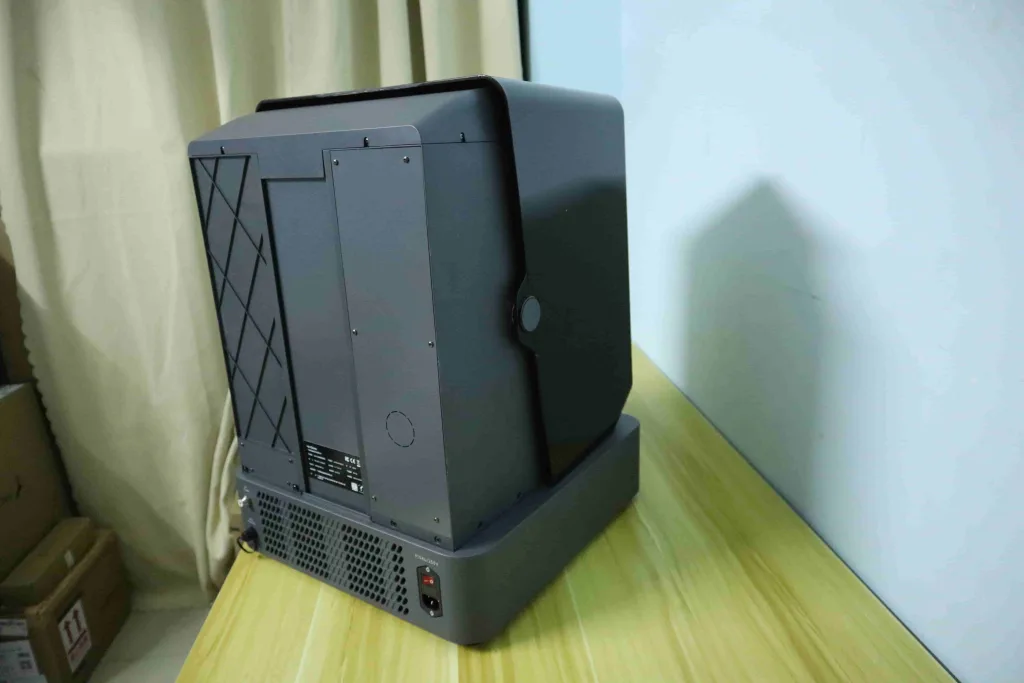
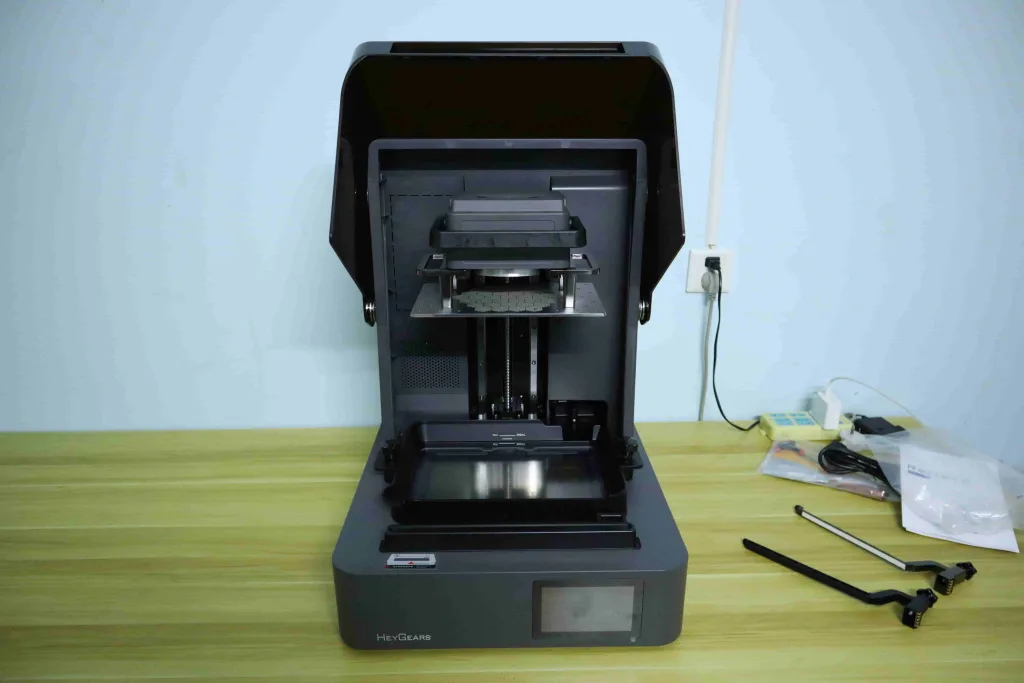
The HeyGears UltraCraft Reflex 2 continues the elegant design of HeyGears products in its exterior appearance. The overall dimensions of the HeyGears Reflex 2 are 430 * 445 * 605 mm, with a printing size of 230 * 144 * 230 mm. In terms of machine size and printing volume, the HeyGears Reflex 2 has been upgraded compared to other HeyGears’ previous-generation machines, such as the Reflex and RS Turbo. HeyGears Reflex 2 enhances automated printing assistance features, and the resin bottle placement port has been relocated to the right side of the machine. If you’ve used the HeyGears Reflex RS Turbo, you’ll recall that previous HeyGears resin 3D printers positioned the resin bottle port on top. This minor adjustment, in my view, makes the design more logical and user-friendly.


As a professional-grade desktop resin 3D printer, it must effectively ensure a high-quality printing experience. Therefore, the hardware quality of HeyGears Reflex 2 has been upgraded to be even better. For example, its base is made using die-cast unibody base technology. You don’t need to understand the term “die-cast unibody base,” but you should know that this means the base of HeyGears Reflex 2 is more sturdy, stable, and resistant to minor deformation. This is because the die-cast unibody base replaces multi-part assemblies, eliminating cumulative tolerances and enhancing consistency between the machine. It also strengthens overall machine rigidity and improves Z-axis repeatability. This improvement in physical properties effectively ensures the precision of the printing process! Additionally, the interior of the machine has also become more streamlined and sleek! The molding platform and fixed buttons look incredibly sturdy!
Longer-Lasting, More Powerful Light Source Systems
Next comes the highlight of the HeyGears UltraCraft Reflex 2—the light source system, which really gets me excited! Firstly, it’s essential to clarify that the HeyGears Reflex 2 is a resin 3D printer operating at a wavelength of 385 nm. This makes it more powerful than machines like the HeyGears RS Turbo, which utilize a 405 nm wavelength light source. The Reflex 2 offers compatibility with a wider variety of resins, fully meeting diverse printing needs—from miniature printing to engineering application components.
HeyGears Reflex 2 employs the 161 OptiZon Light Engine design. Simply speaking, it utilizes 161 independent micro-LED light beads, each controllable individually for brightness. This enables highly precise zone dimming, which means light is directed only to areas requiring exposure, while dark zones remain virtually light-free. Therefore, the 161 Optizon light engine delivers high contrast, extended light source lifespan, and light intensity consistency close to that of COB light sources.
Additionally, the HeyGears Reflex 2’s screen has been upgraded to the Amber Screen Pro. As shown below, you can see its exceptionally clear and transparent screen. More importantly, the Amber Screen Pro delivers stable printing for over 6,000 hours and comes with a 1-year warranty, which boasts a lifespan 12.5 times longer than standard screens and 5 times longer than the Amber Screen(only 180 days warranty).
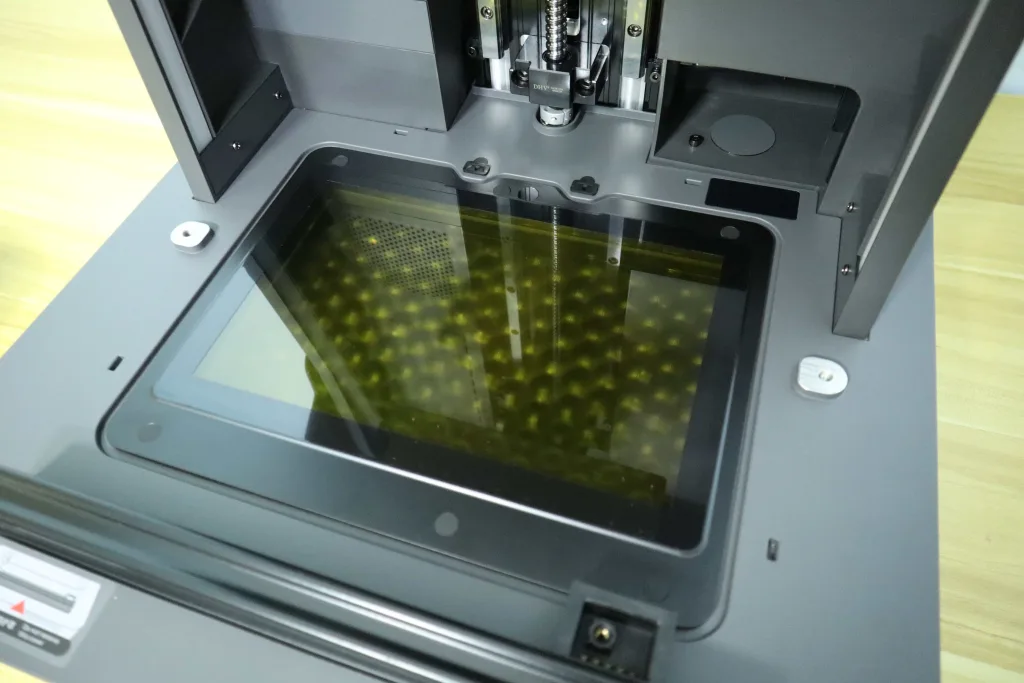
This innovative light source system delivers powerful and stable printing capabilities for the HeyGears Reflex 2! Overall, the Reflex 2 provides both long-term batch printing capability and high-precision printing results.
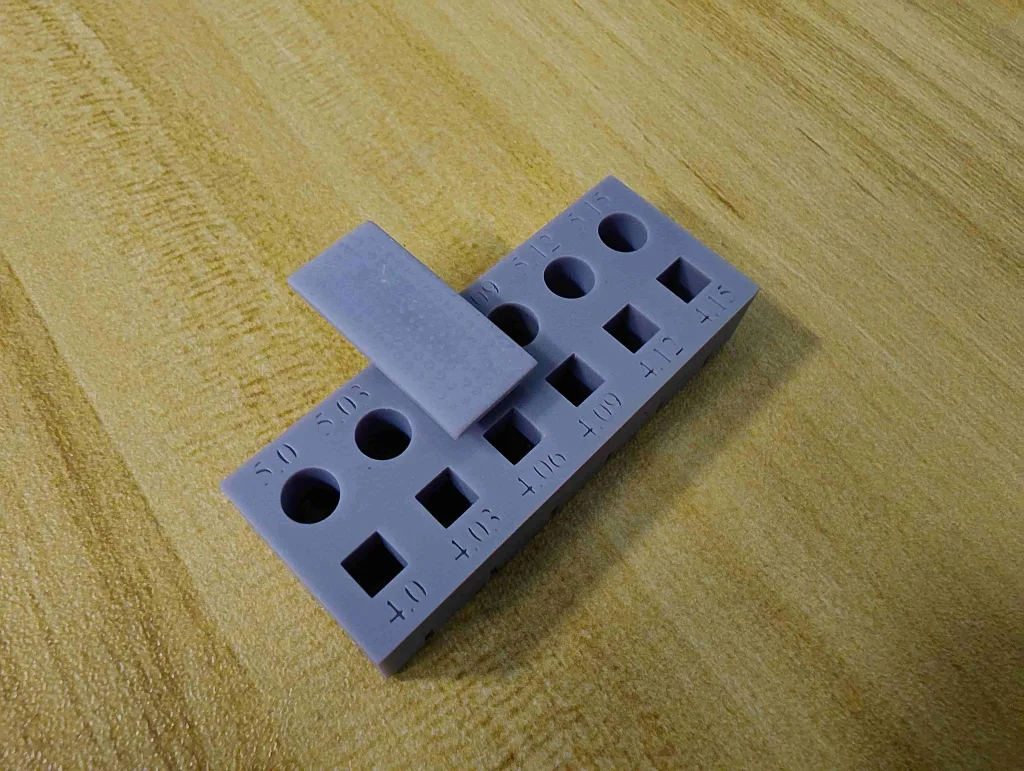
For example, it can maintain assembly tolerances within ±0.05 mm. Such stable assembly tolerances offer significant advantages in numerous applications, such as consistent batch production of model components and reliable tolerance settings during design modeling.
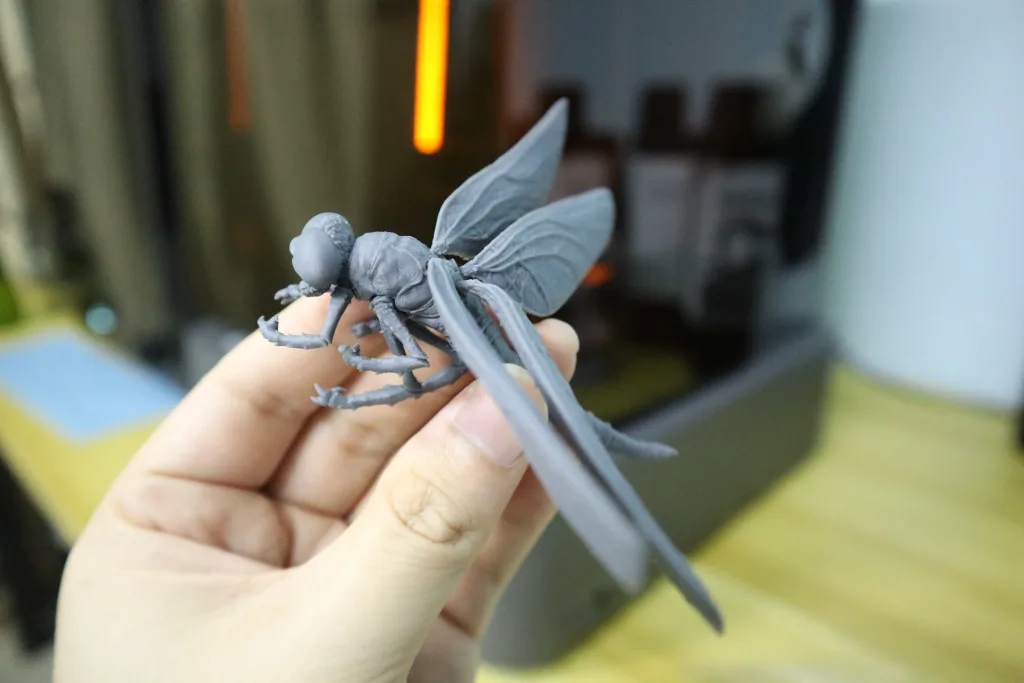
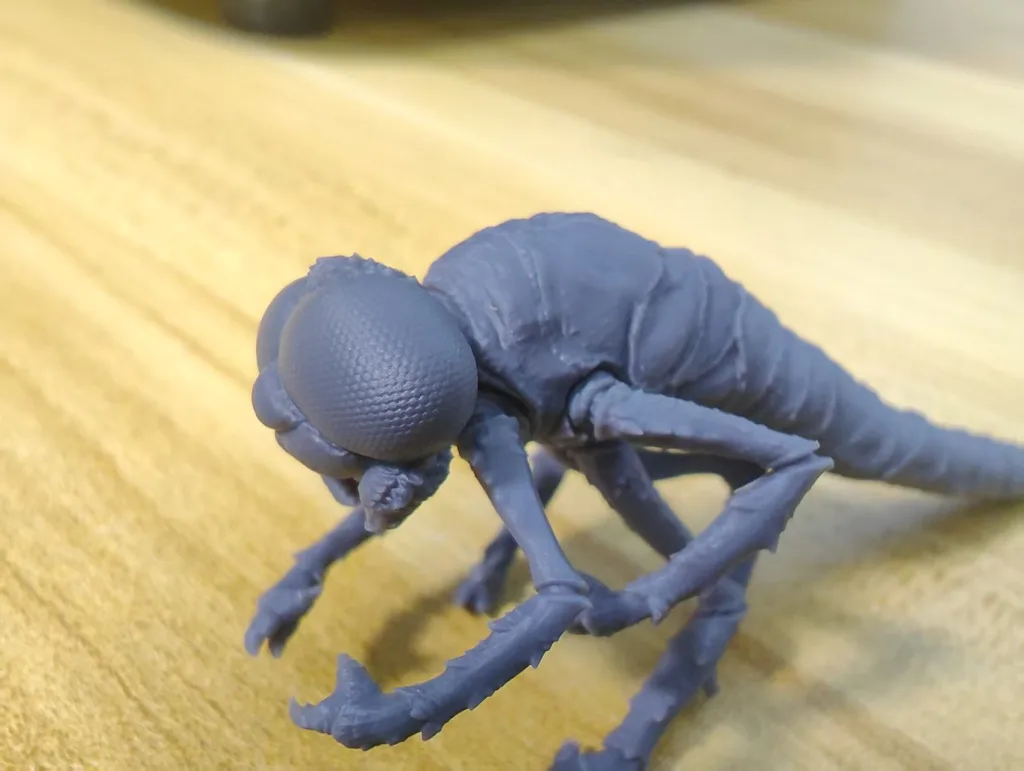
With its powerful light source system and high-precision hardware, the HeyGears Reflex 2 effortlessly prints sharper details. Take the eyes of this dragonfly model, for example. When viewed with the naked eye, the details on the dragonfly’s eyes are indistinguishable. Yet when photographed with a macro lens, the eyes reveal astonishingly fine details! At the same time, I couldn’t see any layer lines!
I can confidently state that the HeyGears Reflex 2, built with its high-contrast, high-level light intensity uniformity light source system and high-precision hardware, absolutely did not disappoint me in terms of detail reproduction.
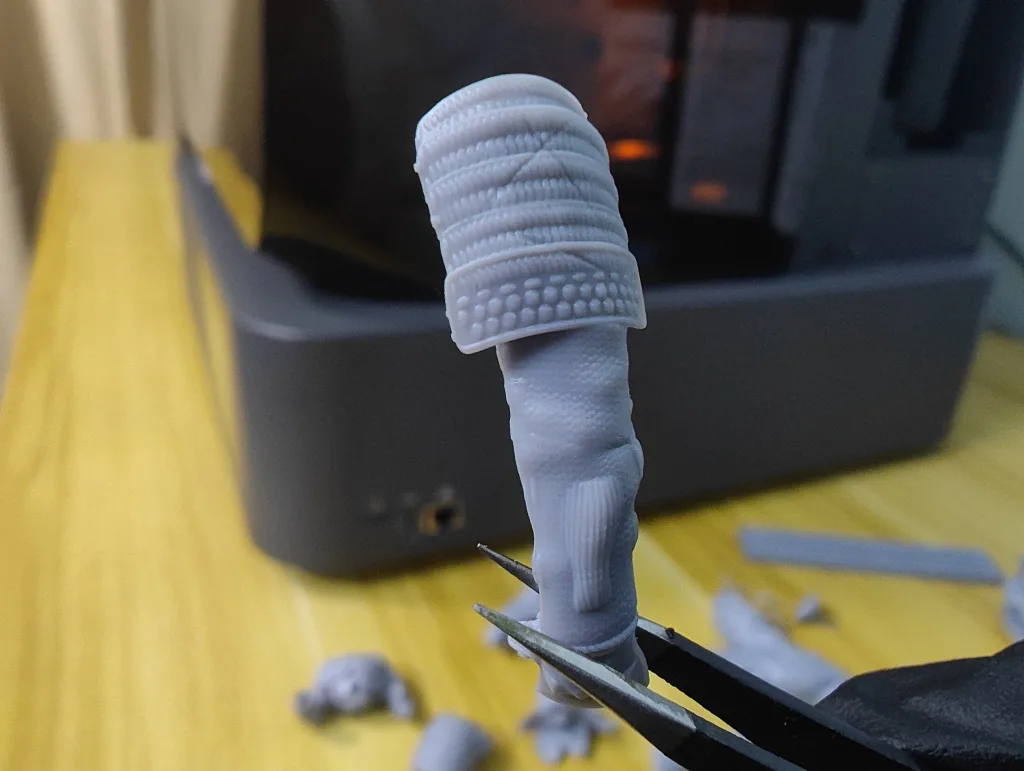
The image below shows the arm components of a miniature model. As you can see, there are absolutely no layer lines, and even the tiniest details are clearly visible. Even the fabric texture of the model’s clothing is clearly visible under a macro lens!
Smart Auto Workflow Printing System Upgraded
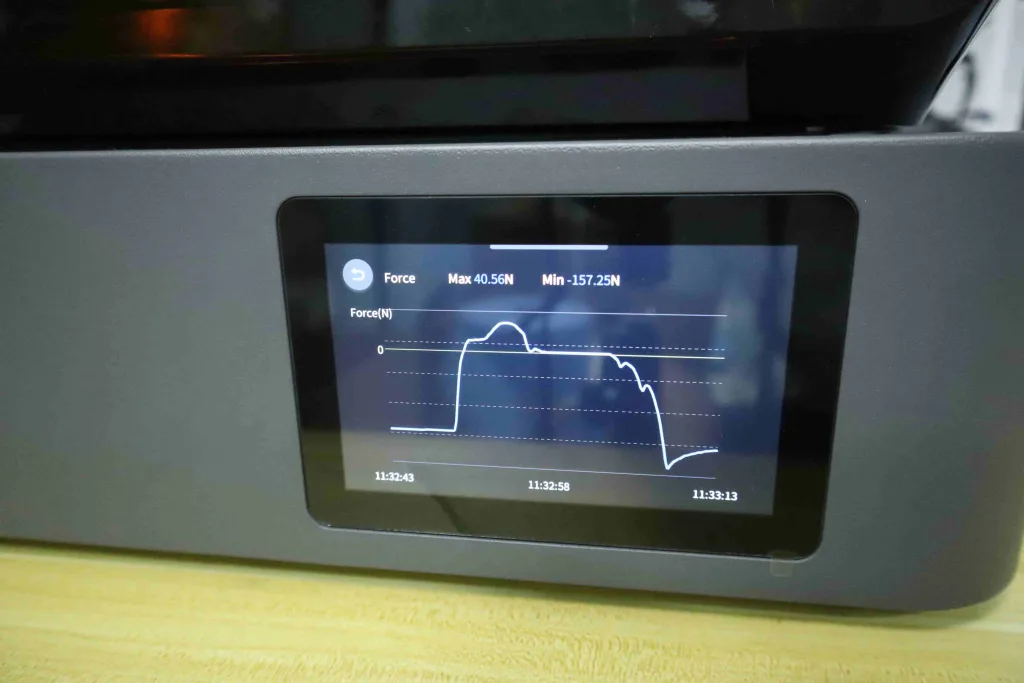
Beyond integrating HeyGears’ ecosystem of various print optimization algorithms, such as Motion Algorithm 3.0, a unique feature that sets HeyGears products apart, the HeyGears Reflex 2 undoubtedly boasts smart printing capabilities. These include HeyGears’ unique floating screen auto-leveling, high-precision residue detection, force monitoring printing process, and automatic resin refilling. These smart automatic printing features provide me with tremendous printing convenience and an unparalleled, effortless printing experience!
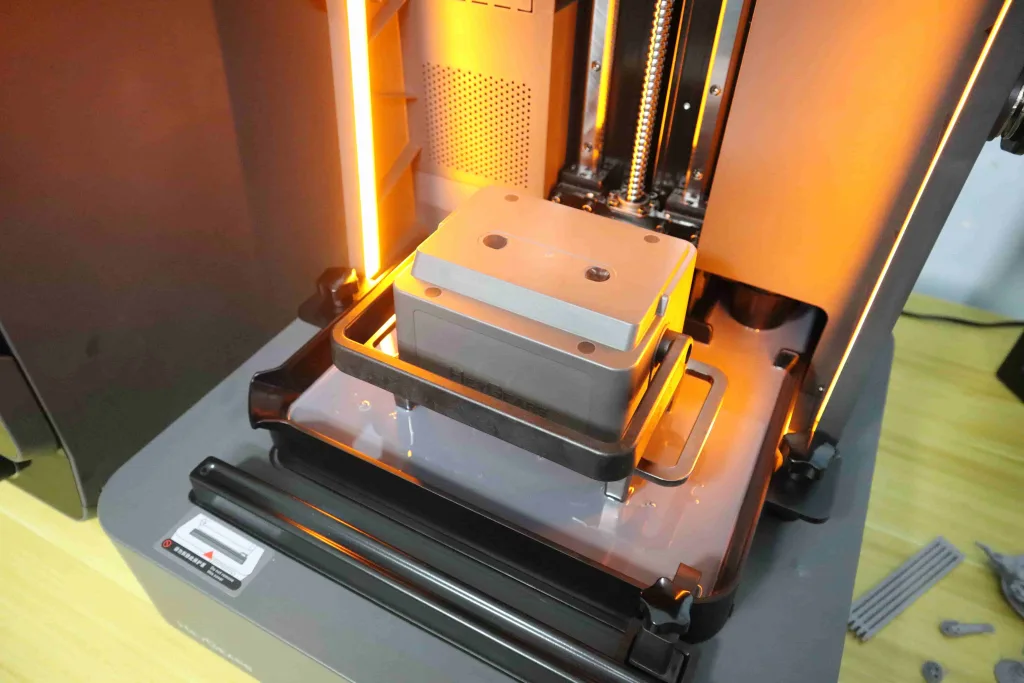
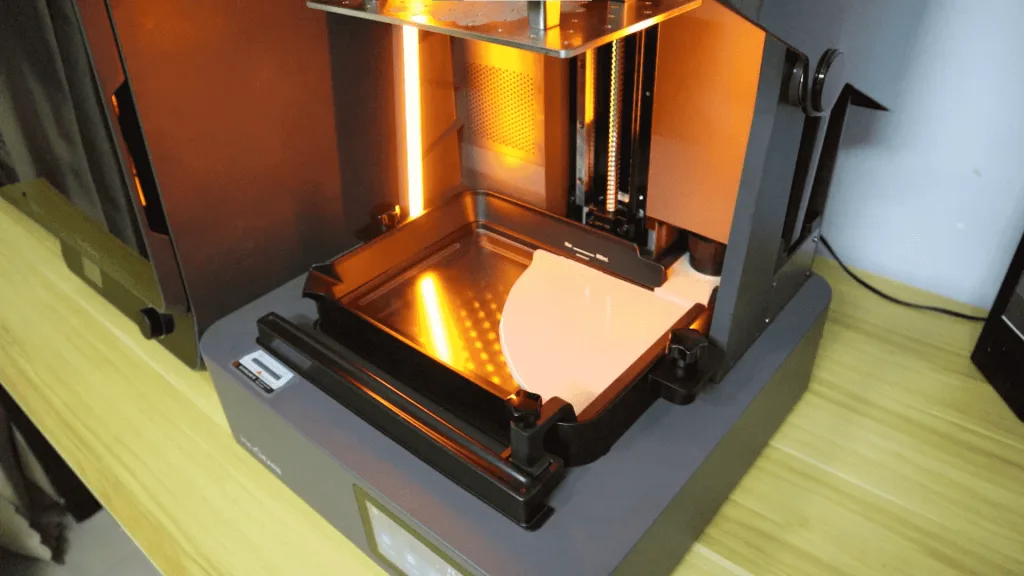
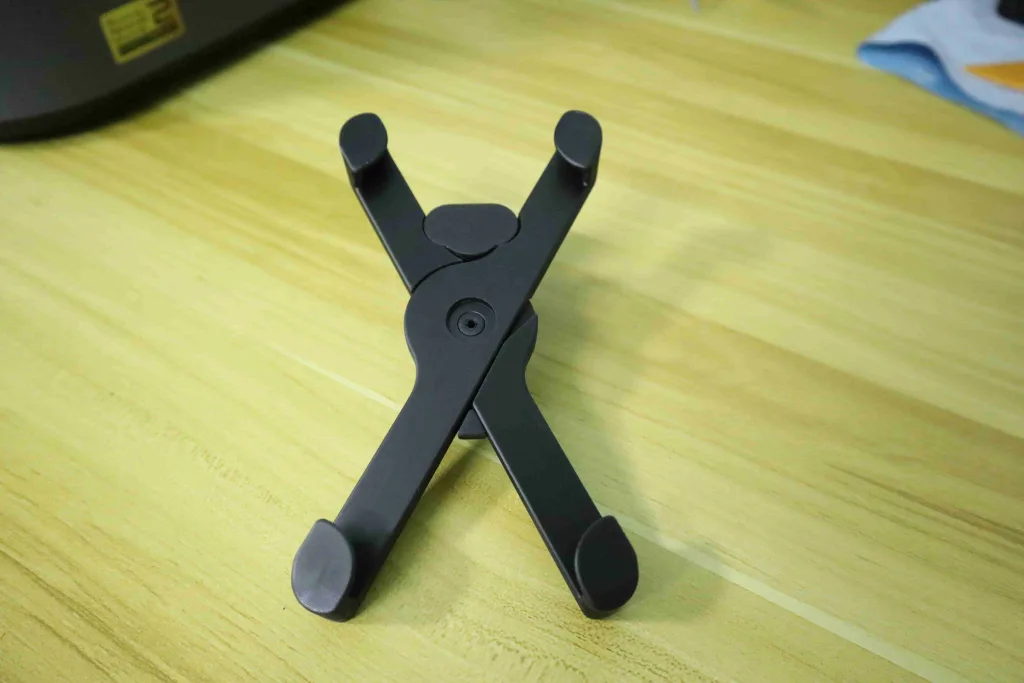
It should be noted that the HeyGears Reflex 2 is equipped with a scraper for mixing resin. There are two types of scrapers, as shown below: the standard scraper and the metal heated scraper. The standard scraper lacks heating functionality and only mixes resin during printing. The metal heated scraper, however, can both mix and heat resin simultaneously. Compared to resin tank heating methods, the metal-heated scraper significantly improves heating efficiency, warming resin from 10°C to 22°C in just 6 minutes—making it ideal for use in cold winter conditions.
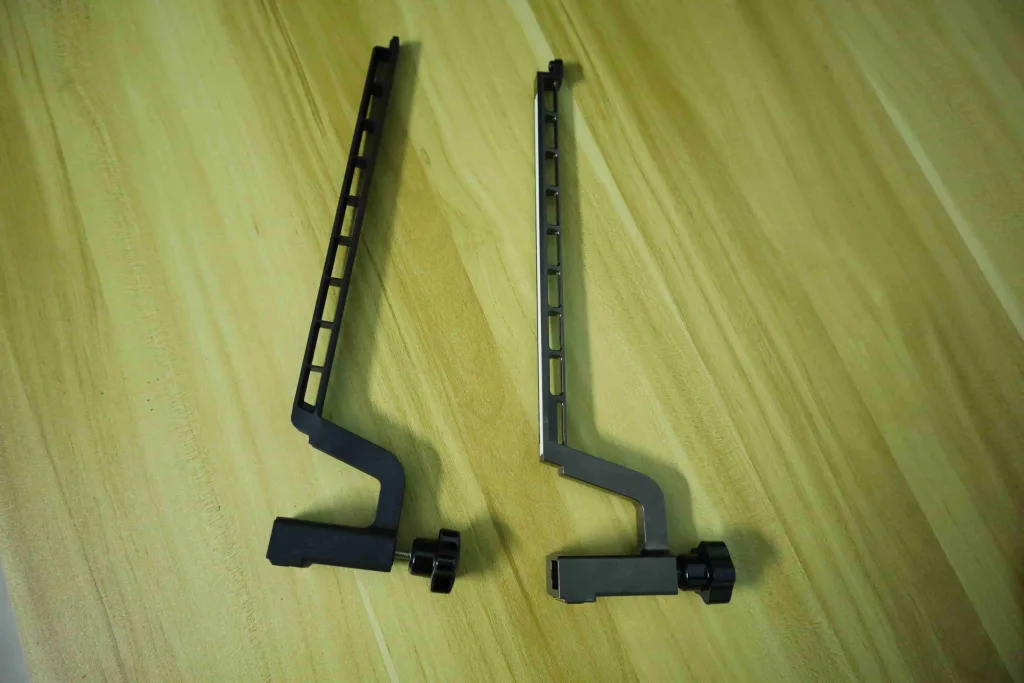

HeyGears Ultracraft Reflex 2 3D Printing Testing With HeyGears Resin
In the past month of testing the Reflex 2, I prepared various HeyGears resins, such as PAP10, PAS10, PAU20, PAF10, PAT10, and others. In fact, as a 3D printer with a 385 nm light source, the HeyGears Reflex 2 is compatible with all HeyGears resins, including high-performance resins. Let’s now evaluate the various advantages of the HeyGears Reflex 2 through 3D printing with different resins.
Precision and Printing Efficiency Combined: The Case of PAP10 Resin
The 230 × 144 × 230 mm build volume boosts the Reflex 2’s printing efficiency. What previously required two separate prints on the previous generation 3D printer can now be 3D printed entirely in one go. Removing prints from the HeyGears Reflex 2’s build platform is now much easier. If you’ve used the previous generation, HeyGears Reflex, removing prints was a nightmare. Now, I can easily remove the model from the Reflex 2’s build platform using a scraper.
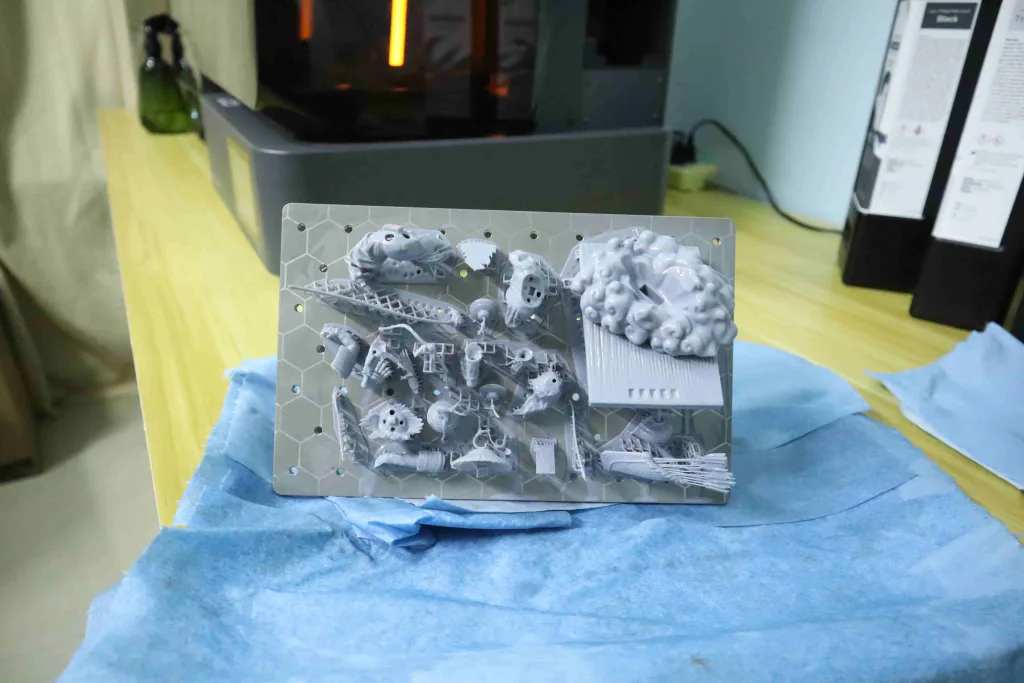
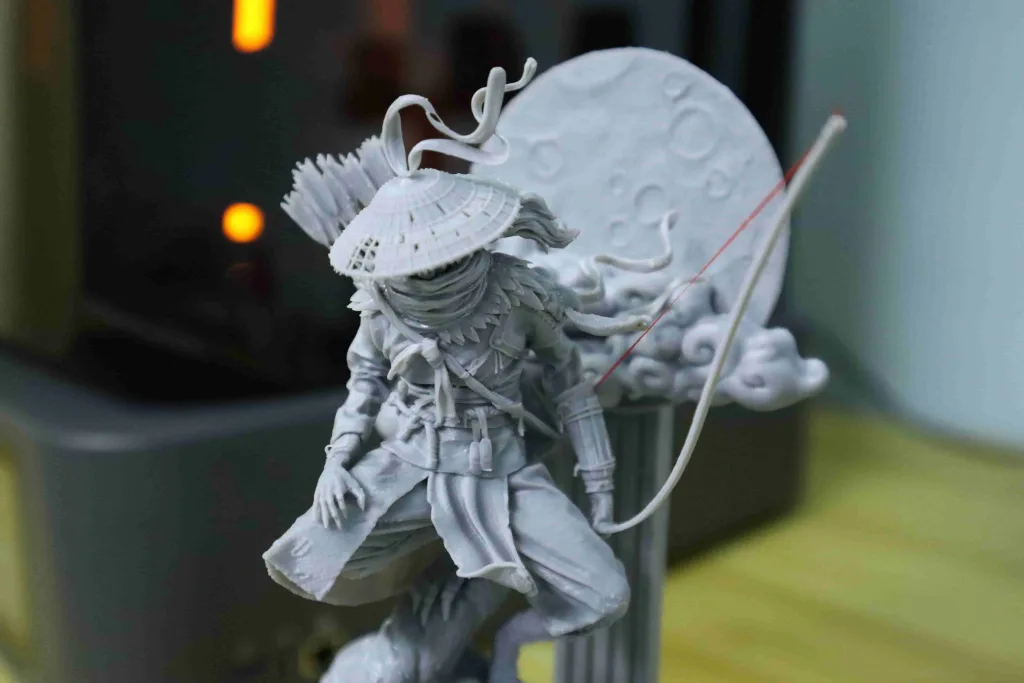
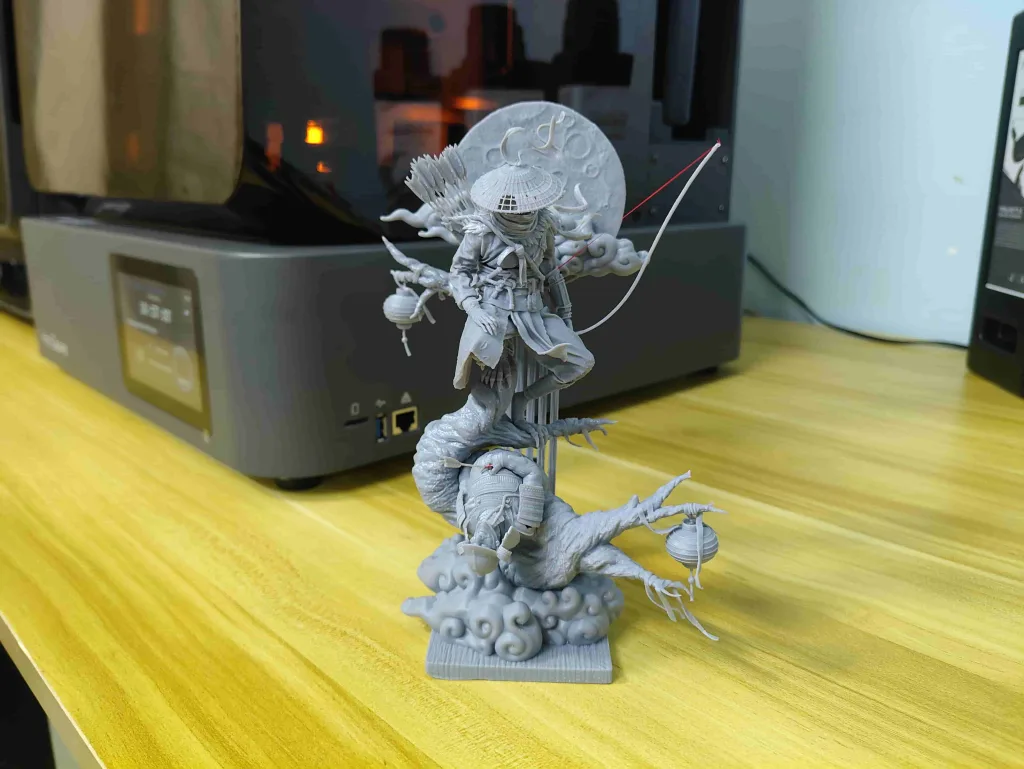
As mentioned earlier, the HeyGears Reflex 2 fully meets all requirements for print details. In the desktop miniatures field, where fine detail demands are highest, such as the desktop miniature model I printed below. It can print details I cannot even see with the naked eye. In this regard, HeyGears has never let me down.

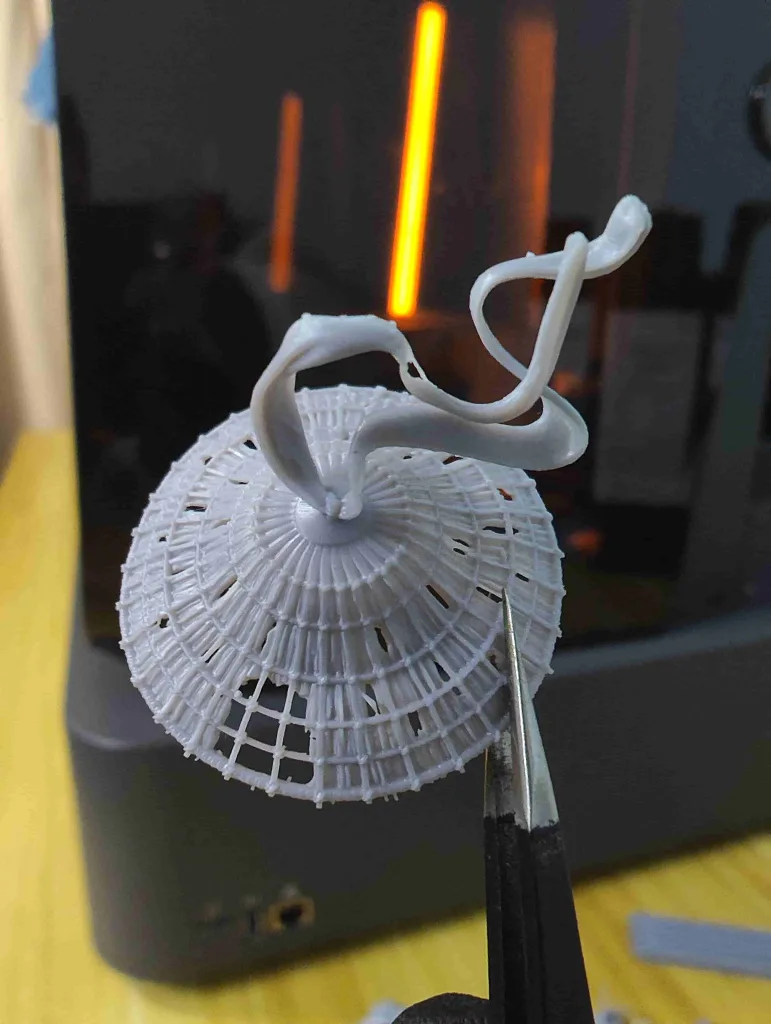
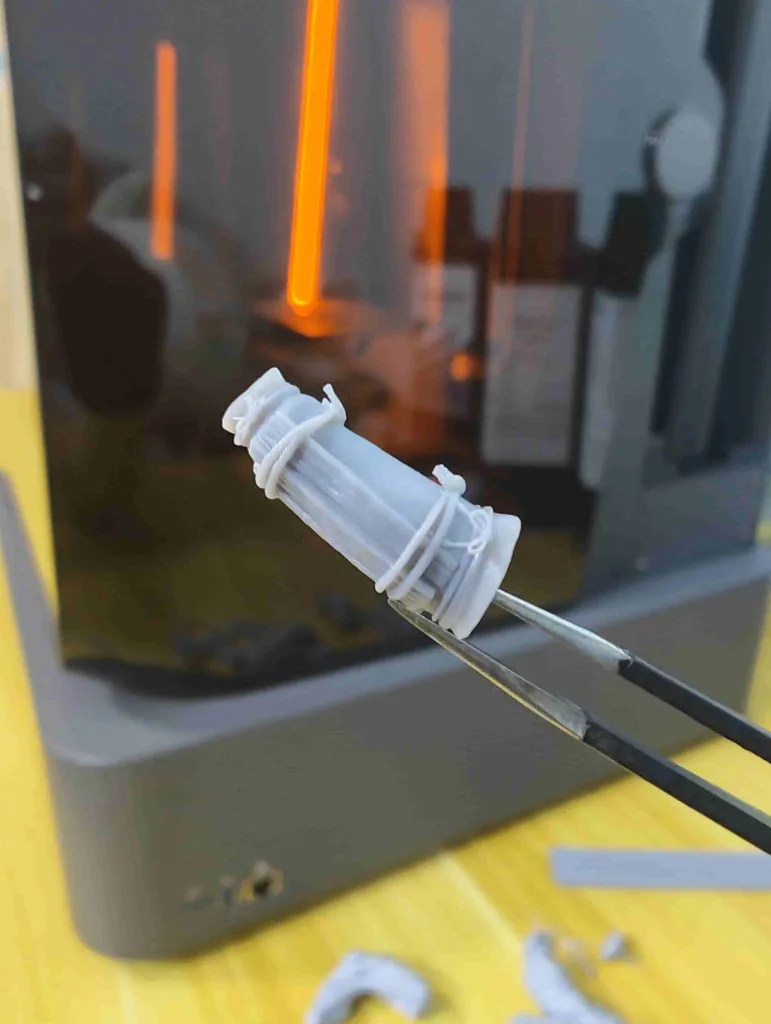
PAT10 Transparent Resin: Exclusively for 385+ nm Light Sources
PAT10 transparent resin is HeyGears’ flagship resin product. It’s consistently stable, crystal-clear finished effect is unparalleled. If you want to print or produce crystal-clear transparent models in batches, choosing HeyGears Reflex 2 paired with PAT10 Transparent Resin is an excellent choice! Please note that HeyGears PAT10 Transparent Resin is only compatible with machines in the HeyGears Reflex series.
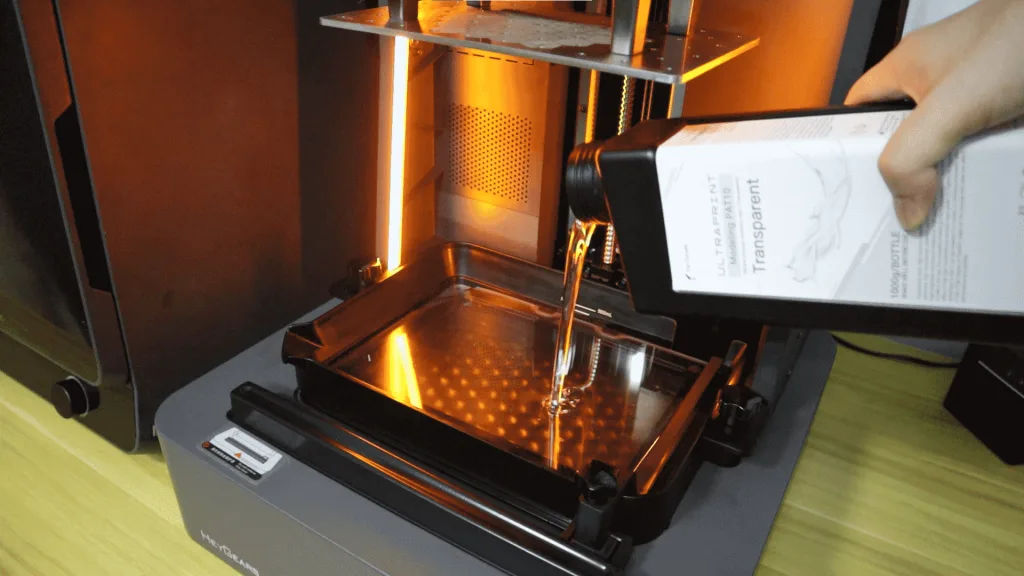
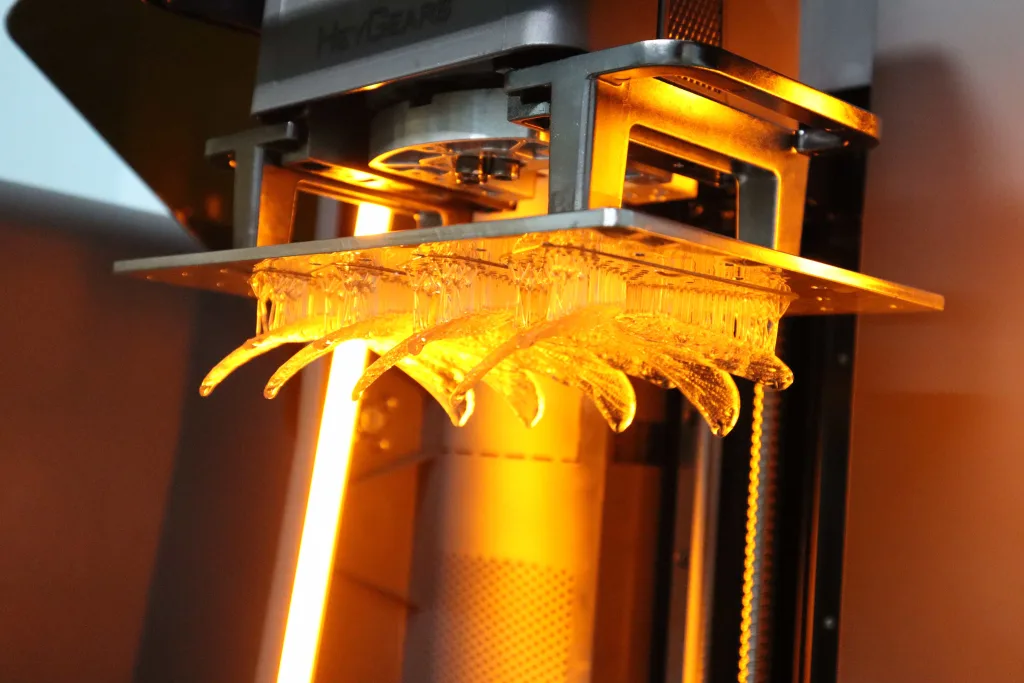
The image below shows dragonfly wings printed with PAT10 Transparent Resin. Even without post-processing, the result is already crystal clear. Using HeyGears Reflex 2 to print the PAT10 was very convenient. It required fewer supports, was extremely easy to remove the prints from the build platform, and cleaned up effortlessly with alcohol.
PAT10 printed models require a waiting period to achieve full transparency. As shown in the image below, the left image shows the model just after curing, where you can see the PAT10 model has a slight yellowish color. Do not be discouraged at this stage, as after 24 hours, the yellowish color of the PAT10 model will gradually fade away, eventually becoming completely transparent.
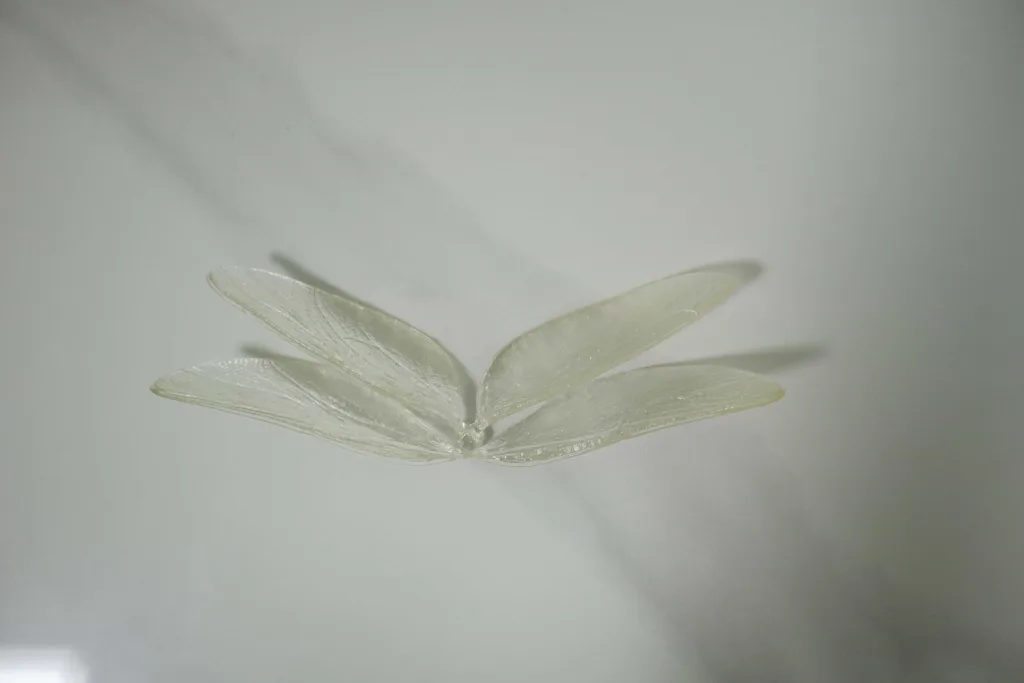
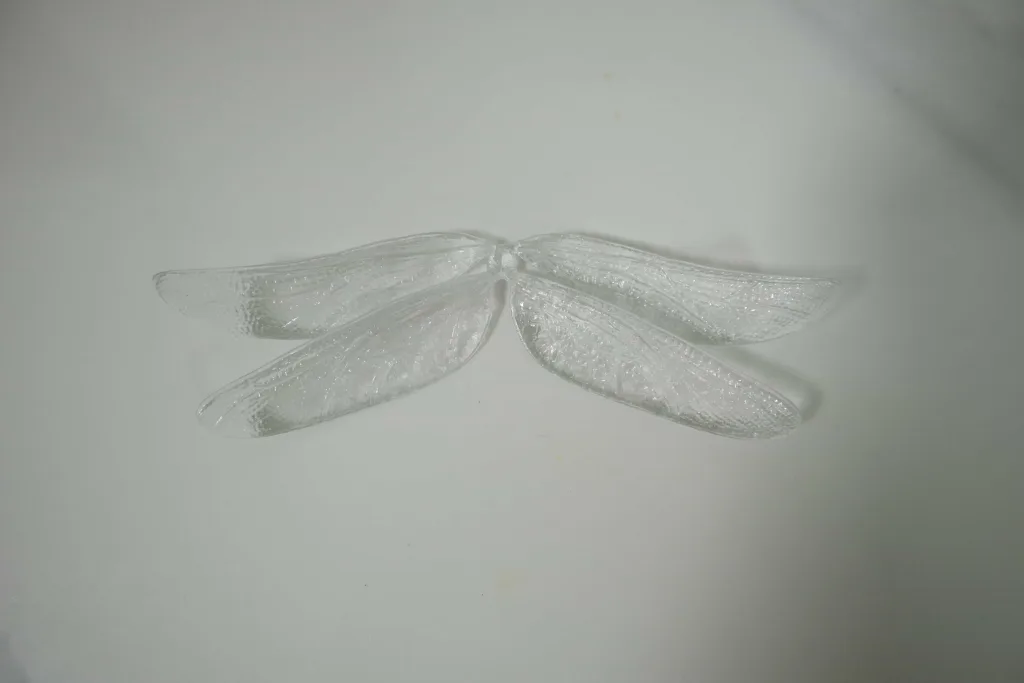
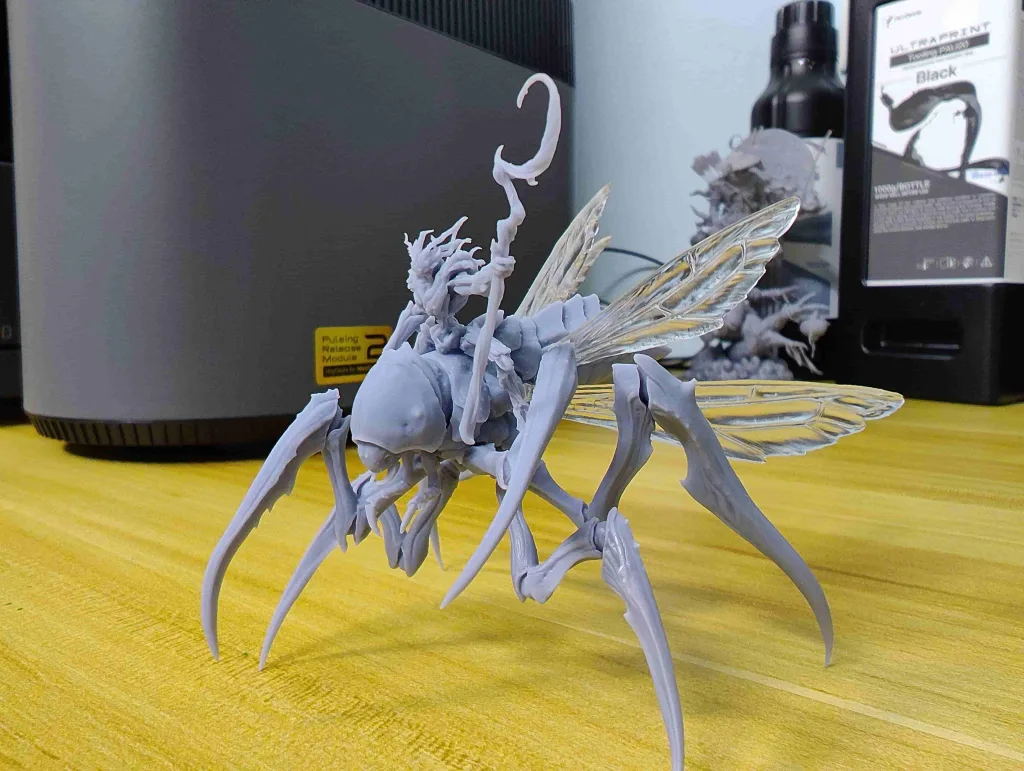
The dragonfly model below was printed using HeyGears Reflex 2. The transparent wings were printed with PAT10 transparent resin, while the remaining parts were printed with PAF10 flexible resin. Despite the wings’ crystal-clear transparency, the intricate textures and details remain sharply reproduced. PAT10 transparent resin perfectly captures the original beauty of the dragonfly’s wings. So far, I’m thoroughly impressed with the potential of the HeyGears Reflex 2!
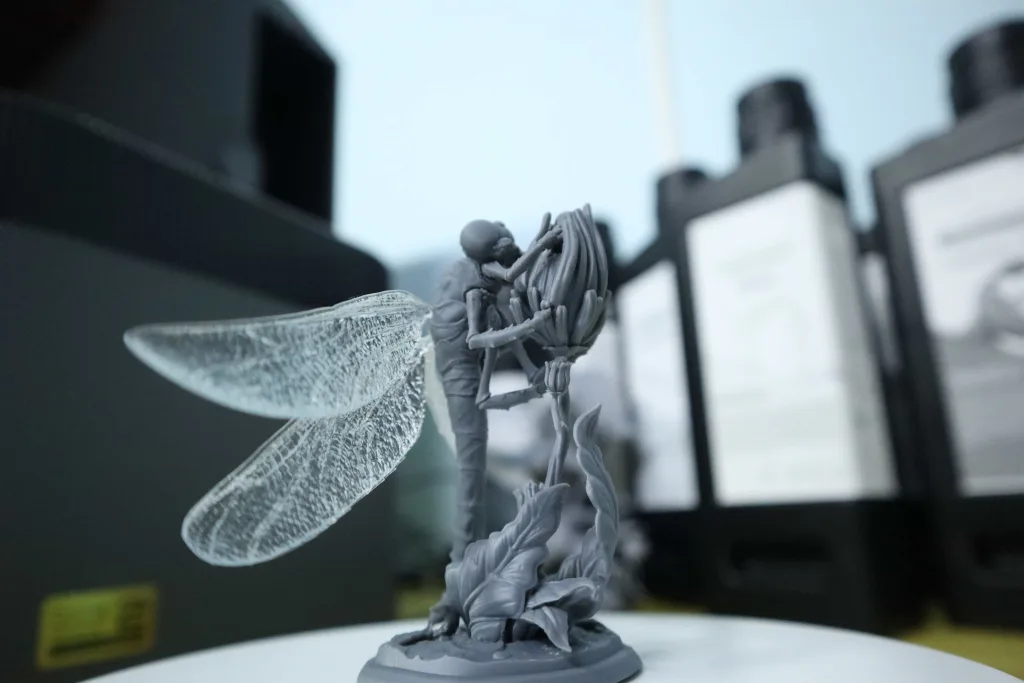
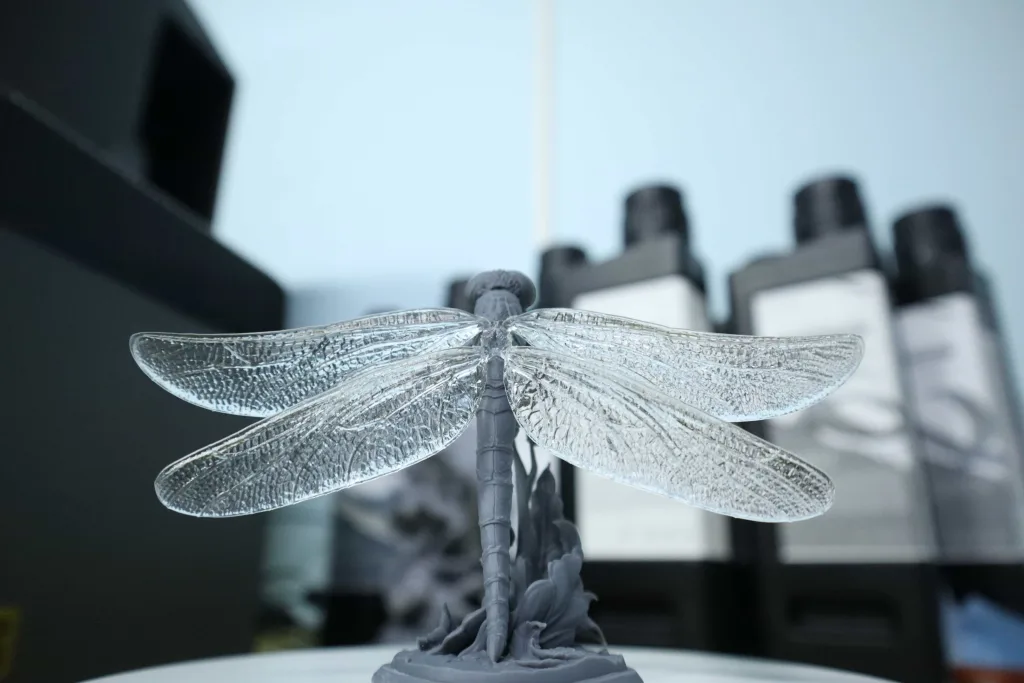
The following models were printed and assembled using PAT10 and PAS10 resins, respectively. PAT10 was used again to print only the transparent wings. I have to say, using different resin combinations to create miniature models truly brings them to life! In fact, PAT10 transparent resin has a diverse range of applications. Combined with the HeyGears Reflex 2, it can even enable batch production of transparent printed models. The Reflex 2’s uniform light intensity, high-precision hardware motion system, and cooling system make it a powerful choice, easily positioning it as your professional resin 3D printer.
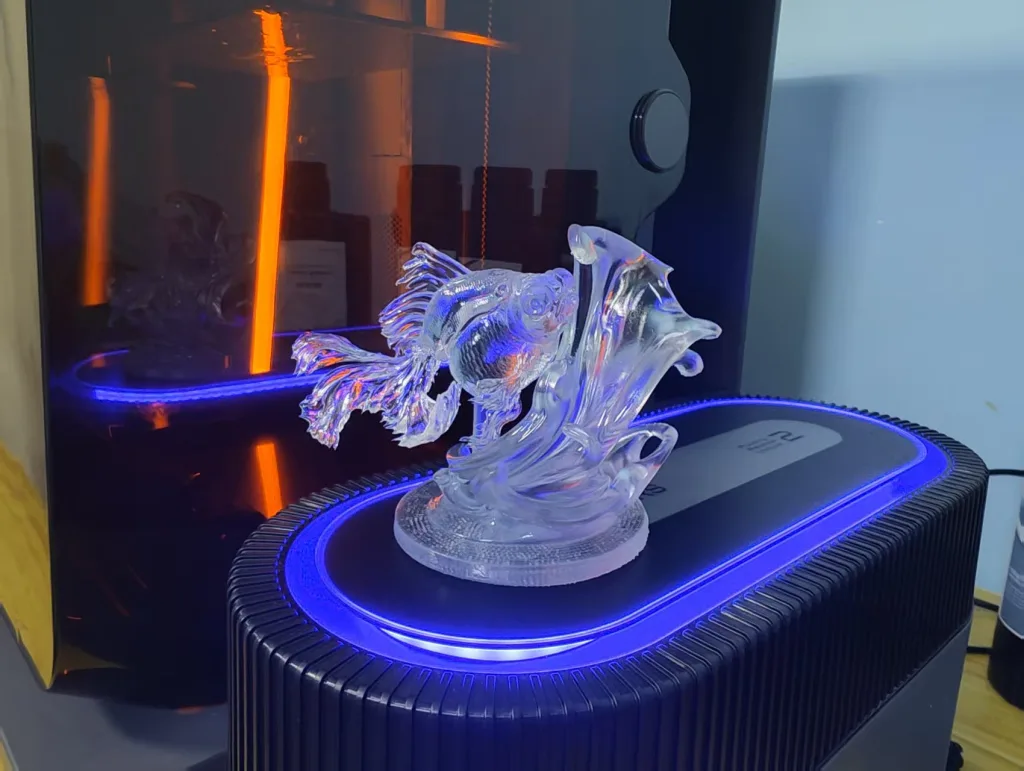
PAT10 transparent resin boasts a crystal-clear appearance, making it suitable for a wide range of applications. For instance, it can be used for various decorations, wings, and clothing on miniature models as mentioned above. Additionally, PAT10 has been adopted for mass production of electronic enclosures and components, such as earphone housings and keycaps. Below are examples of earphone housings and keycaps I printed. As you can see, their crystal-clear appearance is highly appealing. With additional finishing and coloring processes, they can transform into exquisite works of art.
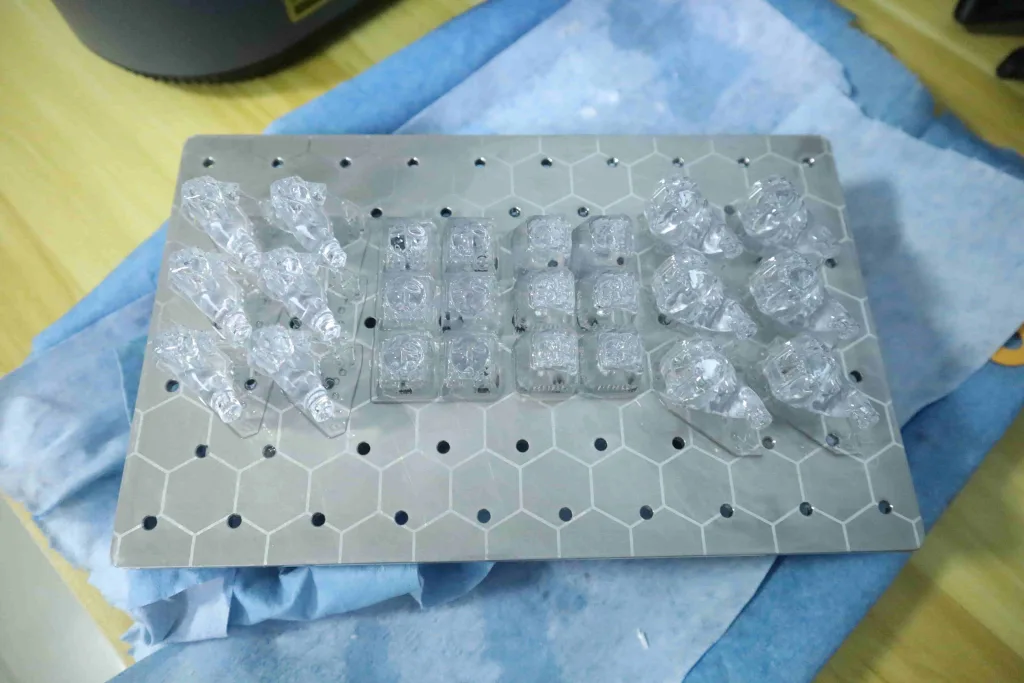
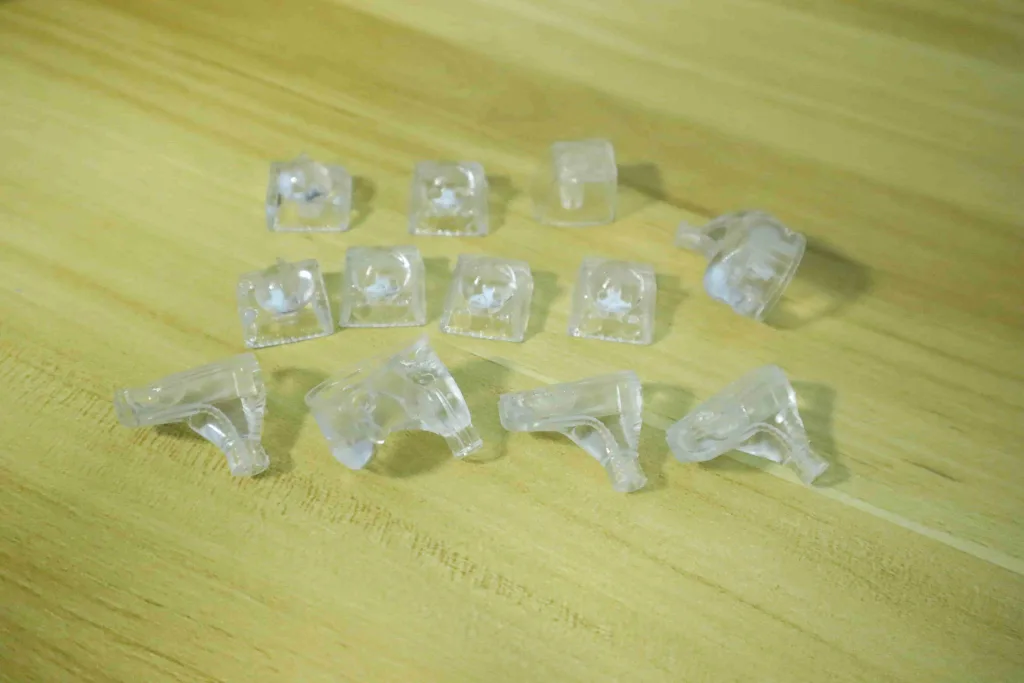
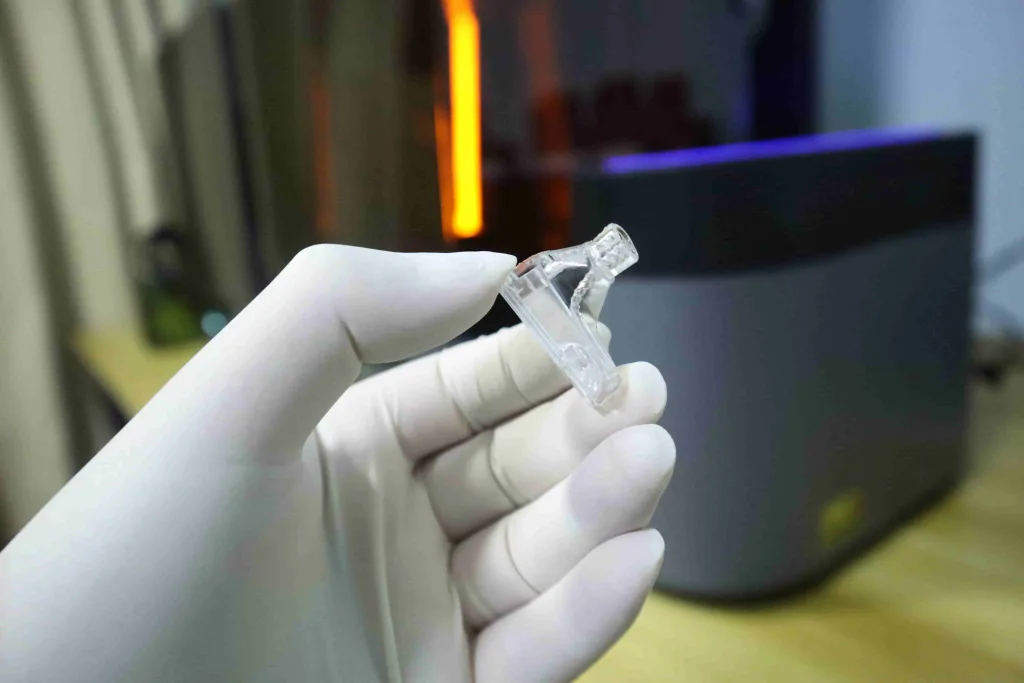
Moreover, printing various artistic accessories with PAT10 transparent resin is also amazing! The HeyGers Reflex 2 3D printer fully unlocks the potential of PAT10 transparent resin!
Pulsing Release Module 2: The Secret Weapon Makes HeyGears Reflex 2 the King
It’s time to introduce HeyGears’ one-of-a-kind print enhancement accessories! Alongside the launch of the HeyGears Reflex 2, HeyGears is also introducing the Pulsing Release Module 2, which is a truly unique “weapon” in the 3D printer market. Simply speaking, the Pulsing Release Module is HeyGears’ exclusive printing enhancement accessory, with its most notable feature being the ability to reduce peeling force by up to 50%!
When paired with the HeyGears Reflex 2, the Pulsing Release Module enables effortless printing of high-viscosity, high-performance resins. Furthermore, by reducing peeling force, models can be printed with fewer supports and smaller support diameters compared to printing without this module. Consequently, the Pulsing Release Module not only boosts print success rates (especially for challenging high-performance resins) but also significantly saves resin costs, particularly beneficial for users with small-batch printing needs.

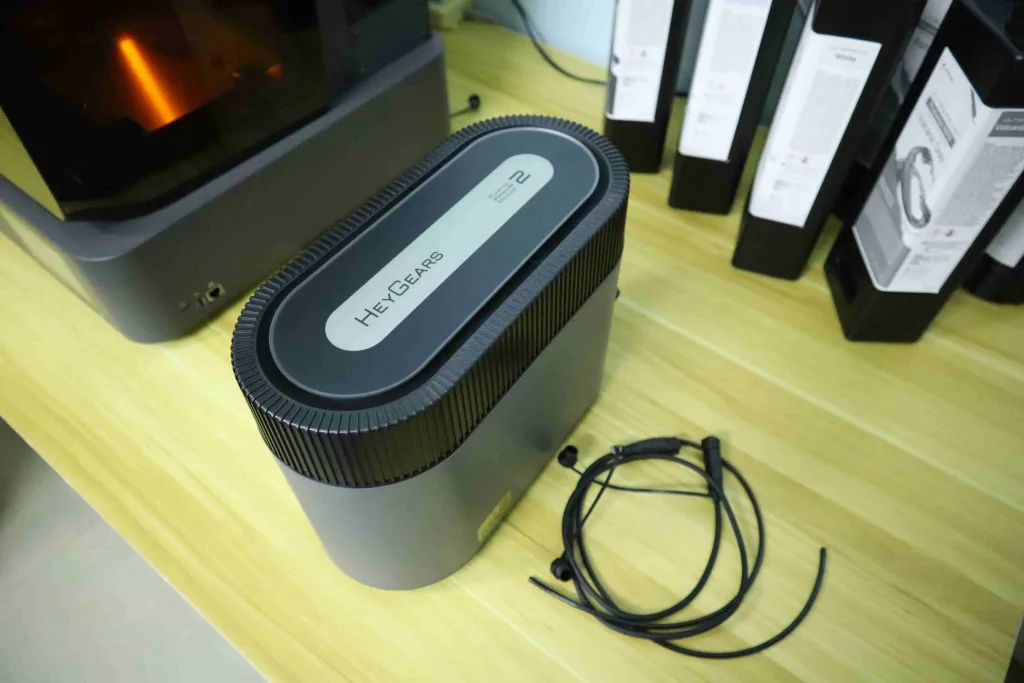
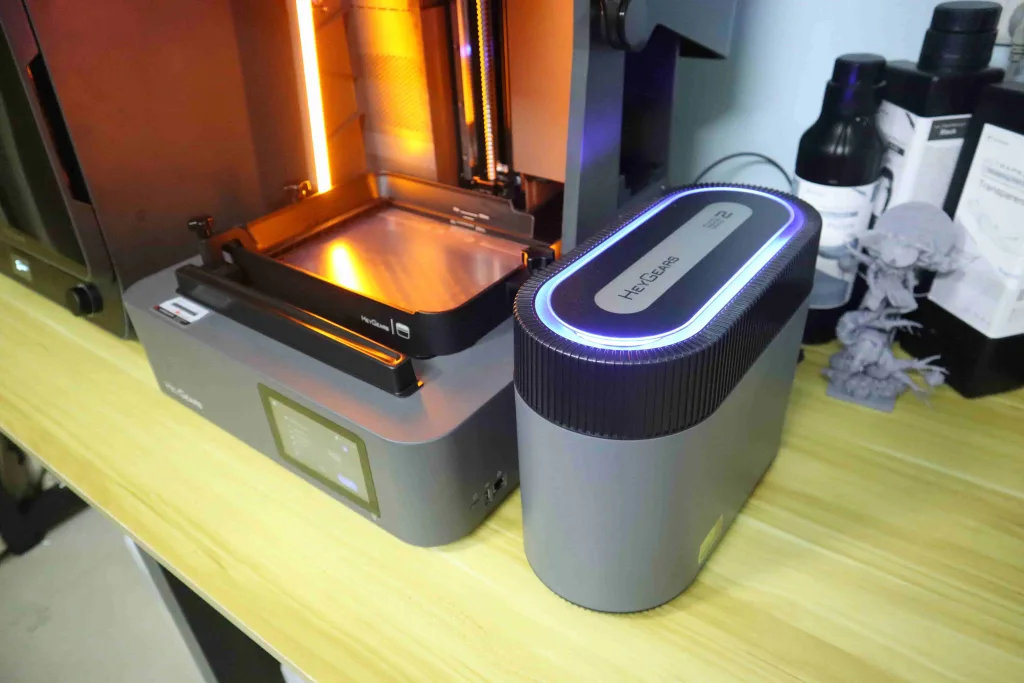
Take HeyGears PAU20 high-performance resin as an example. Due to its high viscosity and performance properties, ordinary printers cannot achieve high-quality prints. The HeyGears Reflex 2, paired with the Pulsing Release Module 2, effectively addresses this issue. PAU20 resin has a flexural modulus of 2285 MPa, offering a high load-bearing capacity. Also, it delivers high printing precision and a smooth surface finish. With its exceptional wear resistance, it is ideal for printing structural components, fixtures, and end-use molds.


However, there is also a PAH270 heat-resistant molding resin available here that offers greater rigidity than PAU20. Similarly, it must be paired with the Pulsing Release Module 2 to achieve successful printing.
HeyGears PAH270 heat-resistant molding resin maintains its resistance to deformation even at temperatures up to 270°C, whereas PAU20 only maintains its resistance at 58°C. It also boasts the highest rigidity among all HeyGears consumer resins, with a flexural modulus reaching 7238 MPa, while PAU20 only reaches 2285 MPa. Consequently, models printed with PAH270 resin are exceptionally well-suited for high-temperature, high-humidity environments or structural components requiring long-term load-bearing capacity. Examples include outdoor structural parts subjected to direct sunlight and various stress-bearing applications. However, as a high-performance resin, PAH270 requires the HeyGears Reflex 2 paired with the Pulsing Release Module 2 for optimal printing. But anyway, its high performance truly impressed me!
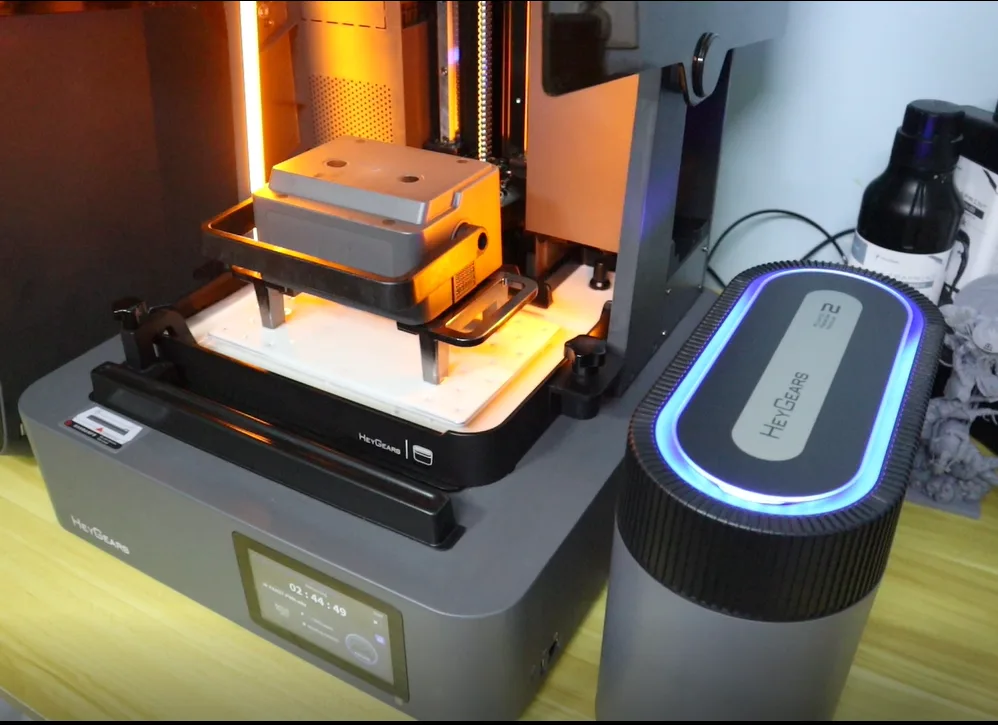
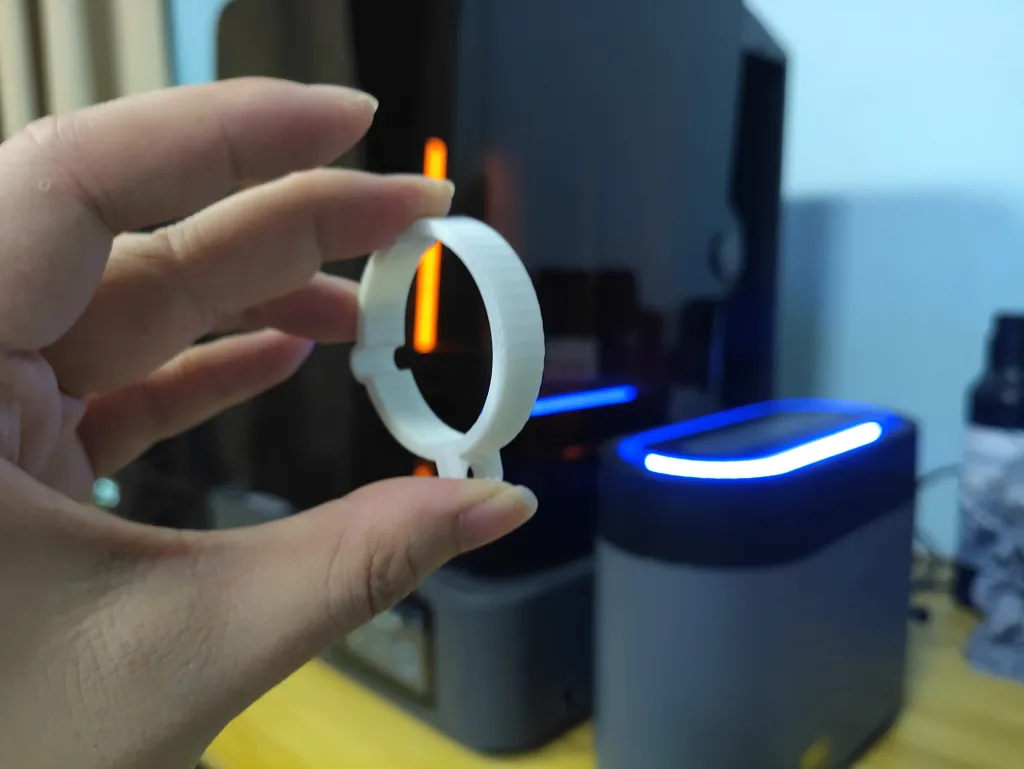
There are several other HeyGears high-performance resins for engineering applications that require use with the Pulsing Release Module 2, such as PAC10 Wax Casting Resin and PAE10 Silicon-like Resin. However, even when printing common resins like PAP10, PAS10, PAF10, PAT10, etc., the Pulsing Release Module 2 can boost print success rates and save resin! For users who print frequently and in large volumes, purchasing a Pulsing Release Module 2 to enhance the printing experience is absolutely worth it.
Buy HeyGears Reflex 2 with Pulsing Release Module 2: HeyGears Reflex 2.
High-Quality Small Batch Production for Small Business
As a professional desktop resin 3D printer, the HeyGears Reflex 2 must deliver batch printing capabilities. Its powerful, durable, and stable light source system, combined with a highly rigid and precise hardware system, makes it exceptionally well-suited for batch printing by ensuring consistent output throughout production runs.
For batch printing, the HeyGears Reflex 2 enhances productivity with its larger build volume of 230 × 144 × 230 mm. Additionally, users can quickly duplicate models in batches within the Blueprint Studio software and generate protective casings for models. These features prove highly valuable in batch printing applications.
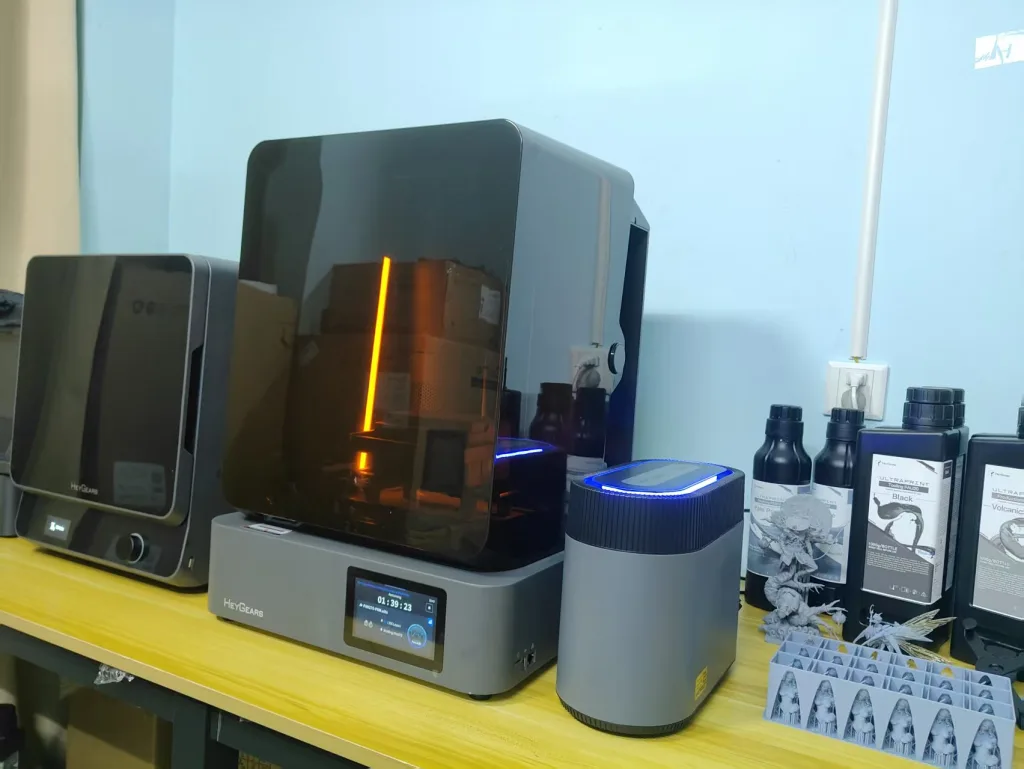
As shown below, this is my test batch printing using HeyGears Reflex 2 paired with PAS10 resin, and achieving high-quality batch prints is incredibly easy! For small businesses requiring batch printing, I recommend pairing the HeyGears Reflex 2 with the Pulsing Release Module 2 for highly efficient production. As seen in the image below, the protective casing effectively shields models from scratches during cleaning and provides reliable protection during packaging and shipping.
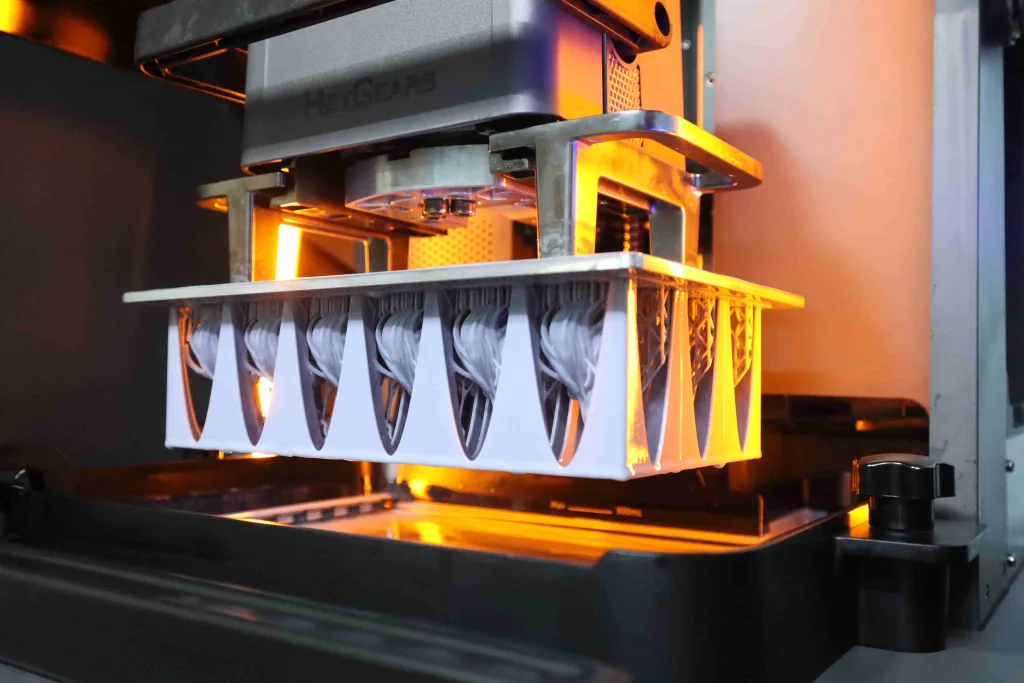
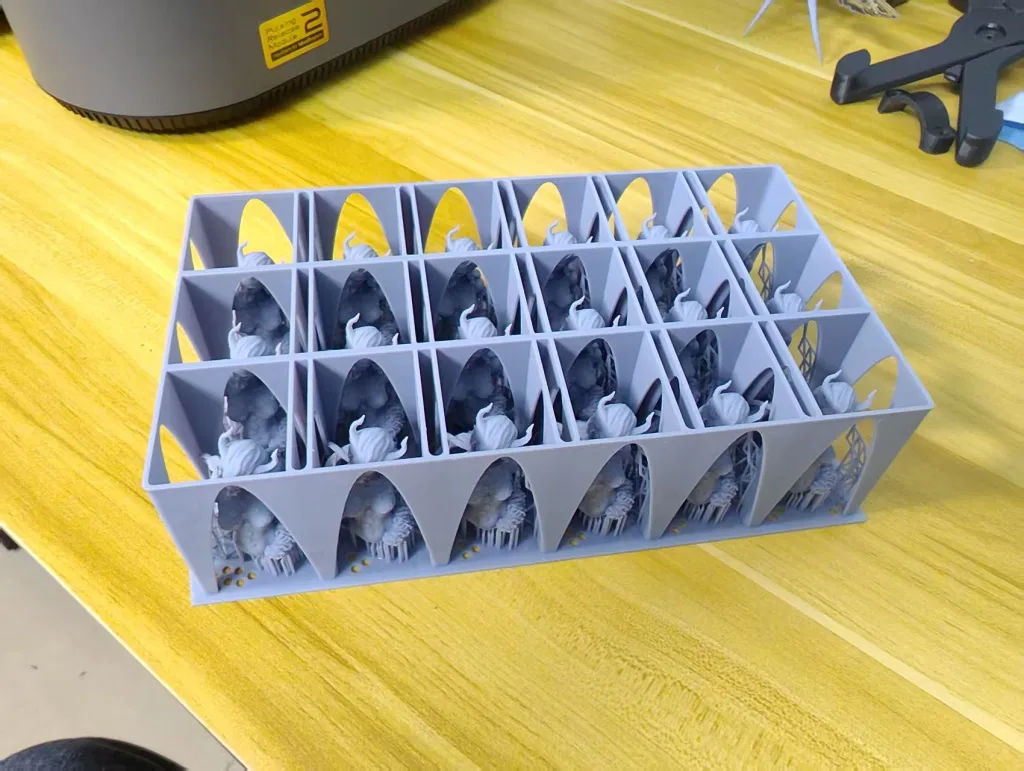
One-Stop 3D Printing Experience
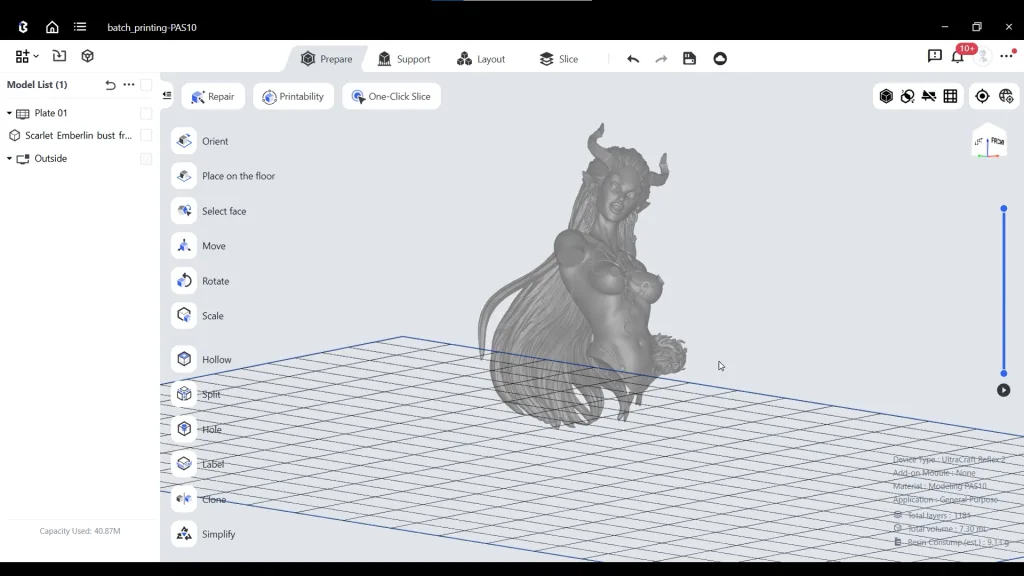
Blueprint Studio: Easy-to-Use and No Hassle for Parameter Settings
Purchasing the HeyGears Reflex 2 still offers a one-stop printing experience. A significant advantage of using HeyGears 3D printers is that you never have to waste time setting complex print parameters—such as exposure time, layer movement time, support diameter, support contact point size, and other dizzying parameter configurations. HeyGears has integrated the optimal printing parameter profiles for each resin and printer model into Blueprint Studio. All I need to do is select the corresponding printer, resin, and layer thickness in Blueprint Studio—for example, HeyGears Reflex 2, PAS10, 50μm layer thickness. Then, the software automatically sets the optimal printing parameters for me. This is the advantage of a smart workflow—whether you’re a 3D printing beginner or a professional, you can bypass tedious parameter settings and invest more time in creation! It has been proven that this automatic optimal parameter setting truly ensures my print success rate and printing experience!
The software’s operational features are also highly user-friendly, with the One-click Slice function offering convenience for beginners. It also includes automatic support generation, batch cloning, and intelligent removal of pre-support structures from models. I’m quite satisfied with my experience using Blueprint Studio because it has greatly enhanced my workflow with HeyGears Reflex 2 and significantly reduced my pre-processing time.
One-Stop Post-processing
Since Blueprint Studio integrates optimal parameters for both pre-processing and post-processing, once I prepare the slice file in the software, I can send it directly to the HeyGears Reflex 2, along with post-processing parameters to the curing machine and washer. After printing is complete, no manual parameter adjustments are required for washing or curing, just simply press the start button to begin post-processing. I must say, from the software’s preprocessing to the postprocessing of washing and curing, I’ve experienced the tremendous advantages of HeyGears’ smart automated workflow and one-stop printing experience! That’s one of the reasons I love using the HeyGears Reflex 2.

Features I like
- The powerful and innovative 161 Optizon Light Engine and the longer-lasting Amber Screen Pro screen make the HeyGears Reflex 2 the ultimate desktop 3D printer.
- Super easy to use for beginners and pros. The HeyGears Reflex 2 features more comprehensive intelligent printing assistance and automated workflows. Examples include enhanced residue detection, exclusive floating screen leveling, a metal heating scraper, force monitoring during printing, and automatic resin feeding.
- Blueprint Studio is extremely easy to use and offers incredibly straightforward 3D printing preprocessing. It automatically sets optimal parameter settings for users, provides one-click slicing for beginners, and features convenient functions like automatic support generation and pre-support removal, etc.
- Features long-lasting light uniformity and an exceptionally high-quality hardware structure. Consequently, it delivers print quality that exceeds expectations.
- 230 × 144 × 230 mm larger print volume for improved printing efficiency.
- 385+ nm light source, fully compatible with all the HeyGears resins.
- One-stop 3D printing experience.
- The appearance design is exceptionally sleek and minimalist.
Room for Improvement
- After printing completes, it would be better if the build platform automatically retracts to its highest position instead of clicking the button manually.
Conclusion
There is no doubt that I highly recommend the HeyGears Reflex 2! After a month of testing, I truly found that it stands apart from other 385nm desktop resin 3D printers. Its user-friendly features, innovative light source engine, high-precision hardware, one-stop printing, and smart auto workflow deliver an unparalleled printing experience! Whether you’re a beginner or a professional, the HeyGears Reflex 2 is suitable for you—the main difference likely comes down to your budget. However, if you’re a more professional batch producer, the HeyGears Reflex 2 Pro might be a better fit for you!
FAQs
What Are The Differences Between RS Turbo, Reflex Turbo, Reflex 2, and Reflex 2 Pro? Which one should I buy?
Choosing the right 3D printer depends on your specific needs, from the level of detail required to the size of the objects you plan to print. Below is a comprehensive breakdown of the key differences between the HeyGears RS Turbo, Reflex Turbo, Reflex 2, and Reflex 2 Pro to help you make an informed decision.
A Detailed Comparison Table: HeyGears RS Turbo vs. Reflex Series
| Product | HeyGears Reflex Turbo | HeyGears Reflex 2 | HeyGears Reflex 2 Pro | HeyGears RS Turbo |
| Product Size | 400 * 420 * 572 mm | 430 * 445 * 605 mm | 430 *445* 715 mm | 380 * 360 * 584 mm |
| Print Size | 192 * 121 * 220 mm | 230 * 144 * 230 mm | 230 * 144 * 350 mm | 222 * 122 * 228 mm |
| Light Source | COB light source | 161 OptiZone Light Engine | 1032 OptiZone Light Engine | COB light source |
| Light Source Wavelength | 385 nm | 385 nm | 385 nm | 405 nm |
| Screen | 9.25-inch 6K Amber Screen | 10.7-inch 6K Amber Screen Pro | 10.7-inch Customized 6K Amber Screen Pro | 10.3-inch 8K Amber Screen |
| XY Pixel | 33 μm | 40 μm | 40 μm | 29.7 μm |
| Z-axis | 220 mm stroke C5 grade module | 230 mm stroke C5 grade module | 350 mm stroke C5 grade module | 228 mm stroke C5 grade module |
| Main Substrate | Casting substrate | Die-Casted Unibody Base | Die-Casted Unibody Base | Casting substrate |
| Floating Screen Auto-leveling | Yes | Yes | Yes | Yes |
| Automatic Resin Refill | Yes | Yes | Yes | Yes |
| Automatic Resin Heating | Resin tank heating | Metal Scrapter heating (purchased additionally) | Metal Scrapter heating | Resin tank heating (purchased additionally) |
| Foreign Object Detection | Minimum 0.20 mm foreign object detection | Minimum 0.15 mm foreign object detection | Minimum 0.15 mm foreign object detection | Minimum 0.20 mm foreign object detection |
| Print Process Monitoring Method | Force curve monitoring | Force curve monitoring | Force curve monitoring | Force curve monitoring |
| Price | $1499 | $1799 | $2999 | $999 |
| Where to Buy | Buy Reflex Turbo | Buy Reflex 2 | Buy Reflex 2 Pro | Buy RS Turbo |
Detailed Breakdown
1. Print Resolution and Detail
The most significant difference in print quality comes down to the screen technology and XY pixel size.
- HeyGears RS Turbo: This is the standout winner for fine-detail printing. It features a 10.3-inch 8K screen, resulting in the smallest XY pixel size of 29.7 μm. If your primary need is printing highly intricate models like miniatures, jewelry, or dental models, the RS Turbo offers the best potential for capturing sharp details.
- Reflex Series: The Reflex printers use 6K screens. The Reflex Turbo has a respectable 33 μm pixel size. The Reflex 2 and 2 Pro both have a 40 μm pixel size. While still very detailed, they prioritize a larger print area over the absolute finest resolution.
Conclusion: For maximum detail, choose the RS Turbo.
2. Print Size and Volume
This is a critical factor if you plan to print larger objects or multiple items at once.
- HeyGears Reflex 2 Pro: This model offers the largest print volume, primarily due to its significantly taller Z-axis of 350 mm. This makes it the ideal choice for printing tall objects in a single piece.
- HeyGears Reflex 2: Provides the second-largest build plate and a generous 230 mm height, making it a very capable machine for a wide range of projects.
- HeyGears RS Turbo: Offers a good balance of width, depth, and height (222 x 122 x 228 mm).
- HeyGears Reflex Turbo: Has the smallest print volume of the four.
Conclusion: For the largest possible prints, especially in height, the Reflex 2 Pro is unmatched. For general large-format printing, the Reflex 2 is also an excellent option.
3. Technology, Build Quality, and Performance
The underlying technology affects print consistency, speed, and reliability.
- Light Source: The Reflex 2 and 2 Pro feature an advanced OptiZone Light Engine, which is designed to provide more uniform light distribution for higher accuracy across the entire build plate. The RS Turbo and Reflex Turbo use a standard, but effective, COB (Chip-on-Board) light source.
- Light Wavelength: The RS Turbo uses a 405 nm wavelength, which is standard for most consumer resins. The Reflex series uses a 385 nm wavelength, often preferred in professional and dental fields for its compatibility with specialized, high-performance resins.
- Build Quality: The Reflex 2 and 2 Pro are built with a Die-Casted Unibody Base. This provides superior rigidity and stability, which can reduce vibrations and improve print consistency, especially on large or long prints. The RS Turbo and Reflex Turbo use a casting substrate.
- Automatic Resin Heating: Consistent resin temperature is key to reliable printing. The Reflex Turbo includes resin tank heating. The Reflex 2 Pro includes a more advanced metal scraper heating system. For the RS Turbo and Reflex 2, heating is an optional add-on that must be purchased separately.
Conclusion: The Reflex 2 and 2 Pro are built for higher performance and stability due to their unibody construction and advanced light engines.
Which Printer Should You Buy?
Your choice ultimately comes down to balancing your budget with your primary needs.
Reasons for choosing the HeyGears RS Turbo:
- Your top priority is maximum detail and resolution. The 8K screen is unmatched for intricate work.
- You are on a tighter budget. At $999, it offers incredible value for its resolution.
- You mainly use standard 405 nm resins.
Reasons for choosing the HeyGears Reflex Turbo:
- You want a balanced, all-around performer. It has good resolution and includes key features like resin heating out of the box.
- You work with specialized 385 nm resins and want an affordable entry point into a more professional ecosystem.
- You don’t need a very large print volume.
Reasons for Choosing the HeyGears Reflex 2:
- You need to print larger objects than the Turbo models can handle.
- You value build quality and stability. The die-casted unibody and OptiZone engine are significant upgrades for print consistency.
- You want the flexibility to add resin heating later.
Reasons for choosing the HeyGears Reflex 2 Pro:
- You are a professional or business that needs maximum print volume, especially vertical height.
- You require the highest level of performance, reliability, and convenience, with features like the powerful light engine and included heating system.
- Budget is not your primary concern. This is the top-of-the-line model for the most demanding users.
What is the Puling Release Module 2? Do I Need to Buy One?
The Pulsing Release Module 2 is a next-generation Pulsing Release Module(PRM) designed to enhance the printing experience for HeyGears Reflex 2. The Pulsing Release Module 2 is a specialized hardware component designed to solve one of the most common challenges in resin 3D printing: peeling forces. As HeyGears’ proprietary technology, it reduces peel force by up to 50%, maximizing print success rates and minimizing resin consumption.
How does it work?
With every layer, a 3D printer must peel the newly cured resin off the transparent film at the bottom of the tank. This action creates suction and stress on the model. For delicate parts or materials that adhere strongly, this force can warp the print, break fine supports, or cause a complete print failure.
The Pulsing Release Module is an active system that combats this. It uses controlled air pressure to gently pulse the release film, creating a subtle wave that helps “unstick” the cured layer from the tank. Think of it as carefully wiggling a component free rather than forcefully prying it off. This significantly reduces the stress on the print.
You should strongly consider buying the Pulsing Release Module if:
- You Work with Advanced Resins: Certain high-viscosity, high-strength, or specialized engineering resins from HeyGears require the PRM to print successfully, such as PAE10, PAH270, PAU20, PAH10, PAC10, etc. Their chemical properties create such high peeling forces that printing without the module is nearly impossible.
- You Prioritize Print Success Rate: For complex models with thin walls, intricate lattices, or a large surface area, the Pulsing Release Module(PRM) provides a crucial layer of insurance against failure, improving reliability and reducing wasted material.
- You Want to Optimize Post-Processing: By reducing peeling force, the Pulsing Release Module often allows you to use fewer and lighter supports, which means less time spent cleaning and finishing your models.
What Is the OptiZone Light Engine? And What’s It Good For?
Think of the light source in a resin 3D printer as its heart. Its job is to project UV light through an LCD screen to cure the liquid resin layer by layer. The quality of this light source directly impacts the accuracy, consistency, and success of your prints.
Based on the product comparison, the OptiZone Light Engine is an advanced, proprietary light source technology used in HeyGears’ higher-end Reflex 2 and Reflex 2 Pro printers. It represents a significant step up from the standard COB (Chip-on-Board) light source in the Reflex Turbo and RS Turbo models.
The following comparison table outlines the differences between the Optizon Light Engine, the Traditional Matrix Light Source, and the COB Light Source.
| Light Source | OptiZone Light Engine | Traditional Matrix Light Source | COB Light Source |
| Contrast Ratio | Pixel-level light partitioning | Fewer partitions, noticeable light bleeding | Uniform full-screen illumination |
| Effect on Screen Lifespan | Illuminates only the printing area, no aging in non-printing zones | Coarse partitioning | Full-screen high-power illumination, fastest aging |
| Light Uniformity | Close to COB light source | Larger partitions, poorest light uniformity | No partition variation, best light uniformity |
What is OptiZone Light Engine Good for?
Using a multi-zone light engine like the 161 OptiZone Light Engine in HeyGears Reflex 2 and the 1032 OptiZone Light Engine in Reflex 2 Pro provides several critical advantages that are especially important for professional and high-precision applications:
- Superior Light Uniformity: This is the most important benefit. By having numerous individual light sources, the OptiZone engine can ensure that every corner and edge of the build plate receives the exact same intensity of light as the center. This eliminates one of the key variables that can lead to print inconsistencies.
- Enhanced Print Accuracy: When light distribution is perfectly even, every part of a printed layer cures at the same rate and to the same degree. This means models printed on the edge of the plate will be just as dimensionally accurate as those printed in the center, which is crucial for producing parts that need to fit together perfectly.
- Improved Consistency and Reliability: With more uniform curing, you get more predictable results. This reduces the likelihood of print failures caused by under-cured sections, especially when printing large, flat objects or a full plate of smaller parts. The print you get today will be identical to the one you get a month from now.
- Better Surface Finish: A Higher contrast ratio can achieve a smoother model surface.
- Longer Light Source Lifespan: The OptiZone Light Engine enables individual control of each LED, meaning only LEDs in areas requiring curing are activated, while LEDs in non-curing zones remain inactive. This approach slows light source degradation, thereby extending the machine’s lifespan.
Amber Screen Pro vs. Amber Screen
The primary differences between Amber Screen Pro and Amber Screen lie in their service life and screen light uniformity. Amber Screen Pro boasts a service life 5 times longer than Amber Screen, and 12.5 times longer than standard screens! Therefore, purchasing the HeyGears Reflex 2 equipped with the Amber Screen Pro will significantly enhance both its lifespan and printing experience!
Below is a parameter comparison of different screen types for your quick reference.
| Screen | Amber Screen Pro | Amber Screen | Reflex Standard Screen |
| Screen Lifespan | 12.5 times that of the Reflex Standard Screen | 2.5 times that of the Reflex Standard Screen | \ |
| Screen Structure | Dyed polarizer + polymer LCD + dyed polarizer | Dyed polarizer +LCD+ dyed polarizer | Polarizer + LCD + polarizer |
| Screen pressure resistance | 400N 10000 times | 100N 100 times | 100N 100 times |
| Factory Calibration | 86020-zone visual calibration + 60-zone sensor calibration + single-LED calibration; Built-in MASK | 60-zone sensor calibration; Built-in MASK | 60-zone sensor calibration; Built-in MASK |
385 nm Light Source vs. 405 nm Light Source
For UV curing and 3D printing, the choice between 385 nm and 405 nm lights involves a trade-off: 385 nm (shorter wavelength, higher energy) is preferred for high-precision, industrial applications like dental and jewelry due to its sharper detail and clearer results, while 405 nm (longer wavelength, lower energy) is the more affordable, common standard for consumer-grade printers because of its broader resin compatibility and deeper cure penetration.
However, for the HeyGears Reflex 2 with its 385nm light source, it is undoubtedly a professional-grade resin 3D printer and is compatible with all HeyGears resins. Therefore, if you have sufficient budget, I highly recommend purchasing the HeyGears Reflex 2 instead of the RS Turbo with its 405nm light source (as it is not fully compatible with all HeyGears resins).