Jerry Wang
Introduction
The xTool F2 Ultra UV laser engraver features a 5W 355 nm UV laser, enabling it to engrave, cut, or 3D engrave inside glass. This is a capability unavailable in other laser engraver types, such as diode, fiber, or CO₂ lasers. Beyond its specialized capability for 3D crystal laser engraving, the UV laser can engrave a wide range of materials. Despite its 5W 355 nm UV laser power, its cutting performance rivals that of a 15W diode laser! Furthermore, the xTool F2 Ultra UV laser engraver’s maximum speed of 15,000 mm/s makes it exceptionally well-suited for high-efficiency production applications.
The xTool F2 Ultra UV laser engraver makes previously impossible materials feasible to engrave. Its UV laser spot size of just 0.01 mm x 0.01 mm delivers ten times the precision of other laser types. In short, the xTool F2 Ultra UV laser engraver represents the future of laser engraving by achieving cleaner, micron-level precision engraving.
Below is my comprehensive rating after testing the xTool F2 Ultra UV laser engraver. I gave it a high score because I genuinely love it!
Comprehensive Scores of xTool F2 Ultra UV Laser Engraver
Summary
The Core Design of xTool F2 Ultra UV Laser Engraver
The xTool F2 Ultra UV continues the aesthetic design language of the xTool F2 series. Featuring a compact design, the xTool F2 Ultra UV measures 294 mm × 429 mm × 520 mm and offers a maximum engraving area of 200 mm × 200 mm. Thanks to the xTool ecosystem, the xTool F2 Ultra UV laser engraver is undeniably simple and user-friendly. If you’ve used xTool products before, you’ll know each one offers an effortless workflow. The F2 Ultra UV, for example, retains intelligent workflows such as autofocus, 48MP dual-camera positioning, AI creation, and automatic optimal parameter settings, making user creation incredibly straightforward.
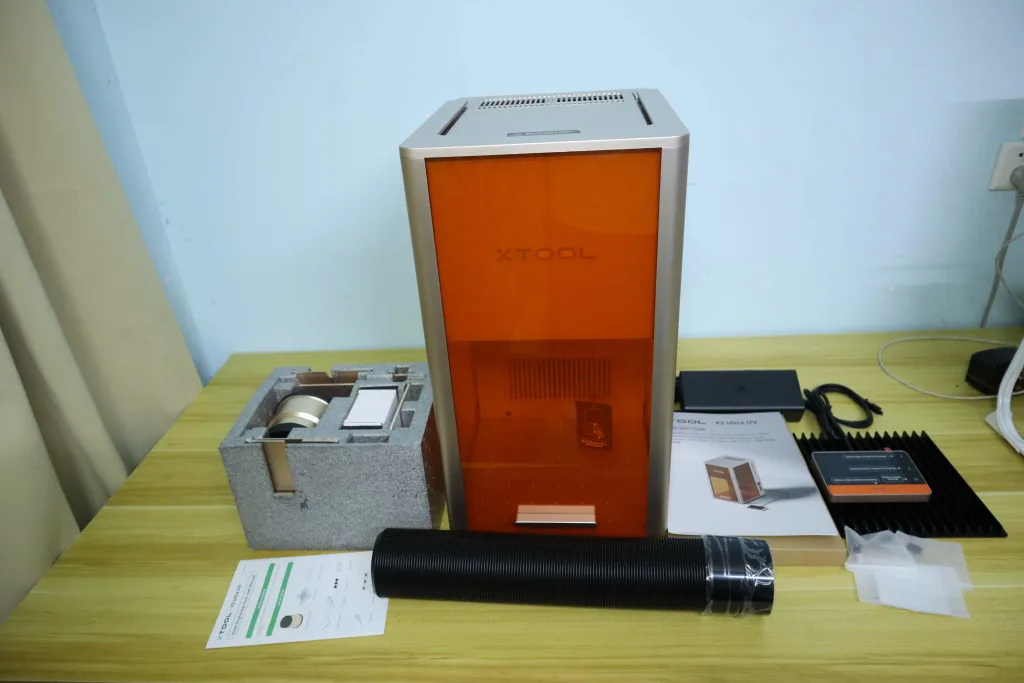
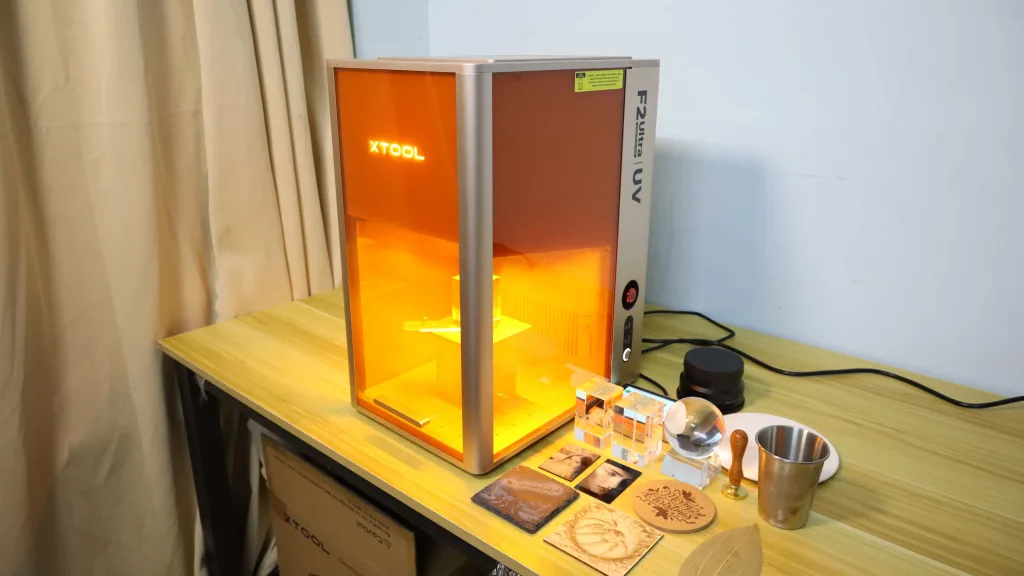
The xTool F2 Ultra UV laser engraver boasts four standout features. First, it enables 3D engraving inside glass, offering a maximum 3D crystal engraving volume of 70 mm x 70 mm x 150 mm. Second, its 355 nm UV laser spot size measures just 0.01 mm x 0.01 mm, which is 8 to 15 times finer than other laser engravers, enabling unparalleled detail engraving. Third, UV lasers minimize the heat-affected zone (HAZ), meaning surrounding materials experience no melting, warping, or burn marks during engraving. This makes them ideal for heat-sensitive or thin materials such as plastics, resins, films, and reflective metals, producing exceptionally clean and refined finishes. Fourth, compared to CO₂ lasers, diode lasers, and fiber lasers, the xTool F2 Ultra UV laser offers broader material compatibility, overcoming the material engraving limitations inherent to other laser types.
5W 355nm UV Laser Cutting and Engraving Speed Test
I was curious about the cutting capability and engraving speed of a 5W UV laser, as 5W seems underpowered compared to other 15W or 20W diode laser engravers. So I conducted cutting and engraving tests on the xTool F2 Ultra UV, and the results surprised me.
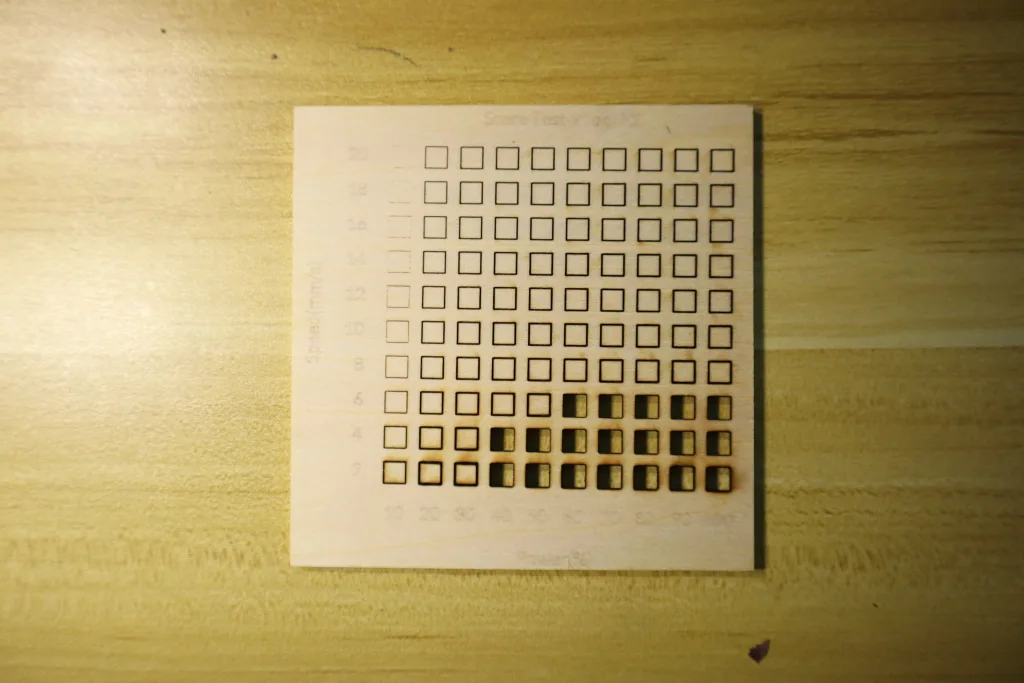
The image below on the left shows the cutting speed test results for the xTool F2 Ultra UV laser on 3 mm plywood. The results indicate that a 5W 355 nm laser power can cut through 3 mm plywood in a single pass at 90% power and a cutting speed of 12 mm/s. Recently, I also tested the xTool F2 portable laser engraver. The image on the right shows the cutting capability of the xTool F2’s 15W diode laser on 3mm plywood. Its results indicate that cutting 3 mm plywood requires the 15W 450 nm laser to operate at a slower cutting speed of 6 mm/s to achieve a single-pass cut!
Comparing the two, it’s easy to conclude that the xTool F2 Ultra UV 5W laser actually has stronger cutting capabilities than the 15W 450 nm diode laser! Additionally, if you closely observe the cut lines on the plywood made by the xTool F2 Ultra UV laser engraver, you’ll notice its cut lines are significantly finer than those produced by the xTool F2 portable laser engraver. This is because the xTool F2 Ultra UV’s laser spot size is only 0.01 mm x 0.01 mm, which is eight times finer than the 15W diode laser spot of the xTool F2 portable laser engraver. Consequently, the xTool F2 Ultra UV achieves micron-level precision in cutting and engraving.

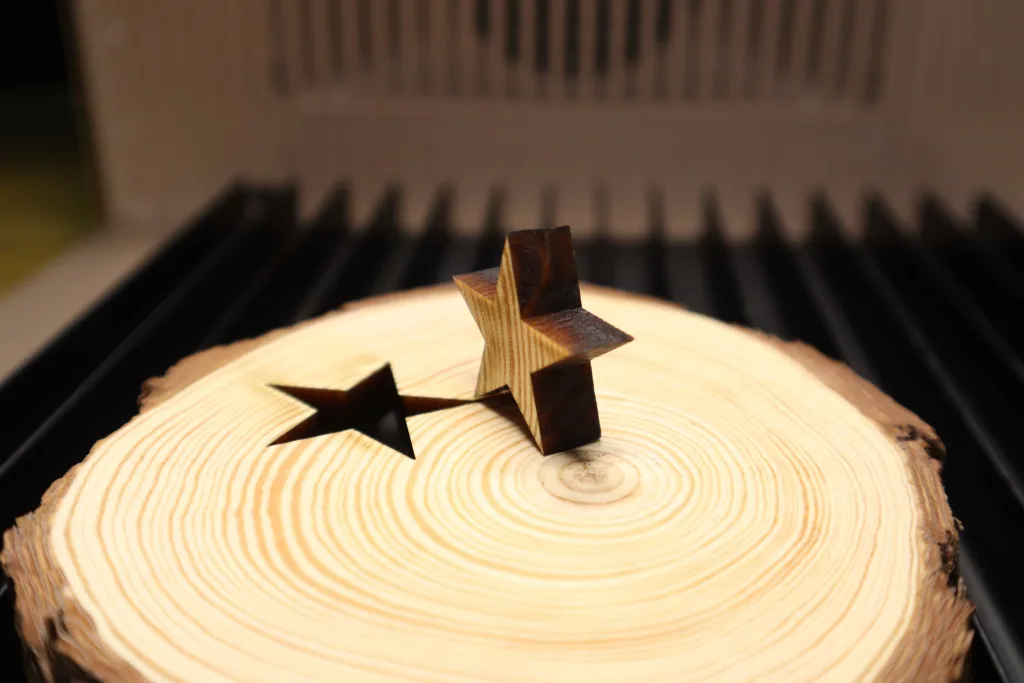
To explore the cutting limits of the xTool F2 Ultra UV, I attempted to cut 10 mm of pine wood. The results were astonishing! As shown below, it flawlessly cut through the pine wood in just 3 passes at a cutting speed of 2 mm/s and 100% laser power! Moreover, the cut edges were exceptionally clean with minimal carbonization. Thus, in terms of cutting capability, the 5W UV laser delivers powerful performance. xTool officially claims that the F2 Ultra UV laser engraver can cut up to 15 mm basswood and 12 mm acrylic with multiple passes.
Needless to say, the engraving speed of the xTool F2 Ultra UV is equally impressive. The image below shows the maximum engraving speed I achieved on black photo engraving paper. The results confirm it can indeed reach 15,000 mm/s. This translates to exceptional efficiency for laser marking on objects, often completing the marking process in just a few seconds.

3D Engraving Inside Glass: Making the Impossible Possible
The most outstanding advantage of the xTool F2 Ultra UV Laser Engraver is undoubtedly its capability for 3D engraving inside glass or 3D crystal engraving. When you purchase the xTool F2 Ultra UV, you will receive the following add-on kit for 3D crystal engraving. It includes a laser lens specifically designed for 3D engraving inside glass and a raised platform for engraving positioning and elevation.
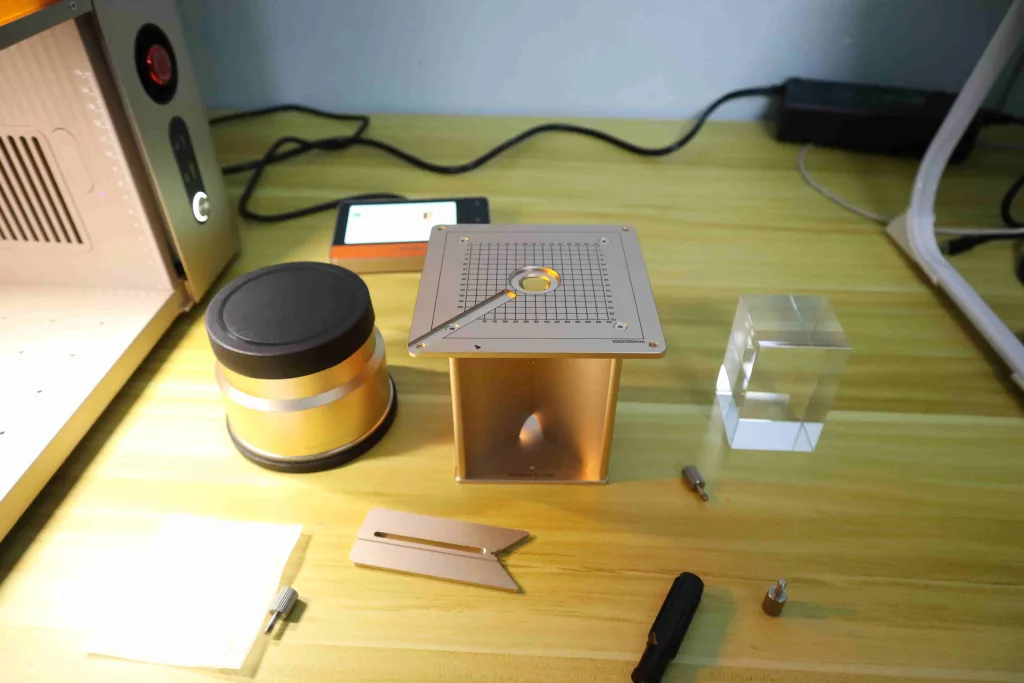
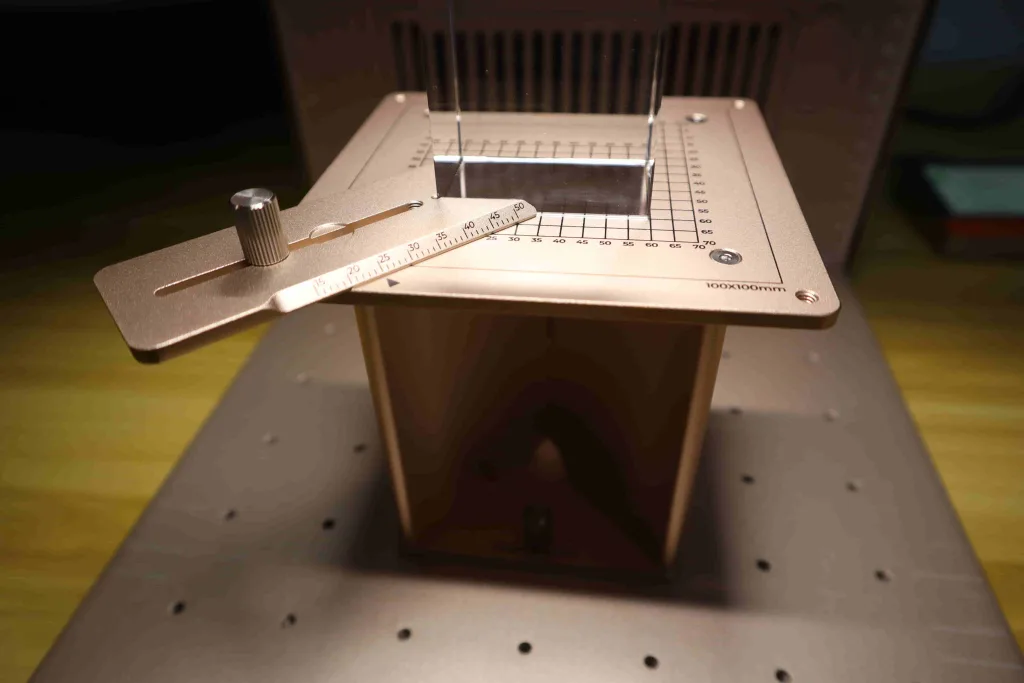
The xTool F2 Ultra UV supports a maximum 3D crystal engraving volume of 70 mm x 70 mm x 150 mm. Just as simple as flat laser engraving, xTool Studio has built-in first-time use guides for 3D crystal engraving. Everything is convenient—simply select the corresponding “K9 Inner Carve Glass” material and choose “Outline Engraving,” and the rest of the engraving parameters will be automatically set.
3D engraving requires files in 3D model formats such as STL, OBJ, AMF, 3MF, GLB, or PLY. If you’re a 3D printer user, you should be familiar with these 3D model files. Just import your 3D model file into xTool Studio for 3D crystal engraving. If you don’t have a suitable 3D model file, you can even use the AImake feature within xTool Studio to generate one.
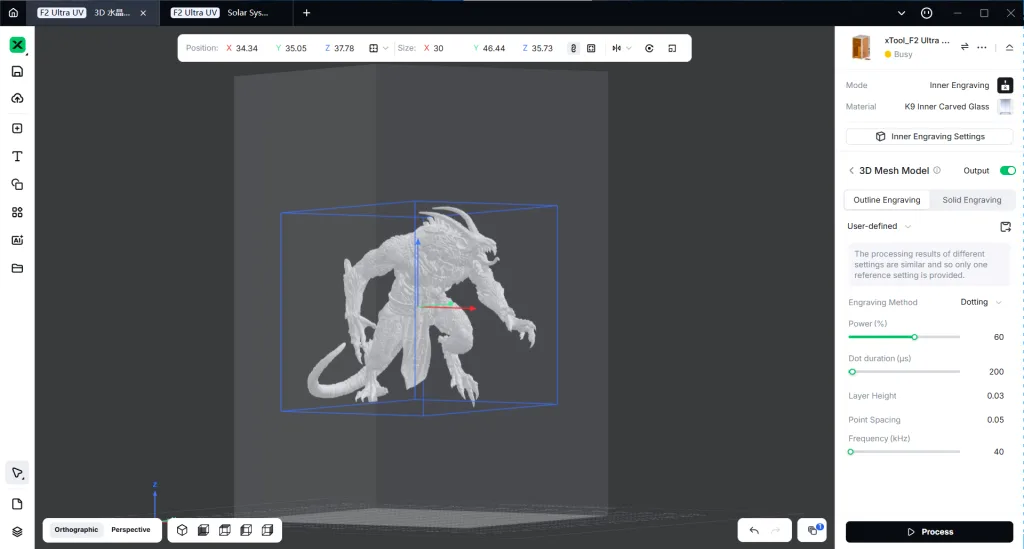
For sharper, more detailed 3D crystal engravings, I recommend setting a smaller layer height and dot spacing. For example, the engraving parameters for the 3D crystal piece below were set to the dotting engraving method, 0.03 mm layer height, 0.05 mm dot spacing, 60% power, 200 μs dot duration, and outlines engraving. However, like 3D printing, 3D crystal engraving requires significant processing time. The piece below, miniature size 30 mm x 46 mm x 35 mm, took a total of 97 minutes to complete. But it’s all worth it! Because it truly looks like a work of art, a delight to behold.
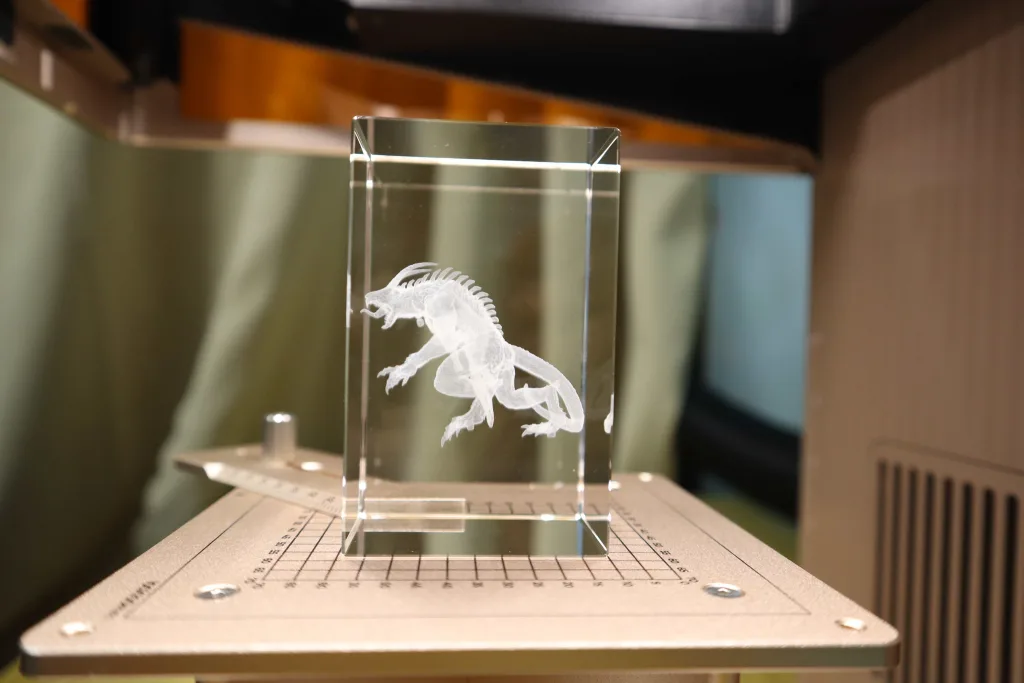
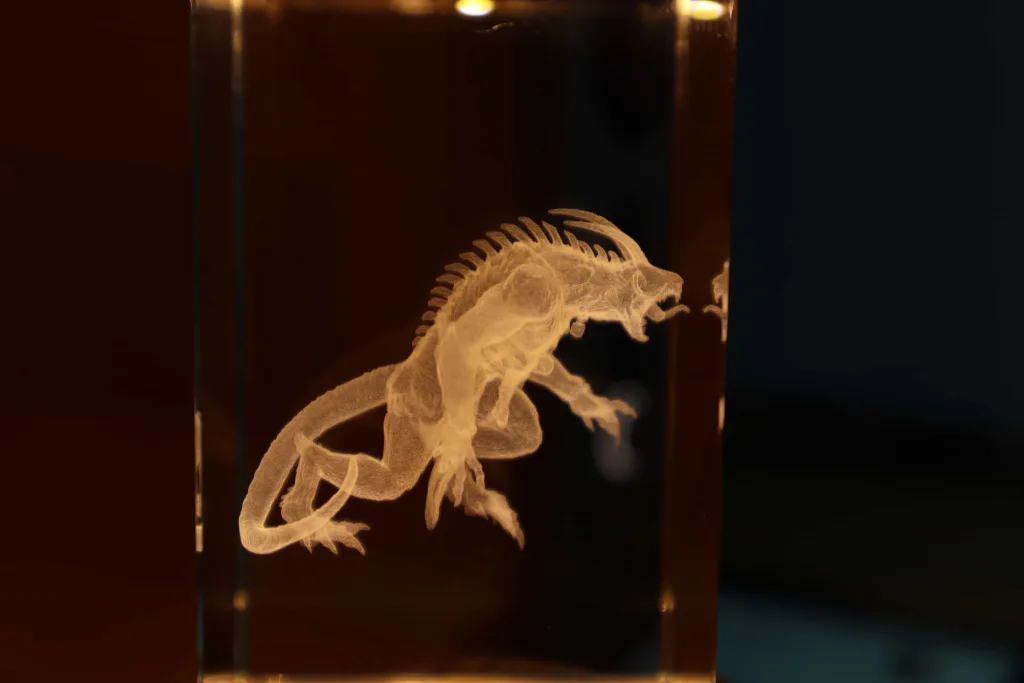
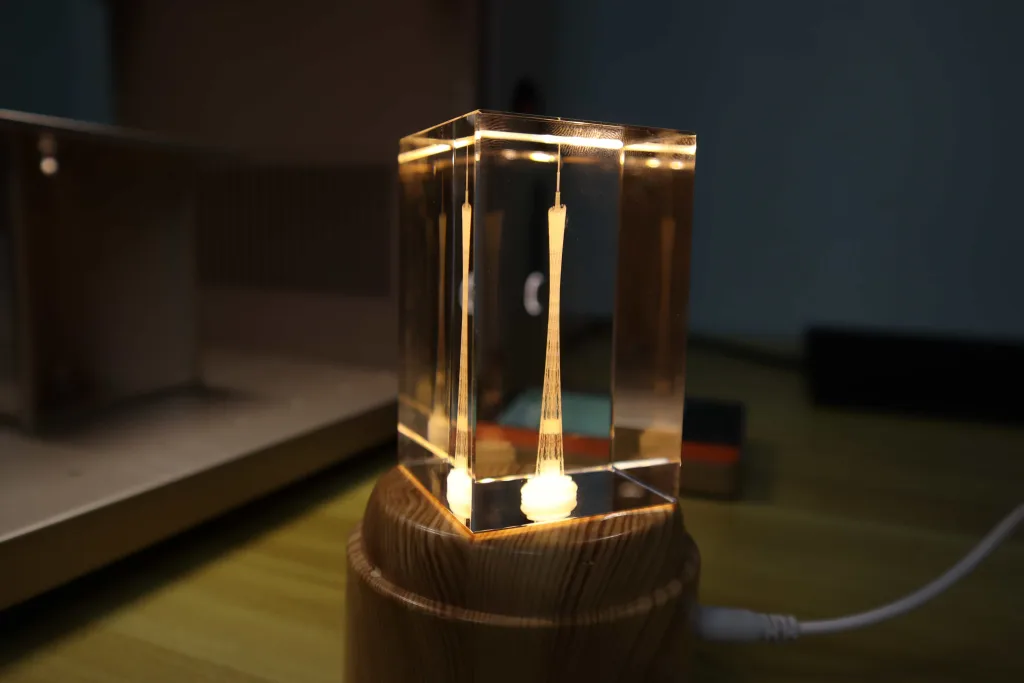
Below is a 3D miniature model of the Canton Tower engraved inside glass using the same engraving parameters, which took 26 minutes to get it. I’m quite satisfied with the xTool F2 Ultra UV laser engraver’s performance in 3D crystal engraving! It effectively reproduces the intricate details of the miniature model. Take the Canton Tower as an example, it flawlessly engraved both the tower’s internal cylindrical structures and its spire, which are smaller than 0.5 mm.
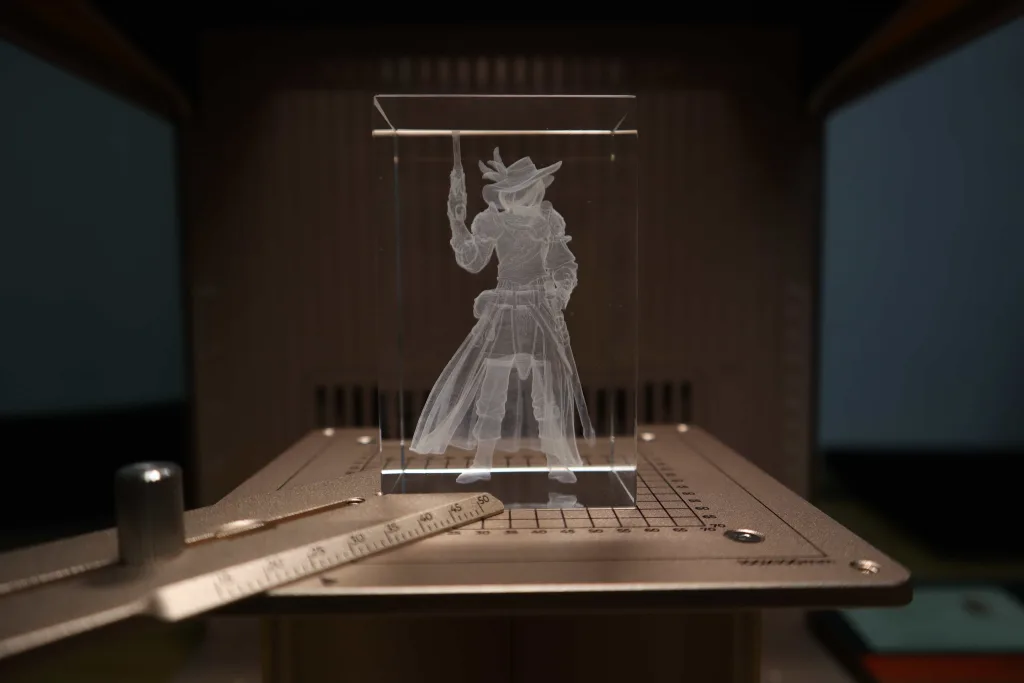
But that’s not all. I used the xTool F2 Ultra UV to engrave a miniature model that I typically only print with a 3D printer. This model features exceptionally rich details, such as the fabric texture on the clothing. After the xTool F2 Ultra UV engraved this model, it managed to capture these fine details quite well. While it doesn’t match the detail-printing capabilities of resin 3D printers, within the realm of laser engravers, the xTool F2 Ultra UV’s 3D crystal engraving is absolutely outstanding!
Similar to 3D printing, engraving this miniature model (dimensions: 40 x 31 x 70 mm) took a total of 3 hours. The engraving parameters were the same as for previous projects: dotting engraving method, 0.03 mm layer height, 0.05 mm dot spacing, 60% power, 200 μs dot duration, and outlines engraving.
Micron Precision, Challenging Engraving Details Invisible To The Naked Eye
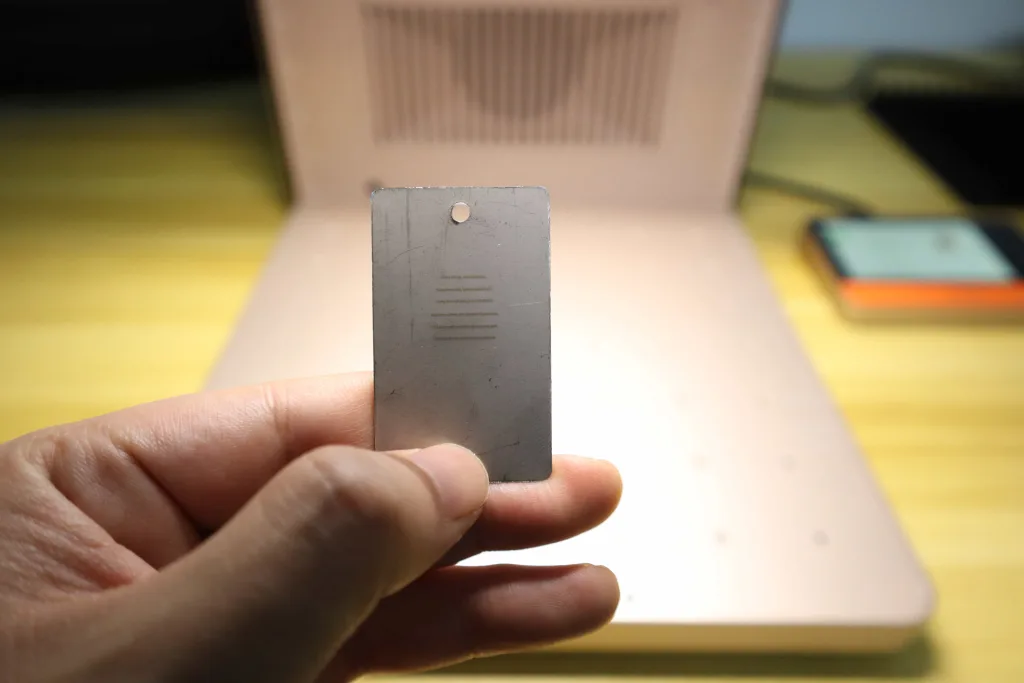
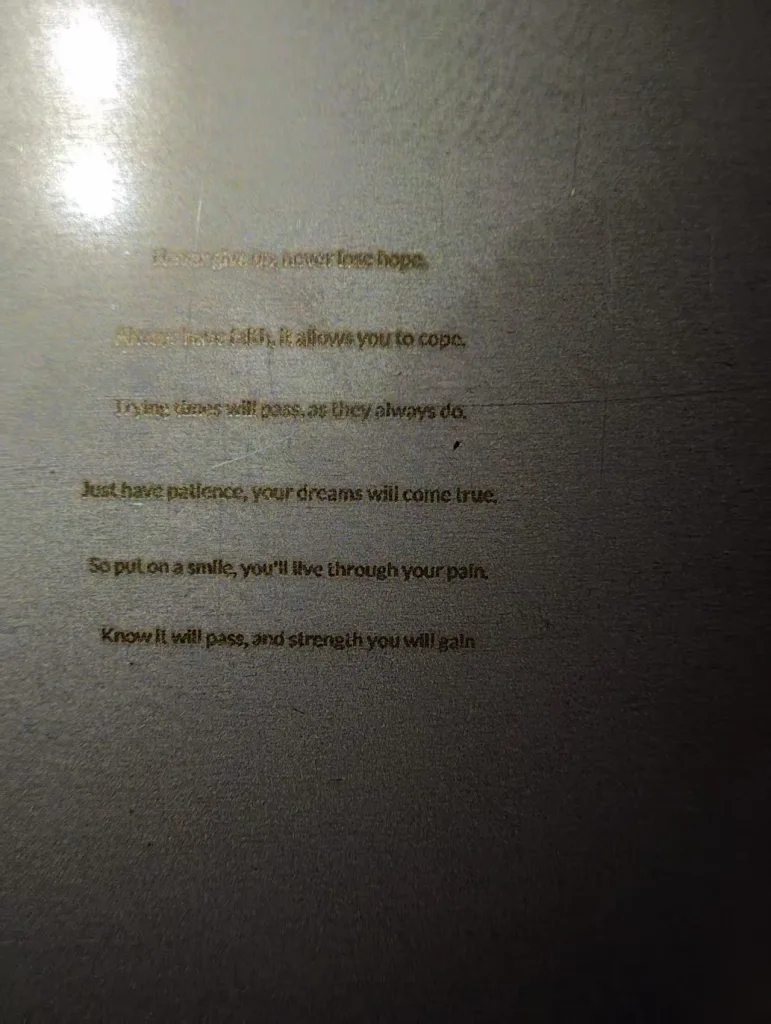
As mentioned earlier, the xTool F2 Ultra UV boasts a laser spot size of just 0.01 x 0.01 mm, 8 to 15 times finer than other laser types. Consequently, the xTool F2 Ultra UV delivers unmatched precision in detailed engraving. To test the xTool F2 Ultra UV laser engraver’s detail engraving capabilities, I directly engraved a miniature English poem onto stainless steel. The height of each English letter was set below 0.3 mm, with each letter measuring approximately 0.3 mm x 0.3 mm. At this size, the letters are barely visible to the naked eye. I used this method to test whether the xTool F2 Ultra UV could perfectly engrave each English word onto the material.
The results did not disappoint! As shown in the right image below, under a macro lens, each letter is perfectly engraved! This truly astonished me!
xTool F2 Ultra UV Laser Engraver: The Future of Precision for Almost All Materials
Through the above test, you should now understand the unparalleled precision capabilities of the xTool F2 Ultra UV in engraving! On one hand, the F2 Ultra UV’s ultra-fine laser spot size enables exceptionally precise engraving. On the other hand, as a UV laser engraver, its laser spot has an extremely small heat-affected zone, commonly referred to as “cold processing.” This ensures that when the xTool F2 Ultra UV engraves various materials, excessive burning does not occur. Consequently, ultra-fine detail engraving is guaranteed. Below, I will show you the astonishing ultra-fine detail engraving of the xTool F2 Ultra on common materials.
Ultra-Fine Image Engraving On Plywood
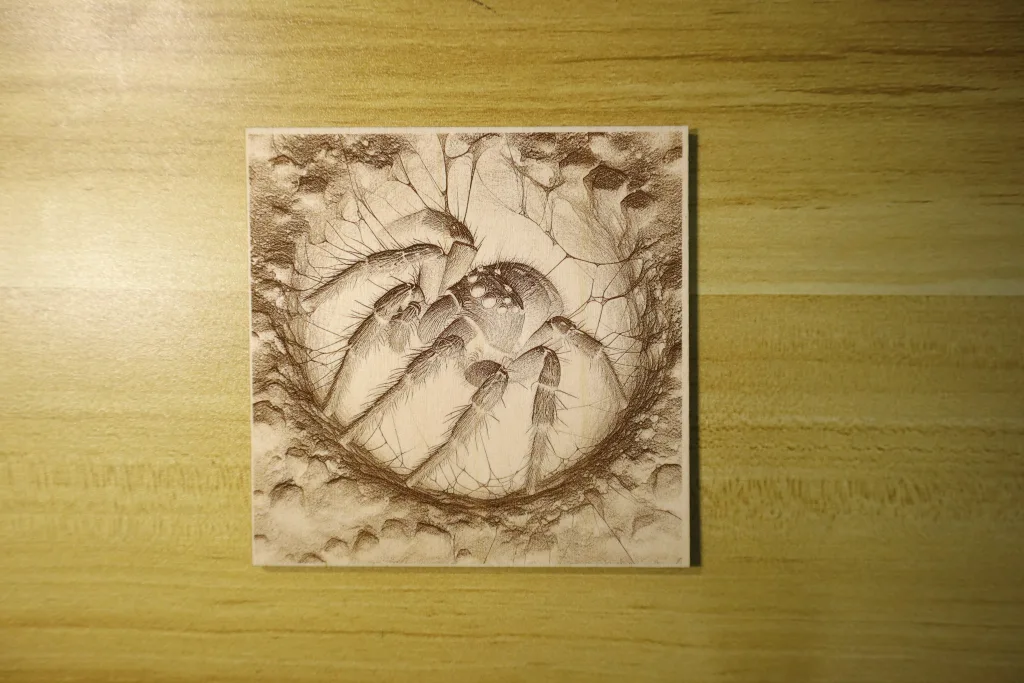
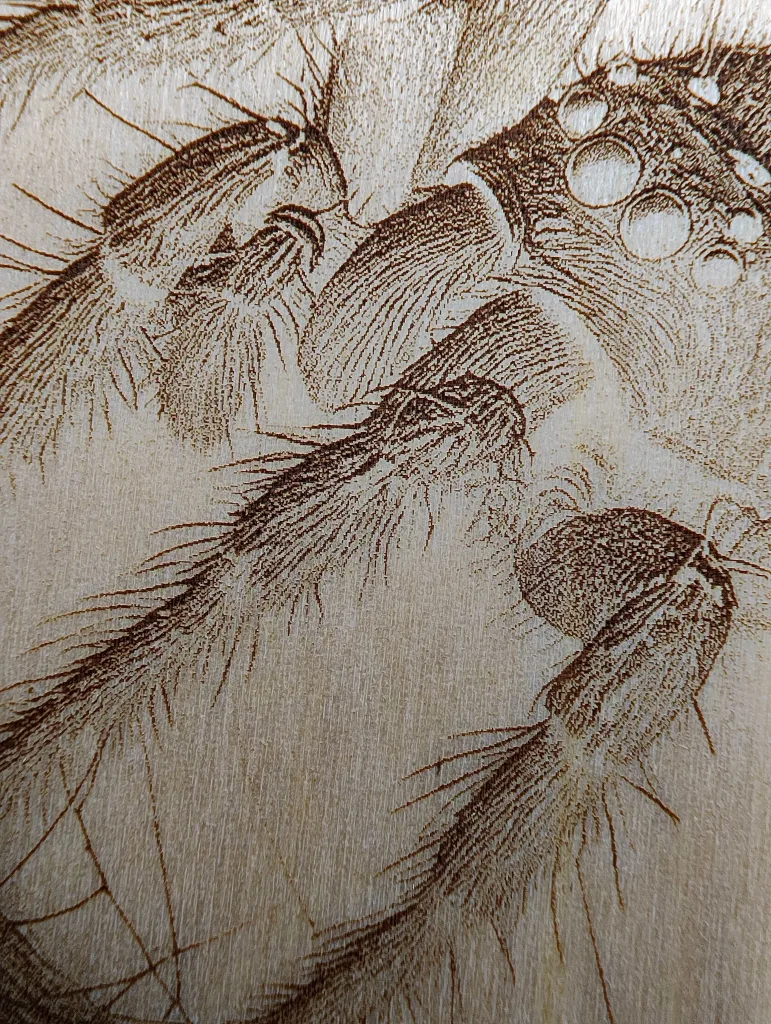
If you’ve used other types of laser engravers, such as diode laser engravers, you may have noticed that they often lose detail when engraving images on plywood or wood. This occurs because the flammable plywood is frequently over-burned by the laser energy, resulting in the loss of fine details. But the xTool F2 Ultra UV laser engraver does things differently—it enables ultra-fine engraving on plywood!
As shown in the image engraving below, every detail is perfectly visible! Even under a macro lens, the lines remain sharply defined. Engraving parameters: 1000μs, 85%, 320 DPI, Pass1, 40kHz. Total engraving time for this 100 x 100 mm image is 11 minutes 16 seconds.
Ultra-Fine Image Engraving On Acrylic
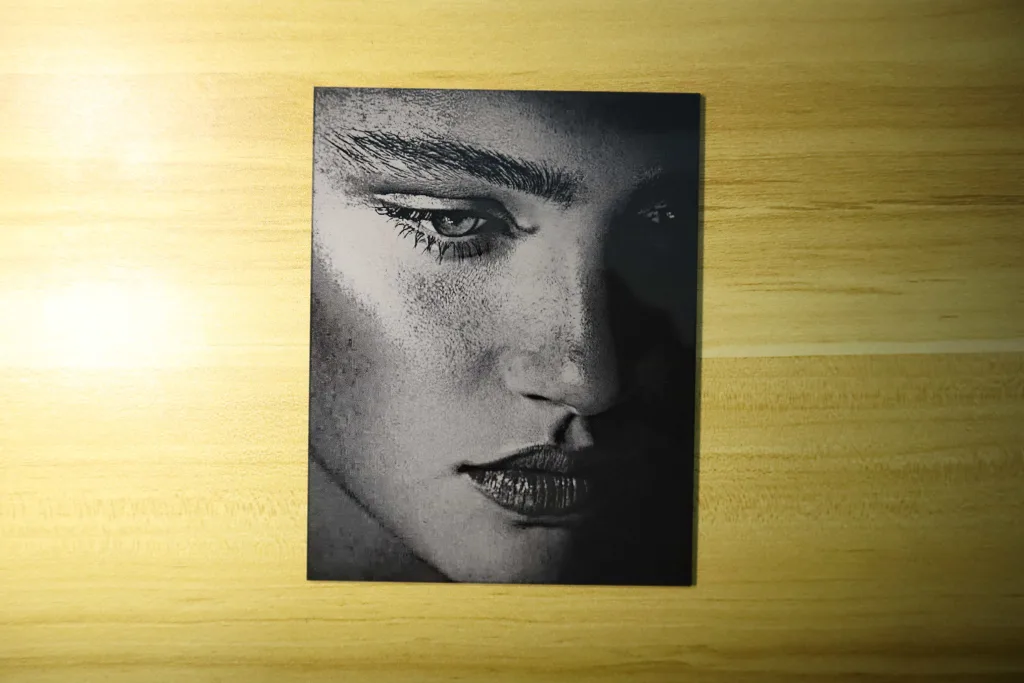
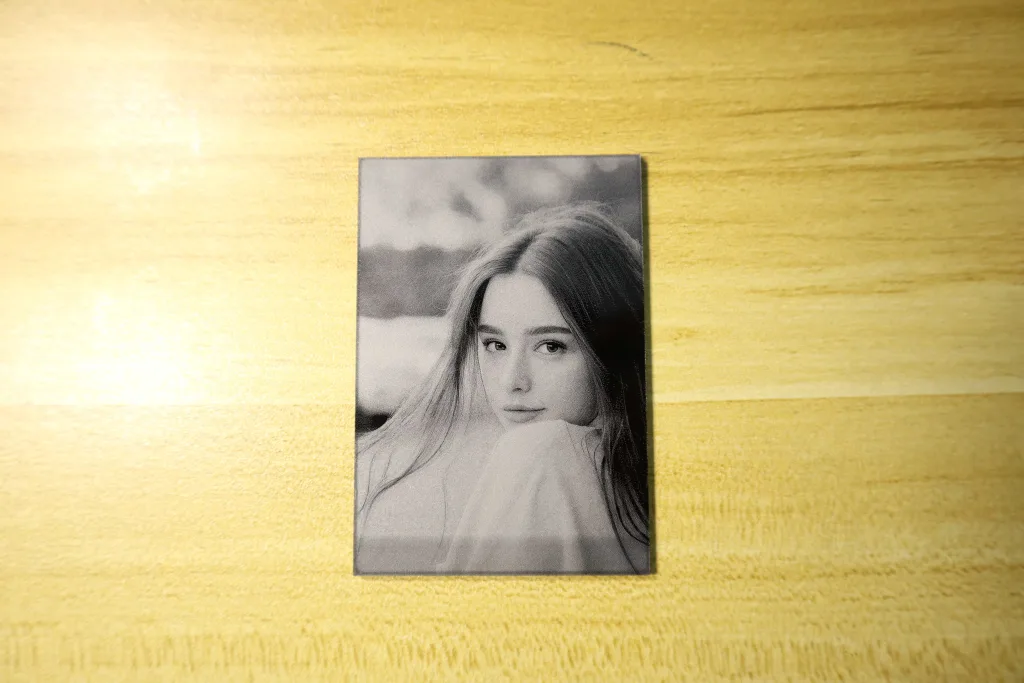
Engraving images on black acrylic achieves a new level of detail clarity never seen before! The two portrait pieces below showcase the xTool F2 Ultra UV engraving on black acrylic at 500DPI. The ultra-high-definition portrait on the left (120 mm x 153 mm) took 22 minutes to engrave, while the one on the right (52 mm x 66 mm) required only 4 minutes.
Ultra-Fine Image Engraving On Leaf
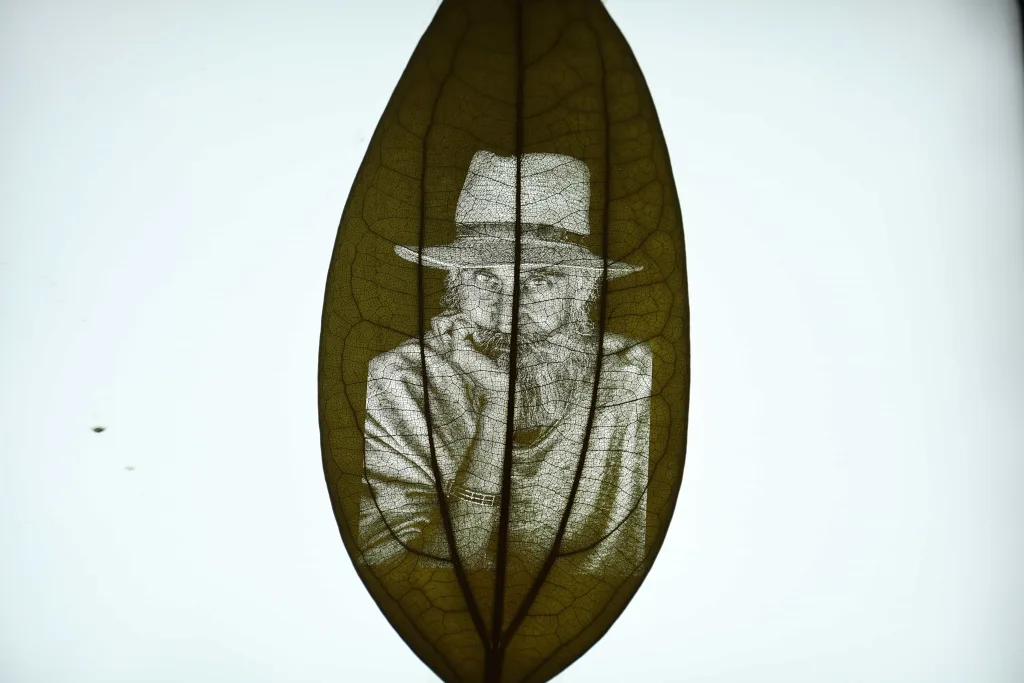
Even highly flammable materials like leaves can be engraved with ultra-fine precision! Observing it in person, I can clearly see intricate details like the texture of the character’s hat, beard, and clothing meticulously engraved onto the leaf. This truly impresses me!
Ultra-Fine Engraving On Other Materials Test
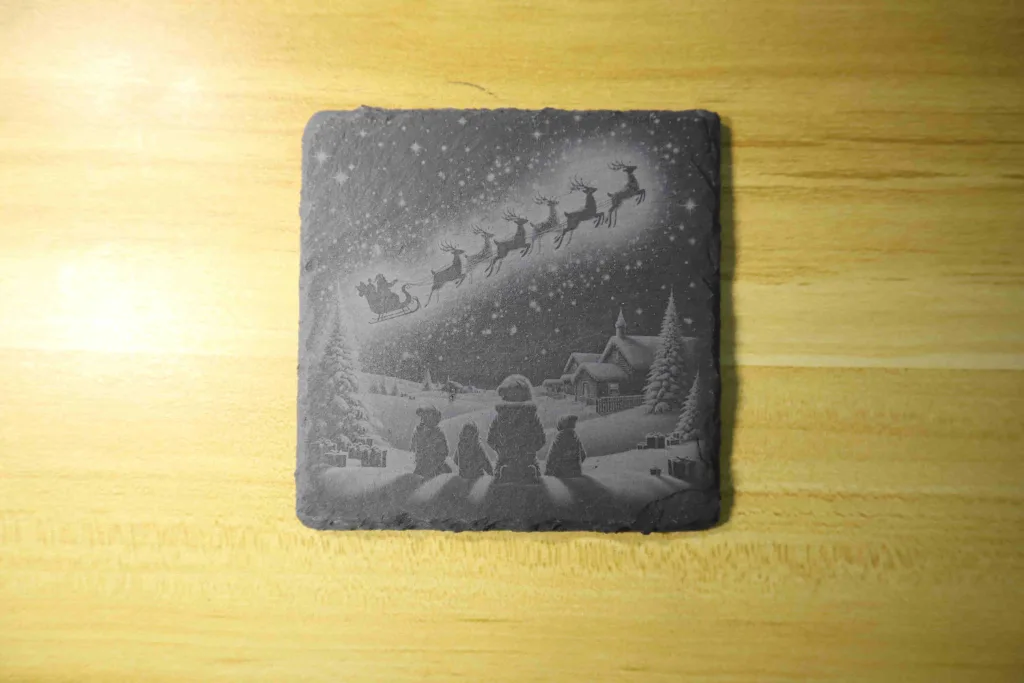
The image on the left below depicts a Christmas scene engraved on a rock at a resolution of 500 DPI. The 10 x 10 mm image took approximately 8 minutes to complete. As you can see, even when engraving on rock, the 355nm UV laser still achieves high-quality results. The piece on the right below demonstrates curved surface engraving. As proven, even on such a pronounced curve, the xTool F2 Ultra UV laser engraver achieves flawless curved surface engraving. I previously showcased the curved surface engraving process in my review article of the xTool F2 portable laser engraver. Feel free to read it if you’re interested.
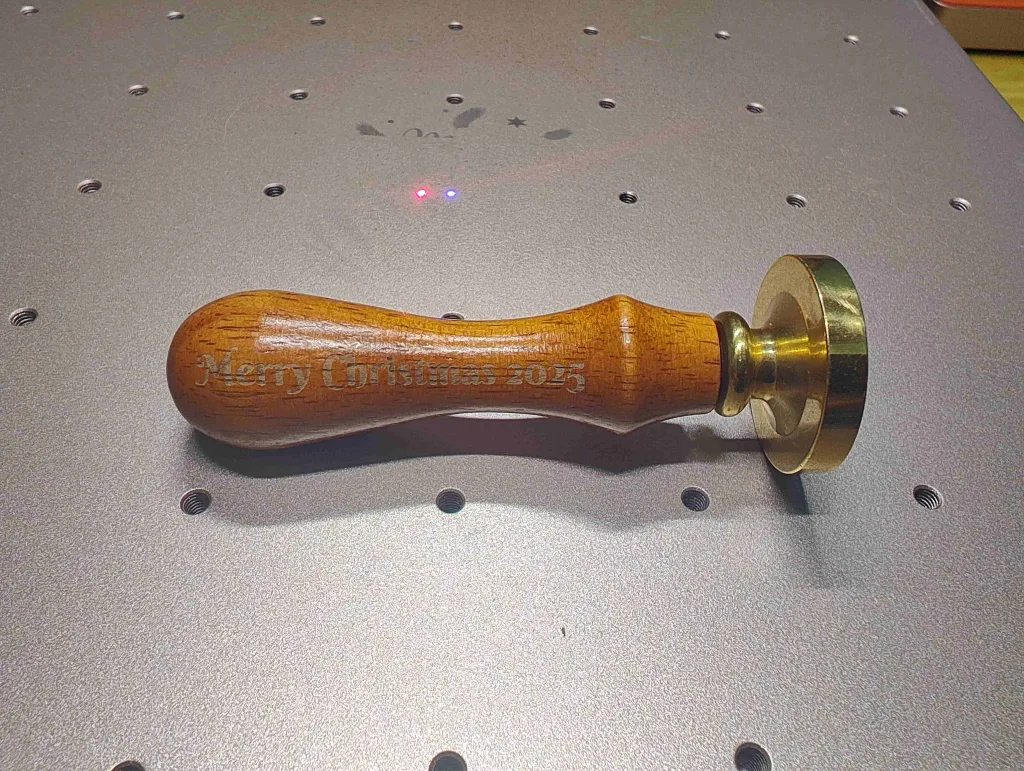
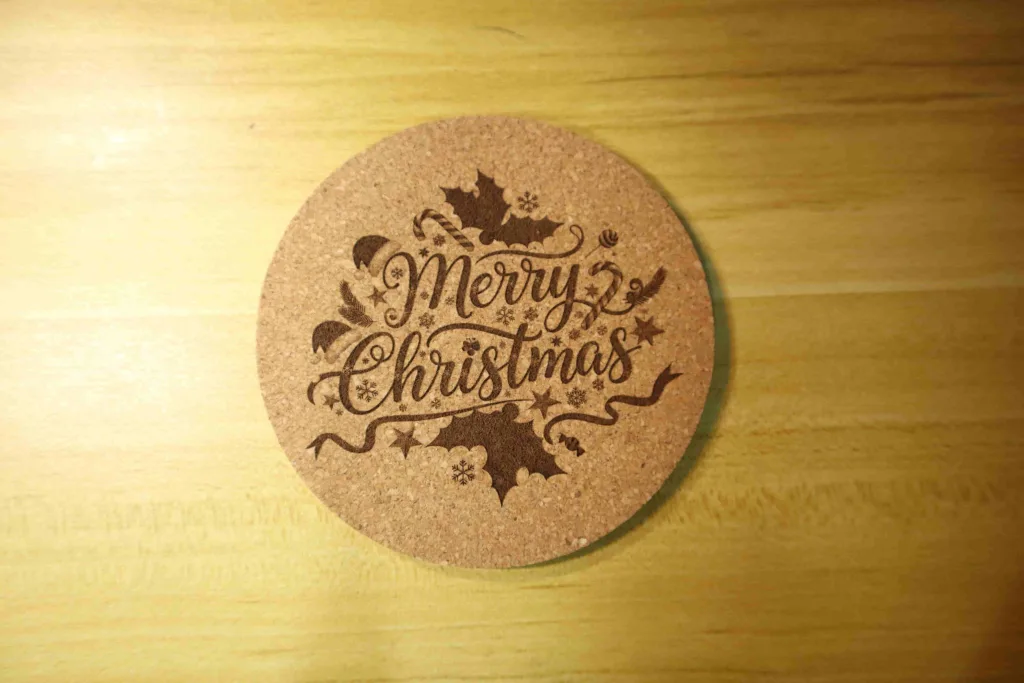
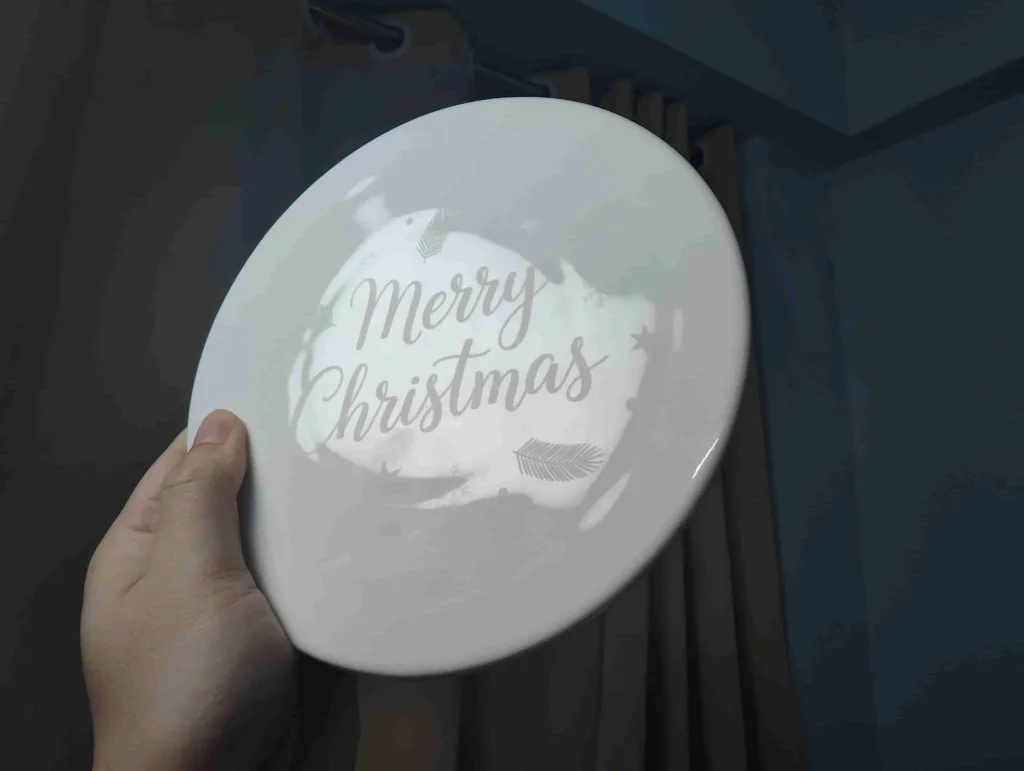
Beyond common materials, the xTool F2 Ultra UV laser engraver can truly engrave nearly all materials—including glazed ceramics that other laser types cannot directly engrave! Before engraving ceramic, I must once again highlight xTool Studio’s AI creation feature because it’s incredibly convenient. Both pieces below, a cork engraving and a ceramic engraving, were generated using AI to create Christmas scenes. It’s truly effortless. xTool Studio offers numerous AI creation styles. Simply select the desired image generation style and input prompt words, and you’ll receive highly creative, engravable images. This is pretty cool!
The xTool F2 Ultra UV Laser Engraver’s One-Stop Creative Production
The xTool F2 Ultra UV laser engraver combines powerful performance with user-friendly designs, making it ideal for commercial production in workshops. To meet diverse engraving needs for your small business, I highly recommend purchasing the Streamline Conveyor and RA3 Rotary accessories, both compatible with the xTool F2 Ultra UV. Currently, the xTool F2 Ultra UV is priced at $4,249. Purchasing the Conveyor accessory and RA3 Rotary Module together brings the total cost to approximately $5,000. While this is a little big investment, it delivers comprehensive, one-stop production support for your small business.
Streamline Conveyor: Powerful workshop production station
When using the xTool F2 Ultra standalone, the maximum engraving area is limited to 200 mm x 200 mm, which restricts its capabilities for larger projects. However, when paired with the conveyor, the maximum engraving area can expand to 200 mm x 500 mm. However, this article does not focus on the features of large-area engraving. What is more important and beneficial for small business productivity is using the conveyor for batch production.

Currently, xTool Studio supports two modes of batch engraving for the xTool F2 Ultra UV. One mode handles batch engraving of two different patterns on the same material, while the other mode handles batch engraving of the same pattern on the same material.
The operation for batch engraving is highly convenient. The principle relies on a high-definition camera to identify materials of the same shape, then precisely fill patterns automatically into the designated positions on the materials. For details on conveyor usage, please refer to my test article on the xTool F1 Ultra: xTool F1 Ultra Conveyor Review. The steps for using the conveyor belt for batch engraving are the same for both the xTool F2 Ultra UV and the xTool F1 Ultra.
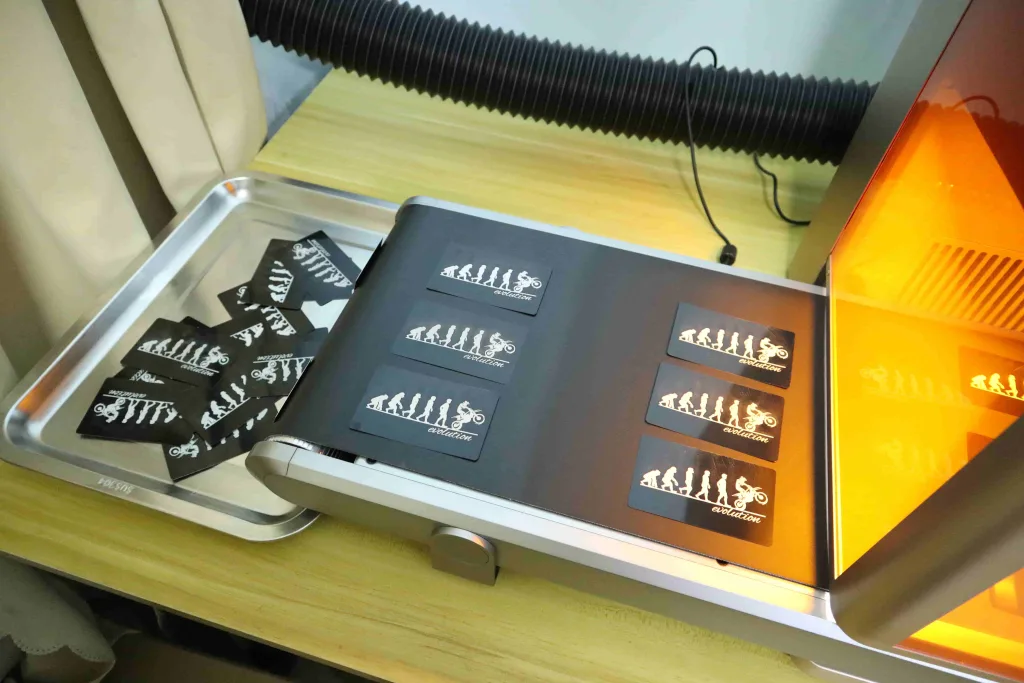
The image below illustrates the automatic batch engraving process using the xTool F2 Ultra UV and conveyor to customize identical patterns on black metal business cards. Engraving a single card, in this case, takes about 1 minute. With batch engraving, I can produce 30 finished cards in about 30 minutes. During automatic batch engraving, the high-definition camera automatically identifies materials and fills patterns, and what I need to do is continuously feed materials onto the conveyor.
It’s important to note that when using the automatic batch engraving function, the material thickness should not exceed 4 mm. Otherwise, excessive thickness will cause shadows on the material edges, leading to camera recognition failure.
RA3 Rotary: All-In-One Engraving on Cylindrical Objects
The RA3 rotary module is also a practical accessory that enables you to engrave non-flat materials such as cylinders, spheres, rings, and irregularly shaped objects.


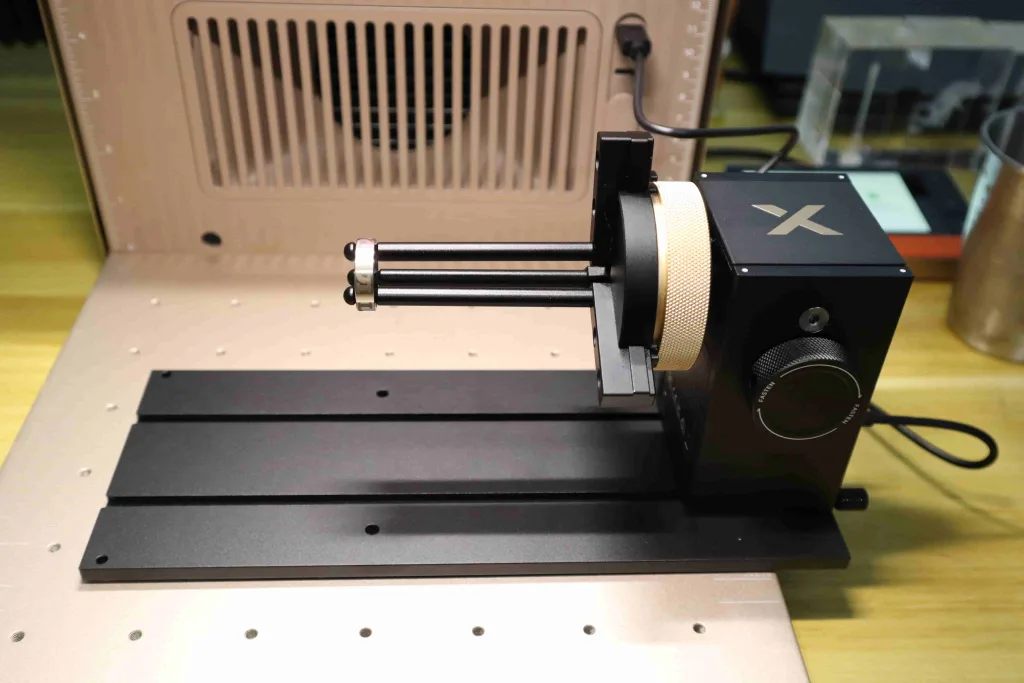
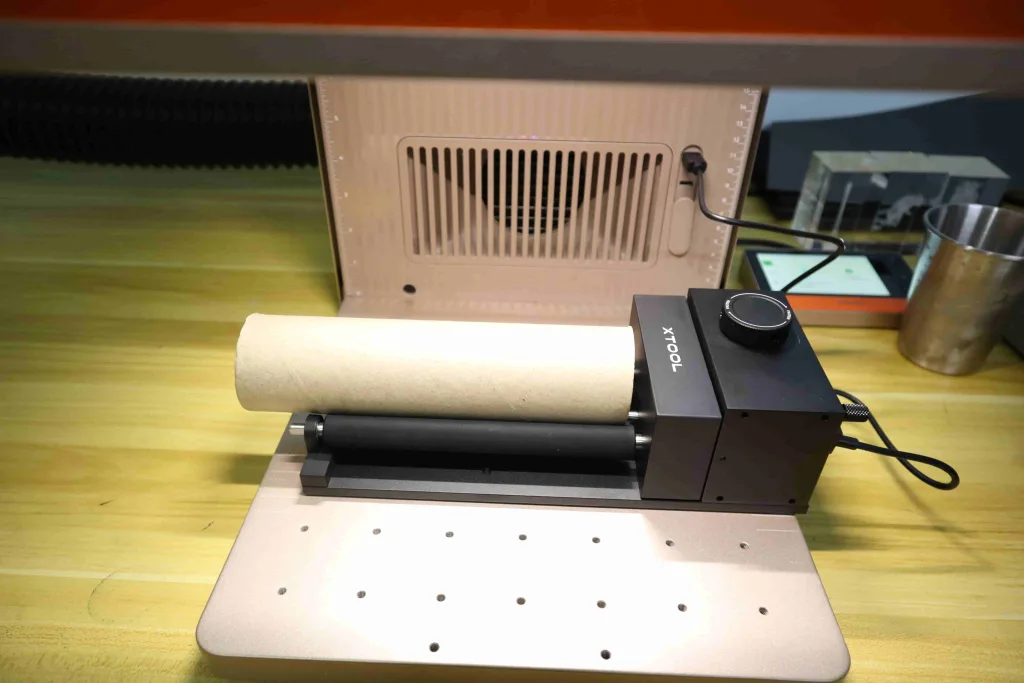
Unlike other products, the xTool F2 Ultra UV 48 MP dual camera allows users to drag images directly onto the cylinder’s position when engraving cylindrical objects with the RA3 rotary module. This camera positioning feature eliminates the hassle of manual alignment when using the rotary module.
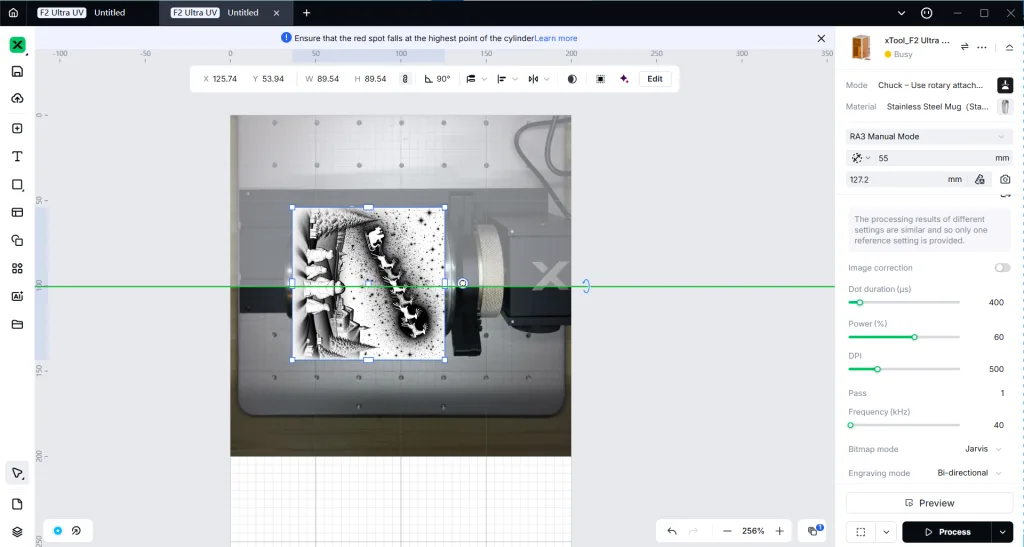
Another highlight is the RA3 rotary module’s adjustable angle feature. This capability allows for more precise engraving on irregularly shaped objects. Take the stainless steel cup below as an example: since the rim and body have different diameters, the cup wall must be aligned on the same horizontal plane. This can be achieved using the included leveling tool to adjust the RA3 rotary module’s angle, ensuring the engraving surface remains perfectly level.

Features I like
Overall, the xTool F2 Ultra UV laser engraver offers numerous advantages, with its core standout features summarized as follows.
- As an ecosystem product of xTool, it is extremely easy to use and features highly user-friendly intelligent workflows, resulting in exceptional productivity.
- It offers broader material compatibility, capable of engraving almost any material. Notably, it excels at 3D crystal engraving, glass engraving, ceramic engraving, and other applications beyond the capabilities of other laser engravers.
- The cutting capability of its 5W 355nm UV laser rivals that of 20W diode laser engravers, but it delivers finer, cleaner engravings and cuts.
- Featuring a spot size 8-15 times finer than other laser types, it achieves ultra-fine and cleaner engraving results.
- Its “cold processing” capability allows engraving on heat-sensitive materials like feathers. When engraving or cutting common materials, it produces less smoke and preserves more intricate details.
- When paired with the Streamline conveyor, it enables automated batch engraving production.
Room for Improvement
- If the conveyor’s automatic batch engraving supports objects thicker than 4mm, it would become even more versatile.
- For 3D crystal engraving on a glass sphere, adding a spherical preview area would be beneficial.
Conclusion
Given the higher price point of the xTool F2 Ultra UV laser engraver ($4249), I recommend it for the following buyers. First, if you’re a small business owner with high-efficiency, continuous production needs, the xTool F2 Ultra UV is truly an excellent fit for you. Second, if you previously purchased a similar laser engraver to start a customization business and now wish to upgrade to a more versatile, high-performance machine to boost productivity, the xTool F2 Ultra UV is also an excellent choice for you. Third, whether you’re a small business owner or a hobbyist, if you frequently need to engrave 3D crystal items, the xTool F2 Ultra UV is also a great choice. If finished, dyed leather is your main material, the UV cold beam is the cleanest option. See our best laser engraver for leather guide for the full picture.
In short, the xTool F2 Ultra UV laser engraver is far from a hobbyist machine. Its pricing, the versatility of UV laser technology, and hardware quality all position it as a professional-grade solution for production applications.

FAQs
The Differences Between UV Laser, CO2 Laser, Diode Laser, and Fiber Laser?
In the world of material processing, the choice of laser technology is critical, directly determining the quality, speed, and compatible materials for a given application. The core distinction among Ultraviolet (UV), Carbon Dioxide (CO2), Diode, and Fiber lasers lies in their wavelength, which different materials show varying absorption rates.
The UV laser uses a short, high-energy wavelength to perform cold marking on delicate materials like glass and electronics, avoiding thermal damage. The CO2 laser uses a long infrared wavelength, making it the standard for cutting and engraving nearly all non-metallic, organic materials like wood and acrylic through heating. The Fiber laser uses a near-infrared wavelength that is highly absorbed by metals, making it the primary industrial choice for high-speed metal marking and cutting. The Diode laser is a compact, cost-effective entry-level option that performs best on soft materials like thin wood and leather, primarily through thermal ablation.
Below is a comparison table highlighting the main differences between the four laser types.
| Feature | UV Laser | CO2 Laser | Diode Laser | Fiber Laser |
| xTool’s Flagship Products | xTool F2 Ultra UV | xTool P3 | xTool S1 20W | F2 Ultra MOPA |
| Wavelength | 355 nm | 10.6 μm | 450 nm | 1064 nm |
| Laser Spot Size | 0.01 x 0.01 mm | 0.15 x 0.18 mm | 0.08 x 0.06 mm | 0.03 x 0.03 mm (fiber laser) |
| Primary Target Materials | Almost all materials, including those that others can’t: Glass, Ceramics, Plastics, Electronics, Sensitive Metals | Wood, Acrylic, Leather, Textiles, Paper, Rubber | Wood, Leather, Paper, Opaque Plastic | All Metals, Hard Plastics, Industrial Polymers |
| Metal Marking | Yes (high precision, low contrast on some) | No (poor absorption) | Limited (marking only) | Yes (excellent) |
| Heat Affected Zone (HAZ) | Minimal (Cold Process) | Significant | Moderate to High | Low to Moderate |
| Energy Efficiency | Excellent | Low | Very High | High |
| Typical Cost Range | Highest (Specialty/Precision) | Mid-Range | Lowest (Hobbyist/Entry) | High (Industrial) |
| Key Advantage | Unmatched precision and non-thermal processing for delicate materials. | Versatility for almost all non-metallic/organic materials. | Low initial cost, compact size, and high energy efficiency. | High power, speed, and durability for metal processing. |
How are 3D Crystal Engraving Files Obtained When Using xTool F2 Ultra UV?
Typically, just like with 3D printers, you need to prepare 3D model files in STL format. STL format is the most common for model files because free 3D models can be downloaded from various 3D printing websites for use. In addition, the xTool F2 Ultra UV supports six 3D model file formats: STL, OBJ, AMF, 3MF, GLB, and PLY. If you truly cannot find a suitable 3D model for 3D crystal engraving, you can also use AI to generate one for you in xTool Studio.
What Materials Cannot Be Engraved With The xTool F2 Ultra UV?
The xTool F2 Ultra UV Laser Engraver features a 5W 355 nm laser power. Compared to CO2 lasers, diode lasers, and fiber lasers, the xTool F2 Ultra UV offers the most versatile material compatibility, capable of engraving virtually all materials.
However, there is one scenario where the xTool F2 Ultra UV may struggle to engrave: highly reflective metals such as polished aluminum and bare copper. These are difficult to mark because their surface tends to reflect much of the UV light instead of absorbing it, which is necessary for the engraving process.
If you wish to mark highly reflective metals, applying a dark coating can significantly improve UV laser absorption efficiency, enabling successful engraving.