Jerry Wang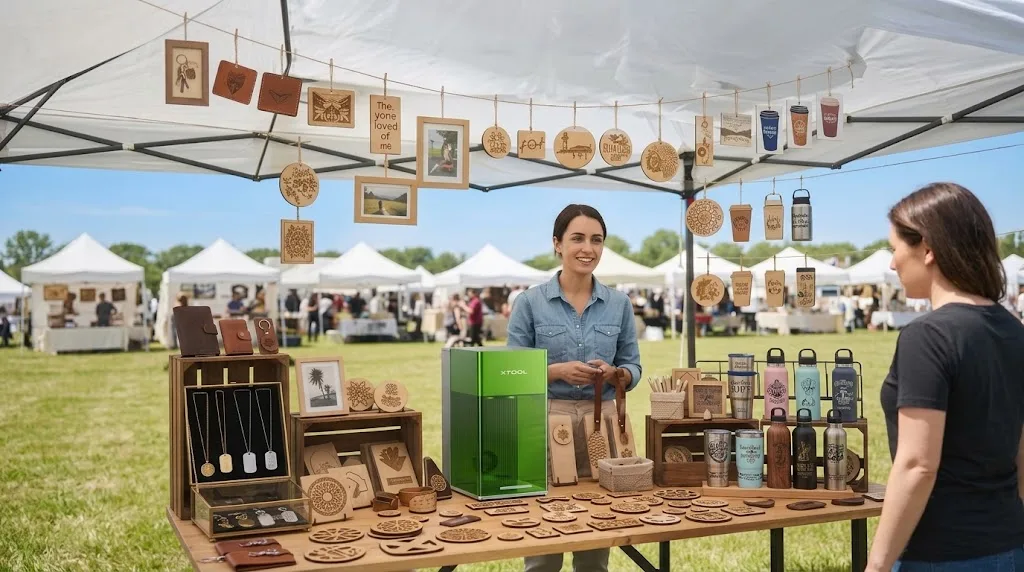
The best laser engraver for small business in 2026 is the xTool P2S 55W CO2 laser. It cuts wood, acrylic, and leather in one machine and runs camera-driven batch orders, so a one-person shop can produce wood signs, acrylic awards, and engraved tumblers on a single bench. Metal shops should start with a fiber laser, and color-sticker sellers should look at the xTool M2.
A 55W CO2 laser for small business is the typical starting point for a multi-product shop because it covers wood, acrylic, and leather on a single bench. A small business laser cutter earns its place by paying for itself, by making more than one product, and by running safely in your home or studio. Those three tests matter more than any spec sheet. This guide is organized by business stage and product line, not by material: starter side hustles, scaling production, metal specialists, premium gifts, full-color crafts, and on-site personalization each get a dedicated pick.
We hands-on tested every machine below, timing cuts, inspecting edges, and running batch jobs on real materials from wood to anodized aluminum. Prices run from $599 to $4,499. For most businesses, the xTool P2S is the best laser engraver for small business you can buy. All eight picks, with the honest limits of each, are below.
Quick List
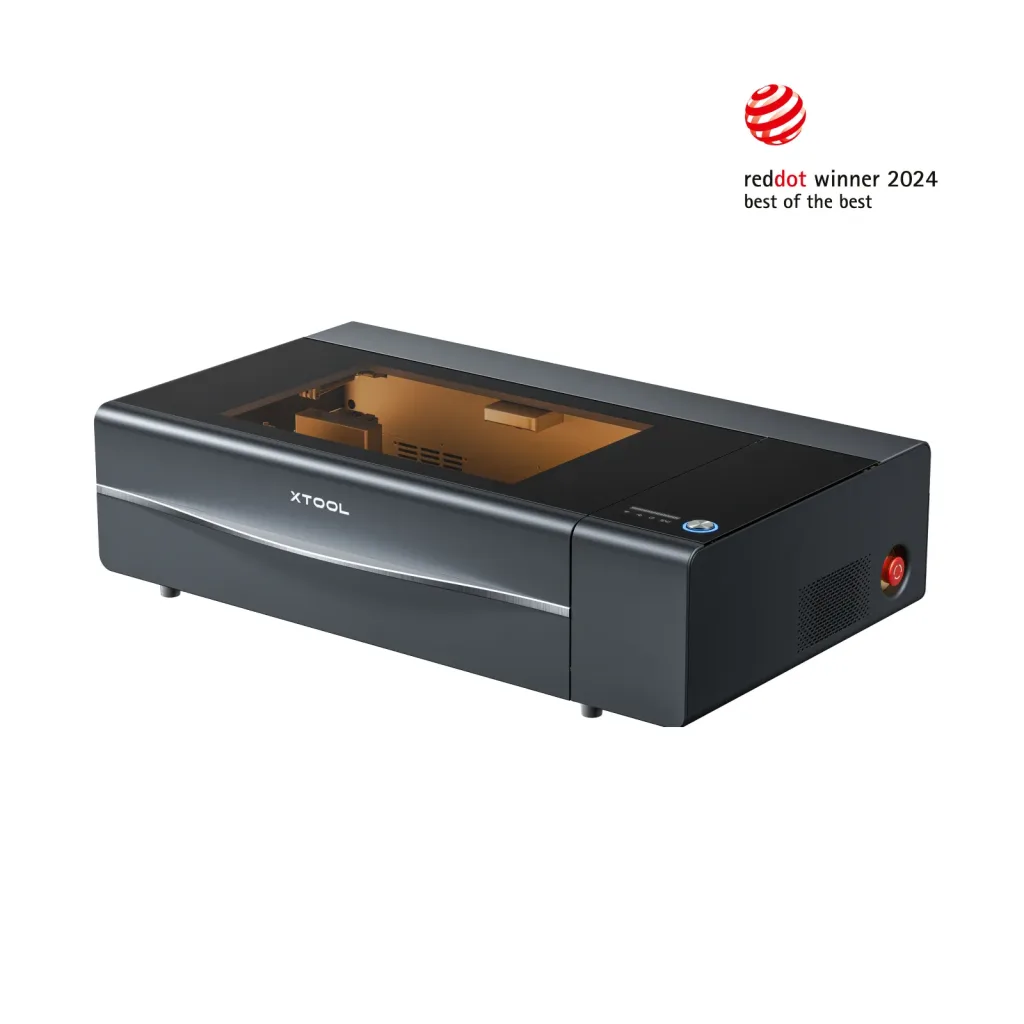
1. xTool P2S 55W CO2
55W CO2 covers wood signs, acrylic awards, and leather goods in one machine, with camera batch personalization. The multi-product shop workhorse. ($4,499 MSRP)

2. xTool F1 Ultra Dual 20W
Fiber plus diode in one box, so metal jewelry, stone, and wood or leather goods run on the same bench. ($2,999)
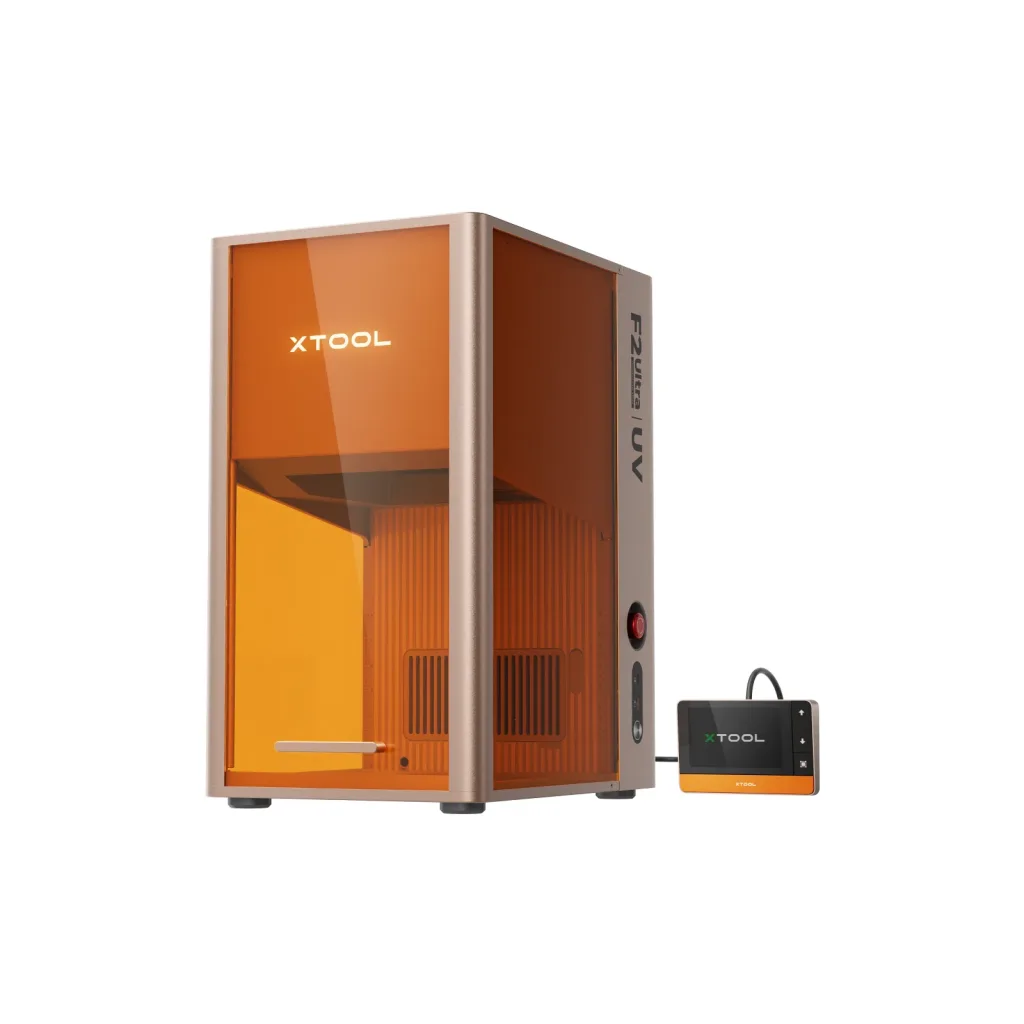
3. xTool F2 Ultra UV 5W
A 355 nm UV beam that engraves 3D images inside glass, a capability no other laser type can match. The premium-gift specialist. ($4,299 MSRP)
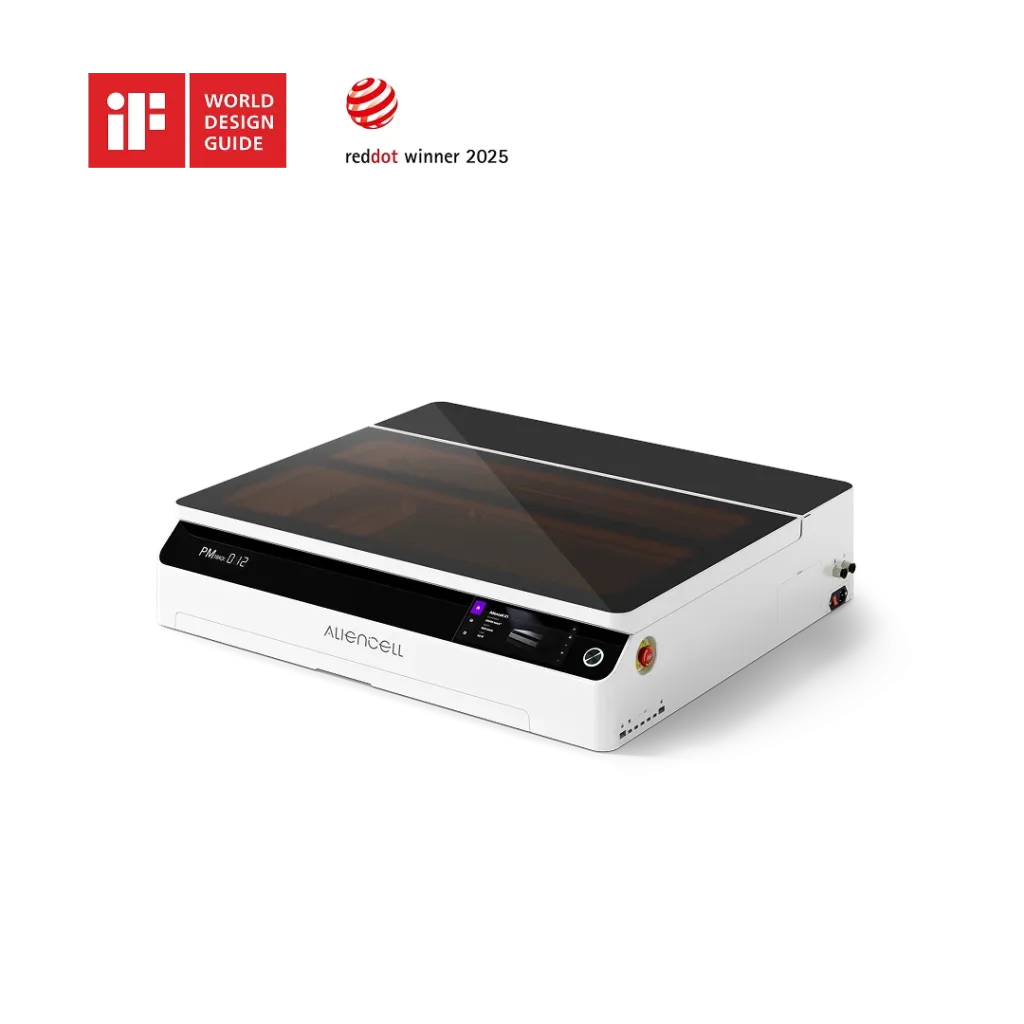
4. Aliencell X1 40W Diode
A 610 x 465 mm bed and a touchscreen that runs without a computer. The shared-workshop batch machine. ($2,399 MSRP)
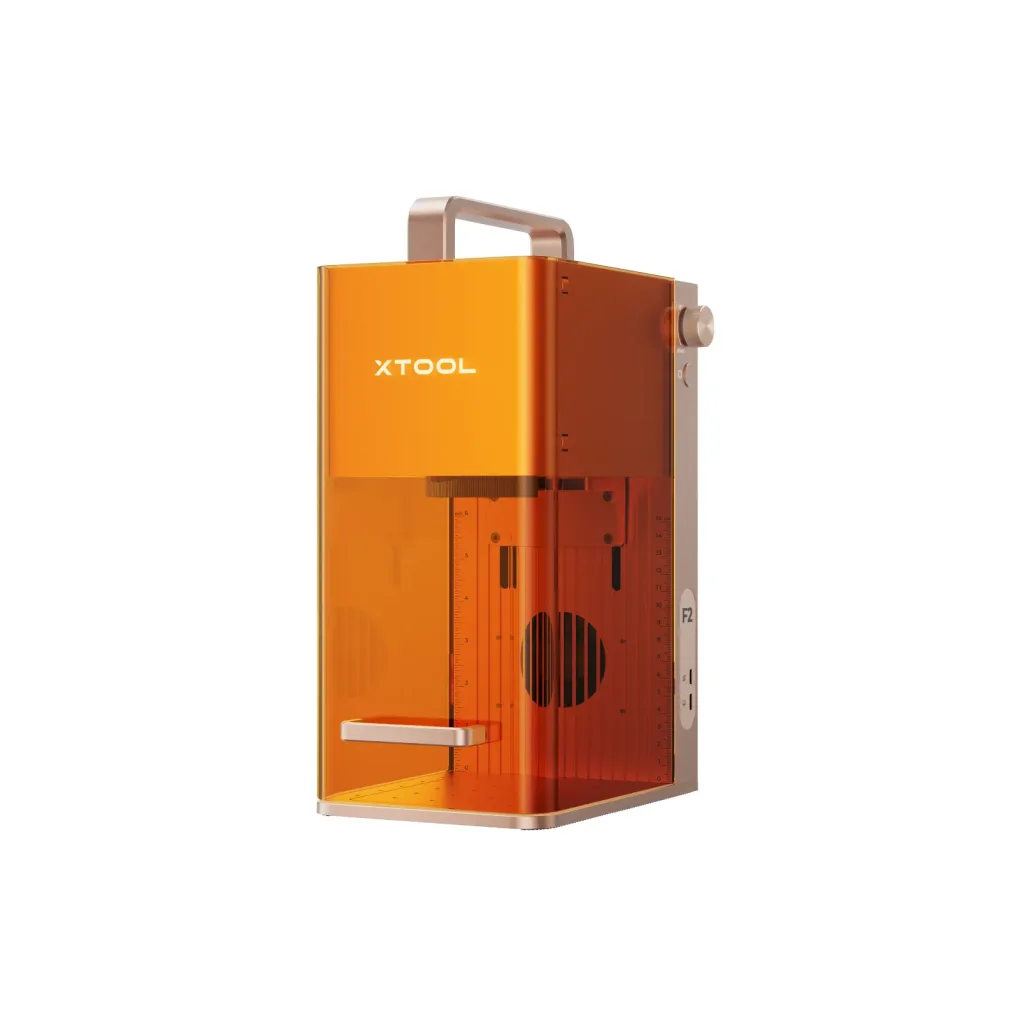
5. xTool F2 Portable Laser
Sub-5 kg dual-laser that personalizes metal, stone, and leather on the spot at markets, weddings, and store events. (about $1,499)
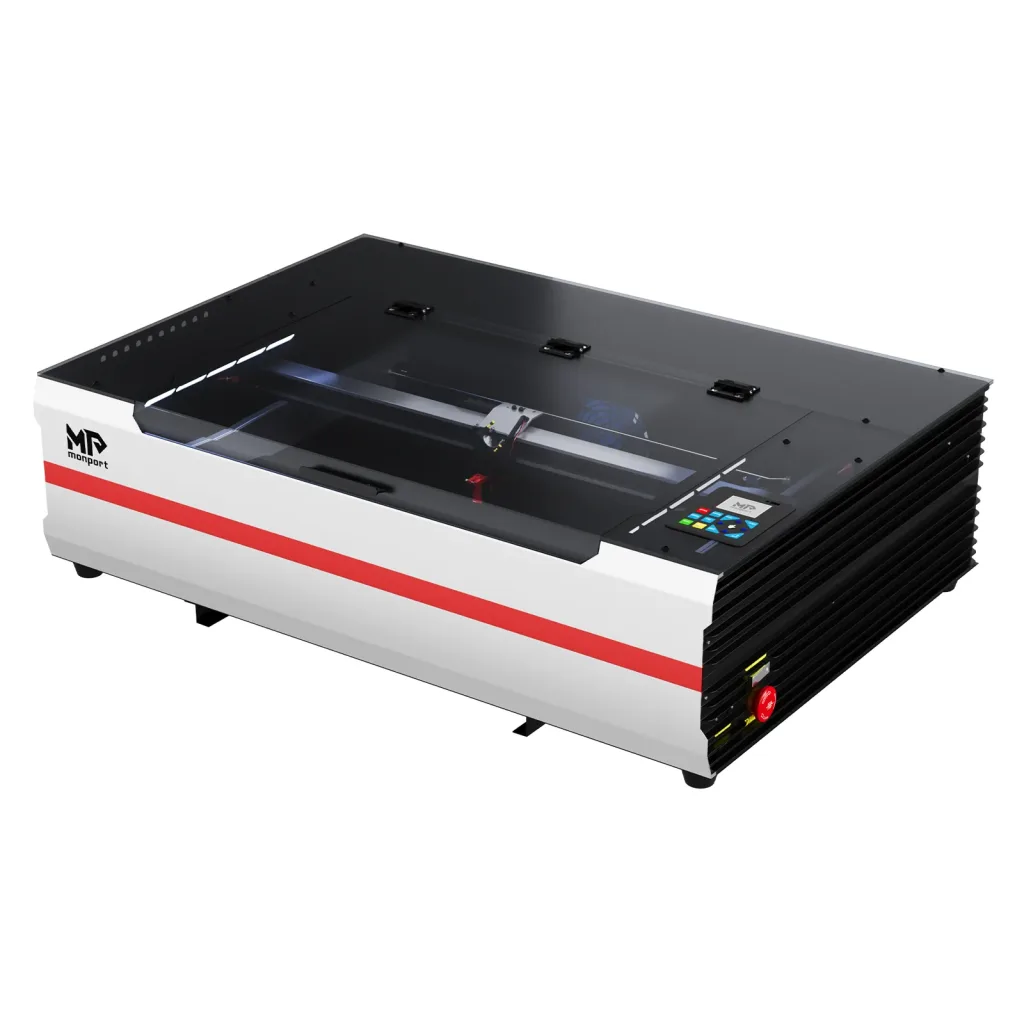
6. Monport Reno65 Pro 65W CO2
65W and a 600 x 400 mm bed for under $1,900. The most CO2 watts per dollar in this guide. ($1,849.99 on sale)

7. xTool M2 Color Craft Laser Machine
CMYK inkjet plus a diode laser in one machine. Prints and cuts full-color stickers, apparel transfers, and cards. (from $599)
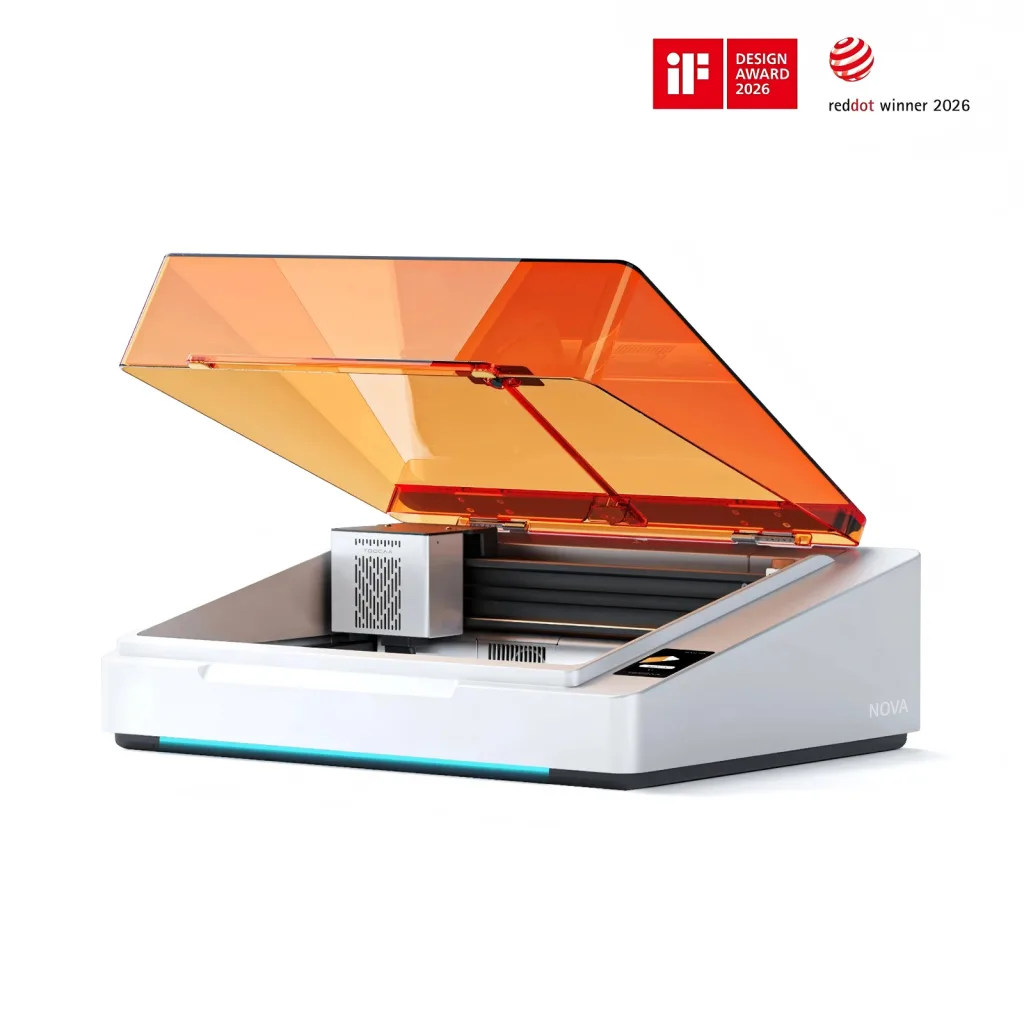
8. TOOCAA NOVA 20W
Fully enclosed Class 1, with smart workflow. The cheapest safe first step into a laser side business. (from $768)
The 8 Best Laser Cutters and Engravers for Small Business
Why you can trust this guide: We’ve hands-on tested dozens of laser cutters and engravers and evaluated them from a small business owner’s perspective to select these eight standout machines. Every entry links to our full review, and each machine underwent six weeks of rigorous real-world testing.
1. xTool P2S 55W CO2: Best Overall Laser Cutter and Engraver for Small Business

Specifications
| Spec | Detail |
| Laser source | 55W CO2 (10,600 nm) |
| Work area | 600 x 308 mm |
| Max engraving speed | 600 mm/s |
| Accuracy | 0.01 mm |
| Materials | Wood, acrylic, leather, fabric, paper, glass, coated metal |
| Camera | Dual 16MP, autofocus, LiDAR ranging |
| Batch workflow | Batch Processing 2.0, unique name or number per piece |
| Safety | Enclosed body, auto-locking lid, dual-fan exhaust |
| Price | $4,499 MSRP (frequent sales, check current price) |
Reasons to buy
- One CO2 laser cutter for small business covers wood, acrylic, and leather product lines.
- Camera positioning plus batch processing turn orders into unattended production.
- Curve engraving adds tumblers and cups to your product catalog.
- Enclosed with doubled exhaust airflow, safe in a home workshop.
- The most mature software and support ecosystem in this guide.
Reasons to avoid
- The most expensive machine here, a real business purchase.
- Cannot mark bare metal; that is a fiber or IR job.
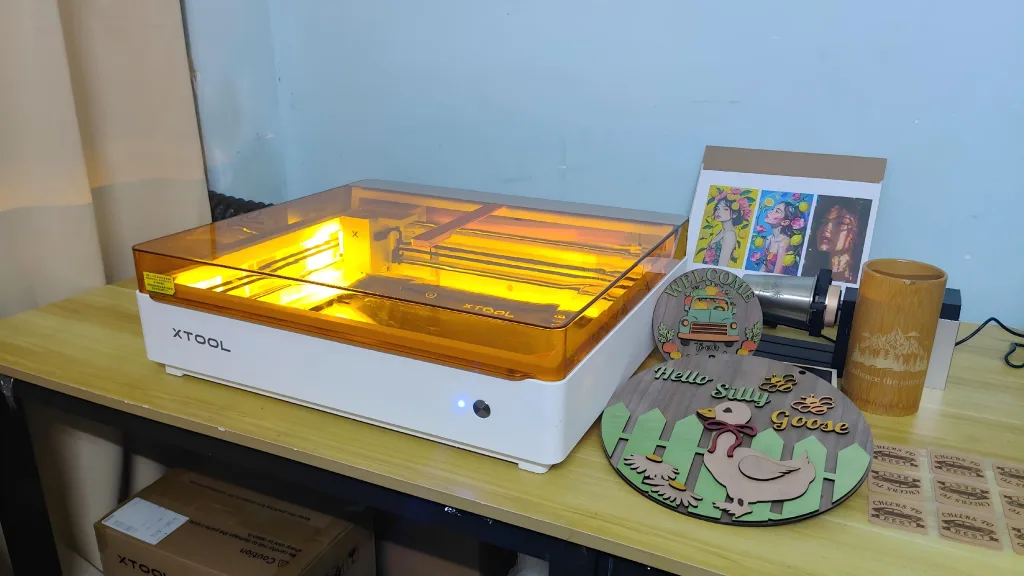
The xTool P2S is the best laser engraver for small businesses in 2026 because it runs several product lines on a single 55W CO2 bench. Wood signs, acrylic awards, leather patches, fabric, and coated tumblers are all cut and engraved on the same tube, and the cameras run unattended batch personalization for wedding favors and personalized gifts.
Small businesses do not survive on one product. The P2S earns Best Overall because it runs several product lines at once. CO2 is the most common laser type in paid work: wooden signs, acrylic awards, leather patches, fabric, and coated tumblers all engrave or cut on the same 55W tube. A shop that makes signs on Monday and leather wallets on Wednesday needs exactly this flexibility.
The power class is the point. A 55W CO2 cuts 15 mm acrylic in a single pass at standard settings, slices acrylic cleanly, and engraves with enough depth control for photo work on wood. The 600 x 308 mm bed holds a half sheet of plywood or a full grid of keychains in one setup. One job file can be engraved and then cut, so a batch of blanks comes off the bed finished.
Batch work is where a small business actually makes money, and the P2S automates it. Two 16MP cameras photograph the bed, you drag designs onto the material you laid down, and the machine handles focus and placement. Batch Processing 2.0 then pushes a different name, number, or image to each piece in one run. Personalized gifts and wedding favors ship this way, which is the gap between a hobby and a payroll.
Smoke stains light material, and small shops often work at home. The P2S runs a dual-fan exhaust that doubles airflow, pulling fumes off the piece before they settle. The body is enclosed, and the lid locks while the beam runs, so the laser stays contained. Add xTool’s air purifier, and it runs in a spare room without driving anyone out of the house.
At $4,499 before frequent sales, this is the machine you buy when the orders already exist. Our full review called it the king of desktop laser cutters, and nothing in this guide changes that for a multi-product business. If you sell more than one type of product, the P2S is the best laser engraver for a small business you can buy.
Best for: Shops selling mixed product lines: wood signs, acrylic awards, leather goods, and coated tumblers from one machine.
Read our full review: xTool P2/P2S 55W CO2 Review
2. xTool F1 Ultra Dual 20W: Best Dual Laser Engraver for Diversified Product Lines

Specifications
| Spec | Detail |
| Laser source | 20W fiber (1064 nm) + 20W diode |
| Work area | 220 x 220 mm (500 mm length with conveyor) |
| Max engraving speed | 10,000 mm/s |
| Metal cutting | 0.4mm brass / 0.3mm stainless / 0.2mm aluminum |
| Camera | 16MP, autofocus |
| Safety | Enclosed, flame alarm, built-in smoke extraction |
| Controller | Touchscreen, offline job storage |
| Price | $2,999 (conveyor bundle $3,449) |
Reasons to buy
- One bench marks metal jewelry and wood or leather goods.
- Super-fast engraving speed with 10,000 mm/s: Engrave items in seconds, genuine production pace.
- 20W dual laser: fiber handles brass and steel, diode cuts organic material.
- Enclosed with a flame alarm, safe on mixed materials.
Reasons to avoid
- A 220 x 220 mm engraving area is too small for signs or panels.
The xTool F1 Ultra is the best small business laser for mixed metal and non-metal catalogs. It folds a 20W fiber laser and a 20W diode into one enclosure, so a craft shop can mark jewelry on the fiber side, cut leather blanks on the diode side, and ship both from one bench. The 10,000 mm/s galvo runs production-grade batches without buying two machines.
Jewelry, tools, and nameplates are metal. Wallets, patches, and signs are not. Most small craft shops sell both, and until recently that meant two machines. The F1 Ultra folds a 20W fiber and a 20W diode into one enclosure, so a mixed product line runs on a single bench without swapping lasers.
Speed is the whole point. Our review timed a full leather panel engraved in 36 seconds, a stainless color marking in 59 seconds, and fiber deep engraving biting 2 mm into brass after 200 passes, enough to cut a usable stamp. At 10,000 mm/s, the galvo head traces a logo before a gantry machine finishes its first pass. That gap compounds across every order.
Each source does its own job. The fiber marks the metal: jewelry, dog tags, tumblers, and tool engraving at a depth and contrast a CO2 cannot match. The diode cuts and engraves the non-metal: wood blanks, leather patches, and acrylic. A shop selling engraved pendants and matching leather boxes makes both on one machine.
Mixed materials are flammable, so the safety stack matters. The F1 Ultra is fully enclosed with a flame alarm that stops the beam the instant something ignites, plus built-in smoke extraction. The touchscreen stores jobs onboard, so repeat orders rerun without a computer. The optional conveyor stretches the bed to 500mm and keeps batches moving.
At $2,999, it is cheaper than buying a fiber and a diode separately but only pays off if you actually sell both metal and non-metal. A metal-only shop is better served by a dedicated fiber, and a wood-heavy shop by a CO2. The F1 Ultra is the answer when your catalog is mixed.
Best for: Craft shops selling metal jewelry plus wood, leather, or acrylic goods from one bench.
Read our full review: xTool F1 Ultra Review
3. xTool F2 Ultra UV 5W: Best for Glass, Crystal & Premium Gifts

Specifications
| Spec | Detail |
| Laser source | 5W UV (355 nm), cold processing |
| Work area | 200 x 200 mm surface; 3D engraving 70 x 70 x 150 mm |
| Max engraving speed | 15,000 mm/s |
| Laser spot | About 0.02mm |
| 3D capability | Engraves inside glass and crystal, no surface damage |
| Materials | Glass, crystal, acrylic, wood, metal, leather, silicone |
| Safety | Class 4 beam, enclosed housing |
| Price | $4,299 MSRP (check current price) |
Reasons to buy
- 3D engraving inside glass, a capability no other laser type can match.
- The broadest material list of any laser in this guide.
- Cold beam leaves no scorch on finished or dyed goods.
- 15,000 mm/s, the fastest engraving speed here.
- Reads 3D files directly for interior engraving.
Reasons to avoid
- Expensive machine at around $4,000.
- 5W 355 nm laser cutting is slow on thick material, and 3D crystal engraving work often takes 1 hour.
The xTool F2 Ultra UV is the only commercial desktop laser engraver that engraves 3D images inside glass and crystal. A 355 nm UV beam passes through the surface and focuses inside the material, forming tiny cracks that create a 3D image without any surface damage. That capability is the moat for premium gift, trophy, and wedding keepsake businesses.
The material range is the second reason it belongs on a business list. The UV source engraves glass, crystal, acrylic, wood, metal, leather, plastic, rubber, silicone, and ceramic, the broadest list of any laser type. It also cuts glass, plastic, fabric, leather, acrylic, paper, and wood. One machine covers trophy shops, drinkware, and tech-accessory marking.
Cold processing is the quiet superpower. Heat-based lasers brown and burn, which scraps finished, dyed, or delicate goods. The UV beam breaks bonds with almost no heat, so it marks finished leather, coated metals, and heat-sensitive plastics without a scorch ring. For premium items where one burn means a thrown-out piece, that matters more than wattage.
Our review measured what precision means. The beam cut 3 mm plywood in one pass at 12 mm/s, faster than xTool’s own 15 W diode at 6 mm/s, with a visibly thinner kerf. The 15,000 mm/s galvo head is the fastest in this guide. It scored 4.9 out of 5, the highest mark we have given a laser.
Keep the limits straight. It cannot cut metal; the 5W source is no match for a 55-70W CO2 on thick stock, and a 3D crystal model takes about one hour to engrave. This is the premium-gift specialist, not a volume cutter. If crystal awards, wedding keepsakes, and corporate gifts are your lane, it is the only machine that does the job.
Best for: Shops selling crystal awards, premium glass gifts, and burn-sensitive finished goods.
Read our full review: xTool F2 Ultra UV Laser Engraver Review
4. Aliencell X1 40W: Best Standalone Diode Laser Engraver for Batch Work

Specifications
| Spec | Detail |
| Laser source | 40W diode (20W and 60W modules swappable) |
| Work area | 610 x 465 mm, the largest diode bed here |
| Max engraving speed | 600 mm/s, 20,000 mm/s acceleration |
| Cutting (our test) | 10 mm pine in one pass; 3 mm plywood clean at 15mm/s |
| Camera | Dual 8MP and batch fill |
| Safety | 10 flame sensors, cover detection, alarm, camera monitoring |
| Controller | Standalone touchscreen OS, offline job memory |
| Price | $2,399 list (on sale $1,799) |
Reasons to buy
- 610 x 465 mm bed, the biggest workspace of any diode here.
- 40W powerful cutting; cut 10 mm pine in one pass in our testing.
- Dual 8M cameras for precise positioning and high-definition remote monitoring.
- The most comprehensive safety protection: ten flame sensors, a screen with air quality detection, lid-opening protection, and a power-failure recovery function.
- Equipped with a large touchscreen; runs on its own touchscreen; no computer required.
Reasons to avoid
- Diode cut edges are browner than CO2, except for some cleanup.
- Engraving tops out at 600 mm/s, slow next to galvo machines.
The Aliencell X1 is the best laser engraver for small business owners who do not have a dedicated computer at the bench. It is the only pick in this guide that runs entirely on its own touchscreen with onboard job memory, so last week’s order reproduces without opening a laptop.
The bed is the other reason it made the list. At 610 x 465 mm, it is the largest workspace of any diode in this guide, big enough for a full grid of bookmarks or a half sheet of plywood. In our review, it cut 10 mm pine in a single pass and made clean drop-out cuts in 3 mm plywood at 15mm/s.
Batch work is where the cameras earn their keep. The dual 8MP pair photographs the whole bed, precisely locates every piece, and fills jobs without manual placement. Our 28-bookmark batch ran 1 hour 38 minutes unattended. Set it, leave, and come back to a finished product. A machine that runs itself acts more like an employee than a tool.
Safety coverage runs unusually deep for the price: ten flame sensors across the bed, cover detection, alarms, and air quality monitoring. Diode cutting is slow and hot, which is exactly when material catches fire, so the extra sensors are not marketing. They are the reason you can walk away from a batch.
The limits are honest. Diode laser cutting edges are browner than CO2, so expect light sanding or an edge coat. At $2,399 list price, frequently $1,799 on sale, it is a strong value for wood and leather small goods when you need standalone operation.
Best for: Sellers of wood and leather goods who need a large bed and no dedicated computer.
Read our full review: Aliencell X1 Laser Engraver Review
5. xTool F2 Portable Laser Engraver: Best Portable Laser Engraver for On-Site Customization

Specifications
| Spec | Detail |
| Laser source | 15W diode + 5W infrared (1064 nm) |
| Work area | 115 x 115mm (400 x 115mm with slide extension) |
| Max engraving speed | 6,000 mm/s |
| Camera | 50MP smart camera, autofocus |
| Weight | Under 5kg, travels to events |
| Safety | Class 4 open beam, shield included |
| Price | About $1,499 (check current promotions) |
Reasons to buy
- Under 5 kg, personalizes metal and leather on the spot.
- 5W IR marks brass and stainless directly, no spray.
- 6,000 mm/s keeps market and event queues moving.
- 50MP live preview and autofocus cut setup to seconds.
- Slide extension quadruples the bed for batch strips.
Reasons to avoid
- 115 x 115 mm base area rules out belts and panels.
The xTool F2 is the best portable laser engraver for small business revenue that happens at markets, weddings, and store events. It weighs under 5kg, sets up in minutes, and its dual laser engraves both metal (via IR) and leather or wood (via diode). One machine opens an entire on-site personalization channel no stationary machine can serve.
Not all money is made in a workshop. Markets, weddings, and store events pay premium prices for on-the-spot personalization, and the F2 is built to travel. Under 5 kg, it rides in a bag, sets up in minutes, and engraves a name on a leather keychain or a brass tag while the customer waits.
The dual-laser split is the reason it works on site. The 15W diode engraves and cuts the non-metal, and the 5W infrared marks the metal directly, brass and stainless included, with no spray and a fine spot. One portable machine covers the things customers hand you at an event: leather, stone, leaves, acrylic, metal, and more.
Speed keeps the queue short, and a short queue is a paying queue. At 6,000 mm/s, the galvo head finishes a name-and-logo job in a couple of seconds. The 50MP camera shows a live preview, so you drag the design onto the wallet and press start. Autofocus and material presets cut setup to seconds, which matters when the customer is standing in front of you.
The slide extension stretches the bed to 400 x 115 mm for batch strips of keychains and tags. Treat the open Class 4 beam with respect: goggles on, shield in place, and ventilation running. The fumes from leather and coated metal still need a path out.
It scored 4.8 out of 5 in our review. This is not a production machine; the 115 x 115 mm bed rules that out. It is a revenue channel no stationary machine can open. If you want to sell personalization at the point of sale, the xTool F2 is the tool for the job.
Best for: Mobile sellers personalizing metal, leaf, leather, and more on the spot at markets, weddings, and events.
Read our full review: xTool F2 Portable Dual Laser Engraver Review
6. Monport Reno65 Pro 65W: Best Value Large-Bed CO2 Laser Cutter and Engraver

Specifications
| Spec | Detail |
| Laser source | 65W CO2 (10,600 nm) |
| Work area | 600 x 400 mm, 100 mm Z clearance |
| Max engraving speed | 800 mm/s |
| Cooling | External water pump, 3,000 L/H |
| Air assist | Adjustable, 18 L/min |
| Noise (our test) | 56.6 dB at 30 cm |
| Software | LightBurn, AutoLaser |
| Price | $1,849.99 on sale |
Reasons to buy
- 65W and a 600 x 400 mm bed for less than half the P2S price.
- 800 mm/s engraving with precision intact across the speed range.
- 100 mm Z clearance handles boxed pieces and thick jigs.
- External pump swap keeps long cutting runs cool.
- Quiet at 56.6 dB, fits an indoor workshop.
Reasons to avoid
- No camera; batch placement is manual.
- Semi-automatic focus, set the table by hand.
- The external pump needs a bucket and a water-change routine.
The Monport Reno65 Pro is the best value CO2 laser cutter for small business production on a budget. It delivers 65W of cutting power and a 600 x 400 mm bed, both larger than the P2S, for under $1,900. The trade-off is no camera and manual focusing, which works for shops that cut a lot more than they personalize.
Our review confirmed the speed claims. At 800 mm/s, the circles and corners stayed true across the full 300-800 mm/s range we tested. A six-sheet project in 3mm plywood finished in about 30 minutes, whereas a 20W machine needed one to two hours. Production cutting of wood, acrylic, and leather runs several times faster.
The bed handles real jobs. Whole hide sections, boxed pieces, and thick jigs fit under the 100mm Z clearance, which no other desktop machine here matches. A hidden front pass-through takes long strips. On vegetable-tanned leather, expect CO2’s clean, sealed edges: 3 mm cuts in a single pass at standard settings, with wattage to spare.
Two practical points came out of testing. The external water pump sounds like a con but works like a production feature: swap in cold water any time and the tube never heat-soaks into a mid-run shutdown. And the machine measured 56.6d B at 30 cm with strong smoke containment in our one-hour air test, so it fits a home shop.
Know the gaps before you buy. There is no camera, so batch placement is manual, and focusing is semi-automatic via the magnetic probe. If you can accept manual setup, this is the most CO2 watts per dollar in the guide.
Best for: Budget-conscious producers cutting wood, acrylic, and leather in volume who can handle manual batch setup.
Read our full review: Monport Reno65 Pro 65W CO2 Laser Engraver Review
7. xTool M2 Color Craft Laser Machine: Best All-in-One Laser for Full-Color Crafts
Specifications
| Spec | Detail |
| Laser source | 10W or 20W diode + optional 3W IR |
| Color module | CMYK inkjet, water-based ink |
| Work area | Compact desktop, enclosed |
| Camera | Dual camera |
| Software | xTool Studio, material presets |
| Safety | Class 1 enclosed |
| Price | From $599 (10W); CMYK bundles $699-$749 |
Reasons to buy
- Prints full-color designs and laser-cuts them in one workflow.
- The only machine here that makes color stickers and apparel.
- From $599, the lowest entry point in this guide.
- Class 1 enclosed, safe around kids and pets.
- Dual cameras and automated preprocessing workflows remove the setup.
Reasons to avoid
- Ink is a recurring cost, cartridges are not refillable.
- 10W or 20W laser module is weak for thick cutting.
- 600 mm/s gantry speed is slow for large batches
The xTool M2 is the best laser engraver for small business owners selling full-color crafts on Etsy. It combines a CMYK inkjet and a diode laser on magnetic mounts, so a shop can print full-color stickers, apparel transfers, and greeting cards, then cut them out in one workflow. From $599, it is the cheapest real product line in this guide.
There is a whole market of sellers coming off Cricut and Silhouette machines, stuck between a printer that cannot cut and a cutter that cannot print. The M2 closes that gap with a CMYK inkjet module and a diode laser that hot-swaps on magnetic mounts. Print a full-color sticker sheet, then cut it out, in one workflow with no alignment struggle.
The color capability is the moat. No CO2, fiber, UV, or diode machine in this guide can produce a full-color sticker, iron-on, or card. That opens product lines the rest of us cannot touch: waterproof-free stickers, custom apparel transfers, greeting cards, and layered art. It is the single most differentiated machine on this list.
The workflow is built for beginners running a business. Dual cameras give a live workspace preview, and the camera system detects the material and loads settings on its own. xTool Studio carries all of the material presets and templates for stickers, keychains, and cake toppers, so a first product comes off the bed in minutes, not a weekend of tuning.
The honest costs sit in the ink. Cartridges are one sealed unit, not refillable. It is a recurring expense to price into every sticker. The laser side is 10W or 20W, which cuts paper, cardstock, and thin wood cleanly but is not a thick-wood cutter.
At $599 to start, it scored 4.5 out of 5 in our review, and it is the best first machine for a color-craft business. Pair it with a CO2 later if cutting volume grows. For stickers, apparel, and paper goods, nothing else here competes.
Best for: Etsy sellers making full-color stickers, apparel transfers, cards, and paper goods. The best laser engraver for Etsy color-craft categories.
Read our full review: xTool M2 Color Craft Laser Review
8. TOOCAA NOVA 20W Laser Engraver: Best Starter Laser for a Side Hustle

Specifications
| Spec | Detail |
| Laser source | 20W diode (10W and 2W IR modules available) |
| Work area | 297 x 210 mm (A4) |
| Max engraving speed | 600 mm/s |
| Camera | 5MP, material recognition |
| Safety | FDA Class 1, fully enclosed |
| Rotary | 90-degree X-axis rotation, no riser needed |
| Noise | About 50dB, quieter than conversation |
| Price | From $768 (10W starter; 20W bundles higher) |
Reasons to buy
- Fully enclosed Class 1, the safest first laser we tested.
- Material recognition loads settings automatically.
- No-riser rotary engraves tumblers and bottles out of the box.
- Ten minutes from box to first engraving, we timed it.
- From $768, the cheap entry into laser work.
Reasons to avoid
- A4 bed limits layout size.
- 20W diode cuts only thin material.
- 600 mm/s gantry speed is slow for large batches.
The TOOCAA NOVA is the best starter laser engraver for small business owners testing their first side hustle. A side hustle should be cheap to test and cheap to abandon. The TOOCAA NOVA is the lowest-risk first machine we have tested. It is fully enclosed and FDA Class 1, so the beam stays in the box and there are no goggles or curtains. It runs around 50dB, quieter than a normal conversation, so it fits an apartment or a corner of the living room.
The smart workflow removes the barrier that scares beginners off. The camera reads the material QR code and loads power and speed on its own, and autofocus completes in three seconds. In our testing, the path from unboxing to a finished first piece took about ten minutes, matching TOOCAA’s claim. A beginner’s first product lands the same day the box arrives.
The no-riser rotary is the surprise feature. The X-axis rotates 90 degrees, so you drop in a tumbler or bottle and engrave it without lifting the machine or buying a riser. Drinkware is one of the most reliable side-hustle categories, and the TOOCAA NOVA unlocks it at no extra cost, so TOOCAA NOVA is also one of the best laser engravers for tumblers. Puls: The dual-channel exhaust system pulls smoke in highly efficiently, so you can get a cleaner cut piece than other laser machines.
The limits define the role. The A4 bed is small, the 20W diode cuts only thin material, and the gantry speed is slow for large batches. This is the first machine that proves a market, not a production line. When orders outgrow it, you graduate to a CO2 like the Reno65 Pro or P2S.
At $768 to start, it scored 4.6 out of 5 in our review. If you are testing whether a laser side business works for you, the NOVA is the cheapest safe way to find out. Prove the orders first, upgrade later.
Best for: Beginners testing a side hustle with tumblers, patches, coasters, and small wood or leather goods.
Read our full review: TOOCAA NOVA 20W Smart Laser Engraver Review
How to Choose a Laser Engraver for Small Business
How much laser power do you need to run a laser engraving business?
Match wattage to your order volume, not your ambition. A 20W diode proves a market and cuts thin stock; a 40W diode like the Aliencell X1 cuts 10 mm wood in one pass; a 55-65W CO2 like the P2S or Reno65 Pro cuts thicker materials in one pass and runs daily production. Buy the smallest machine that keeps up with your current orders, then upgrade when it becomes the bottleneck.
CO2, fiber, UV, or diode: which makes money fastest for a small business?
Start from the product, not the technology. Wood, acrylic, and leather cut and engrave best on CO2. Metal marks deepest on fiber. Glass, crystal, and burn-sensitive goods need UV. Budget engraving on thin stock is diode territory. Most shops make money fastest on CO2 because it opens the widest range of sellable products. Add a fiber or UV later when a specific product line proves out.
What laser products sell, and how fast does a machine pay for itself?
Personalized gifts, drinkware, wooden signs, leather patches, and metal jewelry are the reliable sellers across Etsy, local craft fairs, and direct-to-consumer shops. A $1,800 CO2 laser cutter for small business often pays for itself in a few months when you price for the time you save, not just the material. The trap is pricing too low. A keychain that costs $2 in blanks and sells for $12 pays for a machine far faster than one priced at $5.
How do you scale a laser engraving business from one-off orders to batch production?
Batch capacity separates a side hustle from a job. Camera positioning, batch fill, and conveyors turn one-at-a-time work into unattended runs. The P2S and F1 Ultra fill a bed and personalize each piece automatically; the Aliencell X1 runs a 28-piece batch unattended. When setup time exceeds run time, it is time for a commercial laser engraver with cameras and batch tools.
Can you run a laser engraving business from home?
Yes, with the right machine and ventilation. Enclosed Class 1 machines like the TOOCAA NOVA and xTool M2 are safe in a living space. Open Class 4 machines like the F2 belong in a ventilated workshop, not a bedroom. Every laser here needs a fume path: a window vent or a purifier. Check your lease and local rules before buying a home laser cutter for small business production.
What accessories do you actually need to start a laser side business?
A honeycomb bed and air assist come first for clean cutting. Add a rotary for drinkware, a purifier or ducting for fumes, and material blanks. Skip the extras until an order asks for them. The machine ships with cameras, autofocus, and a rotary easy setup, which can save you from buying those pieces separately.
What software does a commercial laser engraver need?
Most serious operators use LightBurn, the industry-standard laser control software, for camera alignment, multi-layer engraving, and batch fill. xTool Studio is the easier beginner option and ships with the P2S, F1 Ultra, F2, and M2. Pick a machine that supports both LightBurn and its native software so you can start fast and scale up later. Personally, I think xTool Studio is better than LightBurn if you use the xTool product.
How do you pick between a fiber laser and a CO2 laser for a small business?
Pick the material that pays the bills. A fiber laser marks bare metal (jewelry, tools, tumblers, nameplates) but cannot cut wood or acrylic. A CO2 laser cuts and engraves wood, acrylic, and leather but cannot mark bare metal. Most laser engraving businesses start on CO2 because the product range is larger. Add a fiber as a second machine only after a metal product line proves out.
Starting Your Laser Engraving Business: 5 Steps to Your First Sale
Buying the machine is the easiest step. Running a real laser-side business takes five habits that competitors’ guides skip. Use this checklist in the first 60 days after your machine arrives.
Step 1. Pick your first product line before you pick your machine.
Choose one product you can ship within a week of the machine arriving: tumblers, leather patches, wood signs, or color stickers. The machine should fit the product, not the other way around. Tumblers and patches fit a starter diode; signs and acrylic fit a CO2; color stickers fit the M2. Trying to launch five product lines at once is the fastest way to buy the wrong machine.
Step 2. Price for your time, not just your material.
Most laser side hustles underprice in the first three months. A leather patch that costs $1.50 in blanks and takes 8 minutes to engrave and package is not a $5 item. Price it for the time saved (a customer cannot get this personalized patch in a big-box store) plus material plus a margin. Recheck your prices every month against your real hourly take-home, not the material receipt.
Step 3. Open two sales channels before the machine arrives.
Etsy and one local channel (a craft market, a flea booth, or a friend’s brick-and-mortar) cover most starter laser engraving businesses. Etsy brings search traffic and trust signals; the local channel brings cash flow and word-of-mouth. Post listings the same week you unbox the machine, so your first finished pieces ship into waiting orders, not into storage.
Step 4. Run ventilation and safety from day one.
Buy an inline ducted fan or a HEPA + activated-carbon air purifier before the machine ships. Route exhaust outside if you can; if you cannot, run the purifier on the same outlet as the laser. Leather, PVC, and coated metals release fumes you do not want in a home, and many leases and local rules require ventilation for any commercial production. Treat day-one ventilation as a business expense, not an accessory.
Step 5. Reinvest the first $1,000 of profit back into the shop.
The biggest mistake new laser businesses make is treating profit as income. Reinvest the first $1,000 of net profit into accessories (rotary, air assist, exhaust upgrade) or into a second machine for the next product line. A $1,800 CO2 that pays for itself in two months is more valuable when the second month funds a $400 rotary than when the second month goes into personal spending. Reinvest until you hit your target monthly revenue, then draw the rest.
FAQ
What is the best laser engraver to start a small business?
The xTool P2S 55W CO2 laser is the best all-around choice because it cuts wood, acrylic, and leather and runs camera batch personalization in one machine. For a lower-cost start, the TOOCAA NOVA at $768 proves a market before you invest more.
How much money can a laser engraving business make?
There is no fixed figure, but personalized gifts, drinkware, and metal jewelry carry margins of several dollars per piece. A $1,800 laser cutter for small business often pays for itself within months of steady orders. Profit depends on pricing, order volume, and how many product lines you run, not on the machine alone.
Is a CO2 or diode laser better for a small business?
CO2 is the better general business machine: it cuts and engraves wood, acrylic, and leather and opens the widest product range. Diode lasers cost less and engrave well but cut more slowly and brown edges more. Choose CO2 for production, diode for a budget start.
Can I run a laser engraving business from home?
Yes, if you choose an enclosed Class 1 machine and provide ventilation. Machines like the TOOCAA NOVA and xTool M2 are safe in a home, while open Class 4 machines like the xTool F2 need a dedicated ventilated workspace. Always route fumes outside or through a purifier.
How much does a good laser engraver for a small business cost?
A reliable starter machine runs $600 to $800, a capable CO2 cutter $1,800 to $2,200, and a full multi-product setup $2,500 to $4,500. The right budget is the smallest machine that keeps up with your orders, not the largest one you can afford.
What is the easiest laser engraver for a beginner business?
The TOOCAA NOVA is the easiest we tested: enclosed Class 1, automatic material settings, and about ten minutes from box to first engraving. The xTool M2 is the easiest for full-color crafts with its camera-driven auto workflow.
What is the best laser for laser engraving business owners who sell on Etsy?
The xTool P2S is the most versatile laser engraver for Etsy sellers because it covers wood signs, acrylic awards, leather patches, and drinkware on one bench. Sellers focused on full-color stickers should pick the xTool M2, and tumbler-only sellers should look at the TOOCAA NOVA with its no-riser rotary.
Do I need a fume extractor or air purifier for my laser engraver?
Yes. Every laser in this guide, even enclosed Class 1 machines, produces smoke and fine particles when it cuts. A window vent with a fan or a HEPA + activated-carbon air purifier is the minimum for home use. A proper inline ducted extractor is the upgrade once your shop runs daily production.
Conclusion
The right machine depends on the business you are building, not the material you are cutting. The xTool P2S is the complete tool for a multi-product shop, running wood, acrylic, and leather with camera batch personalization. The F1 Ultra adds metal to a mixed catalog. The F2 Ultra UV owns premium glass and crystal. The Aliencell X1 runs batch work without a computer, the F2 takes personalization on the road, the Reno65 Pro delivers the most CO2 watts per dollar, the M2 opens color crafts, and the NOVA is the cheapest safe start.
If we could pick one machine for a new small business, it would be the P2S. It is the only pick here that excels at cutting, engraving, and batch production at once, and its ecosystem will not hold you back as the business grows. Budget-first buyers should start with the NOVA or the Reno65 Pro and reinvest the savings into materials and listings.
Three habits beat any machine upgrade. Price your time, not just your material. Buy the smallest machine that keeps up, and upgrade only when it becomes the bottleneck. And ventilate properly from day one, because a fume-filled room ends a home laser engraving business faster than any competitor.
If you’re building a leather business, see our best laser engraver for leather guide. Selling tumblers or drinkware? See our best laser engraver for tumblers guide.